AI Tools for Productivity

Discover the best Productivity AI tools to enhance your productivity and creativity.

Page 86 of 114 • 1361 total tools

In today’s busy world, staying productive can feel like a real challenge. With so much to do, constant notifications, and distractions everywhere, having the right tools to manage your time well is more important than ever. That’s where AI productivity tools come in—they’re designed to make your work smoother, handle repetitive tasks for you, and keep you organized.

These smart solutions have come a long way recently. They’ve gone from simple task managers to complete systems that can adapt to what you need. Whether you’re trying to organize your day better, improve how your team works together, or finally tackle that huge inbox, the right AI tools can make a big difference.

As I looked into the best AI productivity tools out there, I tried out several apps that promise to make you more efficient and focused. From smart schedulers to new project management systems, there are tons of options to help you get your time back.

So, if you’re ready to boost your productivity and make the most of your workday, you’re in the right place. Here’s a list of great AI productivity tools that are definitely worth checking out. Let’s explore how to work smarter together!

The best AI Productivity Tools

  1. Perplexity for automating tasks and helping with management.
  2. Small PDF.com for smoother document management for teams.
  3. Gamma for document creation tools that save time.
  4. Odoo for a task management and collaboration app.
  5. Zoom for analyzing and summarizing meeting content.
  6. N8N for smoother team onboarding processes.
  7. Prezi for engaging team collaboration sessions.
  8. Tableau for creating reports and dashboards more easily.
  9. Data Camp for efficient team collaboration workflows.
  10. Otter.ai for getting action items from meetings without the fuss.
  11. Tenorshare for easily summarizing long PDF documents.
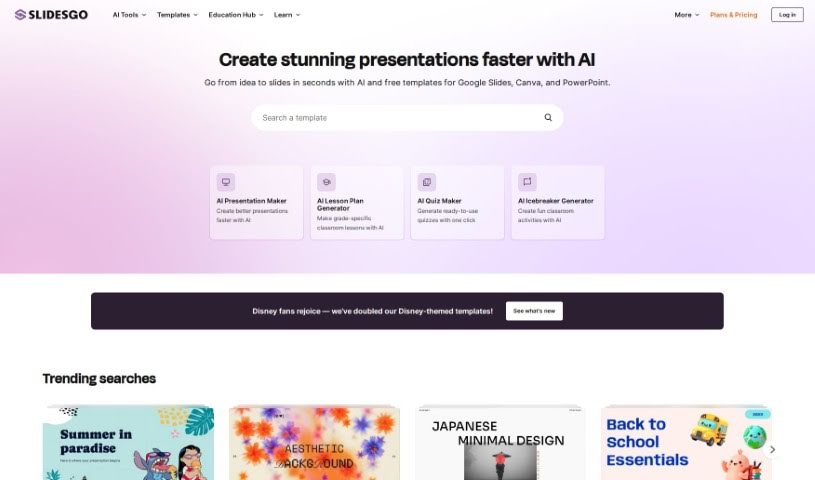
  12. Slidesgo for creating professional presentations efficiently.
  13. Facecheck Id for streamlining identity verification tasks.
  14. HIX.AI for boosting writing speed with smart tools.
  15. Tactiq for automating meeting notes for teams.
How do AI productivity tools work?

AI productivity tools use machine learning to look at how you work and make your tasks more efficient. These tools are built to handle lots of information, spotting patterns and your preferences to help smooth out your workflows. By understanding how you use different apps, AI can suggest personal improvements to boost your productivity.

Basically, these tools use natural language processing (NLP) to understand and respond to what you ask. For example, they can schedule meetings, set reminders, or create reports just by understanding simple requests. This saves you time and cuts down on manual work.

Many AI productivity apps connect with popular tools like calendars, email, and project management software. This connection lets them gather information and automate tasks across different places. As a result, you get a smooth, connected experience that improves how you work day-to-day.

AI productivity tools also learn from how you use them to get better over time. The more you use a tool, the better it gets at guessing what you need and offering helpful suggestions. This ability to adapt is what makes AI tools increasingly valuable for improving productivity for both individuals and teams.

Plus, these tools can look at data about how you complete tasks and suggest ways to improve. For instance, if you often miss deadlines, the AI might suggest better ways to manage your time. By giving you useful insights, AI productivity tools help you work smarter, not just harder.

In the end, AI productivity tools show how technology can change everyday tasks into more efficient processes. By automating routine jobs and offering personal insights, they help you focus on what’s most important—hitting your goals and being more effective overall.

Our best AI productivity tools at a glance

RankNameBest forPlans and PricingRating
1PerplexityAutomating tasks and helping with management.N/A4.70 (10 reviews)
2SmallPDF.comSmoother document management for teams.Paid plans start at $9/month.4.73 (11 reviews)
3GammaDocument creation tools that save time.N/A4.79 (19 reviews)
4OdooA task management and collaboration app.N/A4.67 (6 reviews)
5ZoomAnalyzing and summarizing meeting content.Paid plans start at $15.99/month.4.73 (11 reviews)
6N8NSmoother team onboarding processes.Paid plans start at $50/month.4.58 (12 reviews)
7PreziEngaging team collaboration sessions.Paid plans start at $19/month.4.18 (11 reviews)
8TableauCreating reports and dashboards more easily.N/A4.70 (43 reviews)
9DataCampEfficient team collaboration workflows.Paid plans start at $25/month.4.71 (24 reviews)
10Otter.aiGetting action items from meetings without the fuss.Paid plans start at $13.59/month.4.73 (11 reviews)
11TenorshareEasily summarizing long PDF documents.N/A4.64 (11 reviews)
12SlidesgoCreating professional presentations efficiently.N/A4.68 (22 reviews)
13Facecheck IdStreamlining identity verification tasks.N/A4.42 (19 reviews)
14HIX.AIBoosting writing speed with smart tools.N/A4.36 (11 reviews)
15TactiqAutomating meeting notes for teams.N/A4.64 (11 reviews)
Screenshot of ScreenshotAI By Fabric

ScreenshotAI By Fabric

Freemium

ScreenshotAI by Fabric is a pretty neat tool designed specifically for analyzing screenshots. It uses advanced AI to help you quickly get insights from them. It is a smart assistant for your screenshots. You can easily pull out text, spot objects, and even figure out what kind of image you're looking at. By using artificial intelligence and machine learning, ScreenshotAI really simplifies how you understand and organize the information you capture. It's especially helpful if you need to pull data, sort content, or recognize images, making it a great way to boost your productivity and manage your information better.

Screenshot of ScreenSnapAI

ScreenSnapAI

Freemium

ScreenSnapAI is a really neat tool for Mac users that uses Artificial Intelligence to manage your screenshots. It is your AI-powered assistant for anything you capture on your screen. It lets you do things like quickly summarize text, translate languages, or even draft email replies, all directly from the content you've selected. It’s designed to save you time by using the latest AI tech, and it’s pretty smart about how it organizes everything. ScreenSnapAI automatically labels and categorizes your screenshots, making them super easy to find later with its Smart Folders feature. Basically, it turns your collection of screenshots into an organized, searchable library, making your workflow much smoother and more efficient.

Screenshot of Scribe How Scribe AI

Scribe How Scribe AI

Freemium

Scribe AI is a handy tool that turns your processes into clear, step-by-step visual guides. This means you can focus on what really matters in your work. It lets you customize guides in just seconds, adding titles, descriptions, and context, plus you can easily redact any sensitive information. Scribe AI is committed to sharing straightforward information about AI and data security, with user privacy being their absolute top priority. They make sure your data isn't used to train AI models, and the AI service providers they use don't store your data long-term. They've put strong security measures in place, like data encryption, backups, and careful retention policies, all to keep your information safe.

Screenshot of SDF Labs

SDF Labs

Freemium

SDF is a developer platform built for data, designed to help organizations scale their understanding and use of SQL. It is a single command-line package that combines a multi-dialect SQL compiler, a transformation framework, and an analytical database engine. What sets SDF apart is its ability to deeply extract SQL compilers from cloud environments. This means it can actually run proprietary SQL dialects, like the ones used by Snowflake. Essentially, SDF helps data teams avoid breaking changes in their production systems, speed up development with better error reporting, get clear visibility into column-level lineage, weave business logic directly into their code, and even build data warehouses using its built-in analytical database.

Screenshot of Searchable.ai

Searchable.ai

Freemium

Searchable.ai is a comprehensive data platform designed to connect smoothly with top SaaS applications. It makes it simple to parse and organize data from files and apps, and it powers advanced federated search and AI applications. Essentially, this system makes your data easy to manage and access, boosting productivity and helping you make better decisions. It offers powerful search tools and an easy-to-use interface. By using the latest technology, Searchable.ai really stands out in the world of data management. It's built to help anyone – whether you're a small business owner, a developer, or a data analyst – work with your data in a smart and efficient way.

Screenshot of Searchbase

Searchbase

Freemium

Searchbase is a really useful tool designed to make searching within your Firestore apps much better. It offers advanced search features that are easy to set up. Think of things like connecting seamlessly with your databases, building queries visually without needing to code, keeping your data perfectly in sync in real-time, and letting you customize search filters exactly how you want them. Plus, it has AI features that can group similar results (semantic clustering) and even search using images (image semantic search).

Screenshot of Searchgpt

Searchgpt

Freemium

SearchGPT is a really neat AI tool from Owens Laboratories. Its main job is to create spreadsheets based on whatever you tell it or ask for. You just type in your instructions, and SearchGPT builds the spreadsheet for you. What makes it stand out from other tools that do this is its use of deep learning. This means it's really good at understanding what you want and then making it happen in a spreadsheet. It’s designed to boost your productivity and cut down on all that tedious manual work. Plus, it’s super easy to use, with a simple prompt-based interface that anyone can figure out, no matter their tech background. They also offer good support and take data privacy very seriously, which you can read all about in their privacy policy on their website.

Screenshot of Secureframe

Secureframe

Freemium

Secureframe's Risk Management solution is an AI-powered tool designed to automate how your organization assesses and manages risks. It is a smart assistant that streamlines the whole process, saving you time and cutting down on the costs that come with keeping a solid risk management program running smoothly. It uses the ISO 27005 methodology to really get a handle on risks, which helps you make better, more informed decisions for your security compliance efforts. You can easily assess risks, document how you plan to handle them, and make sure you're aligned with important frameworks like SOC 2, ISO 27001, PCI, and HIPAA. The tool even includes a risk library with NIST scenarios, lets you track changes to individual risks, and offers plenty of ways to customize how you categorize them. Plus, you get intuitive dashboards that give you a real-time look at your organization's risks, making it much simpler to share the status of your risk management program with everyone involved.

Screenshot of Seek AI

Seek AI

Freemium

Seek AI is a conversational AI tool built specifically for digging into data. It lets you ask questions using everyday language, so you don't need to be a pro with traditional data analysis software. You get real-time insights right through a user-friendly interface that works with popular messaging apps like Slack and Teams. Seek AI's smart natural language model understands even tricky questions and remembers common ones in a knowledge base. It also comes with a code editor and connects to your data warehouses. Plus, it's designed to be non-intrusive and private – it doesn't track your personal info and only uses one cookie to remember your preferences. Seek AI really shines when it comes to accuracy; it's actually ranked top on the Yale Spider benchmark for accuracy. They also update it regularly to keep it improving and compatible with all sorts of data products. Essentially, it's making business analytics much simpler by letting you query databases using natural language, giving you efficient and insightful results for better analysis.

Screenshot of self.team

self.team

Freemium

It looks like self.team is connected to the Peach App, which is an AI tool aiming to completely change how we create presentations. Peach App uses AI to make building engaging pitches much simpler. You just need to provide your content, and the platform uses generative text to automatically create unique presentation slides that fit different professional situations. With features like AI-powered slide generation, smart text creation, an easy-to-use interface, and a focus on professional-looking results, Peach App is designed to boost your productivity, spark creativity, and improve the overall quality of your presentations, whether you're talking to clients, investors, or colleagues.

Screenshot of Sembly AI

Sembly AI

Freemium

Sembly AI is a smart platform built to make your meetings more productive and efficient. It is your AI assistant that handles the tedious task of note-taking. It automatically picks out all the important stuff from your meetings – like decisions made, requirements agreed upon, and key events that happened. It's really good at spotting risk items, notable facts, and even important financial figures, making sure nothing crucial gets missed.

Stay Updated with AI Tools

Get weekly updates on the latest AI tools, trends, and insights delivered to your inbox

Join 25,000+ AI enthusiasts. No spam, unsubscribe anytime.