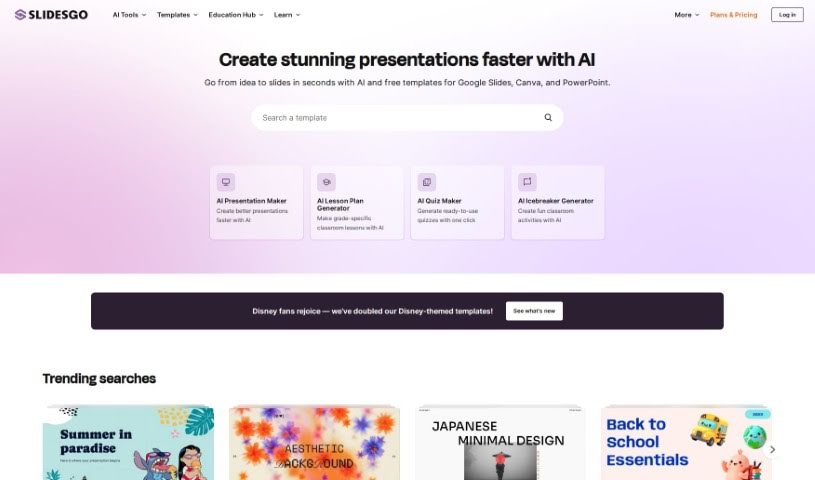
What is Slidesgo?
Slidesgo is a fantastic resource for creating presentations. It offers a huge library of customizable templates, each with its own unique design style and tone. You can easily tweak these templates using their online editor. Plus, you get access to tons of images and icons from popular sites like Freepik and Flaticon. If you need to share your work, you can download it as a PDF or just generate a shareable link.
Slidesgo also has an AI Presentation Maker, which is pretty neat. It uses artificial intelligence to whip up presentation templates super fast. This is a lifesaver if you’re short on time or just feeling a bit uninspired. You can pick from different design styles and tones, and even add your own images to the AI-generated slides. You can also easily change colors and where text sits. The best part? It’s free to use, and you don’t need any extra software to customize your slides. You can even share your presentations straight from the AI tool and choose specific writing tones for your content. Honestly, this AI Presentation Maker feels like a much quicker and more modern way to create slideshows compared to traditional PowerPoint.
Who created Slidesgo?
Slidesgo was actually created by the folks at Freepik Company S.L., and they launched it on March 21, 2023. The founder of Slidesgo is part of the Freepik Company team. They offer a wide variety of presentation templates, with both free and premium options available. You can customize them easily, and they give you access to a ton of resources, including images from Freepik and icons from Flaticon. Their goal is to help users create presentations quickly using their online editor. They really aim to meet what users need, save them time, and make the whole experience smooth and user-friendly, with good customer support to back it up.
What is Slidesgo used for?
Slidesgo is incredibly versatile! Here’s a breakdown of what you can do with it:
- Language Support: It works with multiple languages.
- Template Creation: You can create your own presentation templates that are fully customizable.
- Speedy Generation: Need a presentation fast? Slidesgo can generate them quickly.
- Customization: You have the freedom to customize design styles and even the writing tones used in your content.
- Resource Access: Get access to a broad range of images and icons to make your slides pop.
- Sharing Options: Download your finished presentations as PDFs or generate shareable links.
- Topic Variety: It supports a wide variety of topics, so you’re likely to find something that fits.
- Helpful Tips: They also provide presentation tips to help you out.
- Direct Sharing: You can share your presentations directly from the platform.
- Professional Look: It helps you efficiently create professional-looking slideshows.
- Design Choices: You get multiple design styles to choose from.
- Easy Editing: The online editor makes it simple to change colors and text placement.
- Convenient Downloads: Presentations can be downloaded in PDF format.
- Shareable Links: Generating a shareable link is straightforward.
- Integrated Resources: You get easy access to images from Freepik and icons from Flaticon.
Who is Slidesgo for?
Slidesgo is a great tool for a wide range of people and needs:
- Entrepreneurs: Especially those looking for funding or needing to present their business ideas.
- Sales Professionals: Perfect for those trying to close deals and make a strong impression.
- Students: Whether you’re in middle school or university, it helps you stand out.
- Educators & Teachers: Great for creating engaging lessons and materials.
- Business Professionals: Anyone who needs to deliver presentations for work.
- Creative Professionals & Designers: For visually appealing presentations that showcase their work.
- Team Members & Administrators: Useful for internal communications, reports, and school administration.
Essentially, if you need to present information in a clear, visually appealing, and professional way, Slidesgo is likely a good fit for you.
How to use Slidesgo?
Using Slidesgo is pretty straightforward. Here’s a simple step-by-step guide:
- First off, head over to slidesgo.com and log in if you have an account. If not, you can create one easily.
- Take some time to explore the huge collection of presentation templates. You’ll find plenty of free options, and there’s also a Premium plan if you need more.
- Once you find a template that really speaks to you and fits what you need, just select it.
- Now, you can customize it using their online editor. This is where you can play around with colors, move text around, and make any other tweaks you like.
- If you’re using the AI Presentation Maker, it’s even quicker! Just pick a topic, a design style, and a tone, and the AI will generate a set of slides for you in no time.
- After the AI creates your slides, you can still fine-tune them further in the online editor.
- Don’t forget to check out the high-quality visual resources like images and icons available from places like Freepik and Flaticon to really enhance your presentation.
- When you’re happy with your work, you can download your completed presentations as PDFs or generate shareable links to easily show off your slides.
- You can share your presentations directly from the AI tool, or you can download them and share them through other platforms if you prefer.
- If you’re using a team account, inviting your colleagues is easy – just send them an email or a custom URL. You can also manage their access and passwords as needed.
Slidesgo really makes things easy with its user-friendly interface, free access to templates and resources, and efficient creation process. Plus, they offer responsive customer support. The whole platform is designed to save you time, boost your creativity, and help you create professional presentations without a hassle.