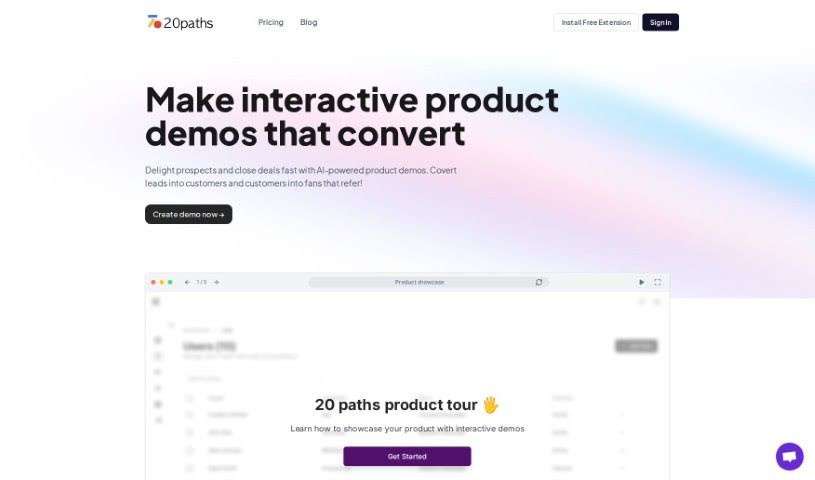
Screenshot of 20Paths

20Paths

Discover what 20Paths is and how to use it effectively in 2025. Explore its features and see how it stacks up against other documentation tools.

Screenshot

What is 20Paths?

“20Paths” is your AI assistant for creating how-to guides and documentation. It’s really built for folks like technical writers, documentation specialists, and instructional designers who need to put together clear, engaging guides without a huge fuss. The tool has a super user-friendly interface. You can create, tweak, and share guides easily. Plus, it can automatically highlight key parts and generate basic text to speed things up. There’s even a handy Chrome extension that lets you start and finish guides with just a click, making the whole process much smoother and more pleasant.

Who created 20Paths?

While the specific individuals or team behind 20Paths aren’t mentioned, the company itself launched on November 28, 2023. Essentially, 20Paths is an AI tool designed to make creating how-to guides and documentation efficient. It offers a straightforward interface, useful features, and a Chrome extension to simplify how you produce guides. It’s mainly used by technical writers, documentation specialists, and instructional designers who want to create professional-looking content quickly and easily.

What is 20Paths used for?

  • Creating interactive demos
  • Making custom demos for different customer types
  • Helping to convert leads into customers
  • Showcasing product features interactively
  • Producing content much faster than traditional methods
  • Building step-by-step guides
  • Telling product stories
  • Automatically generating help centers
  • Keeping help centers synced
  • Providing an embeddable help center widget
  • Creating interactive product demos that really convert
  • Delighting potential customers and closing deals faster with AI-powered product demos
  • Capturing product walkthroughs with instant annotations and highlights
  • Tailoring demos with chapters, branching logic, CTAs, and AI-powered translations
  • Sharing demos on websites, within the sales process, in email campaigns, and across help centers
  • Personalizing demos with custom branding and dynamic elements
  • Translating product demos into over 12 languages using AI
  • Turning website visitors into customers through product walkthroughs
  • Boosting product adoption and keeping users engaged with step-by-step self-learning guides
  • Speeding up sales cycles with demo leave-behinds and in-depth analytics

Who is 20Paths for?

  • Technical Writers
  • Documentation Specialists
  • Instructional Designers

How to use 20Paths?

Here’s how to get the most out of 20Paths:

  1. Start by clicking the Chrome extension. This is your gateway to creating a guide or demo.
  2. Go through the steps on your screen that you want to demonstrate. Just do what you normally would.
  3. Click the extension again when you’re done. 20Paths will then automatically highlight the important bits and generate the basic text for you.
  4. Make it your own! You can edit the text, change colors, and adjust highlighters for your demos, guides, and help centers to perfectly match your brand.
  5. Share your creation right away. You can use a link or embed it wherever you like – emails, tweets, Notion, or any other tool that supports embedding.
  6. Use the auto-generated help center to keep all your instructional content organized. It stays in sync with your connected content folder.
  7. Take advantage of the feature that lets you create guides in multiple formats. This helps you efficiently put together SOPs across different tools and procedures.
  8. Tap into 20Paths’ powerful AI to build interactive demos specifically designed for different customer profiles and stages in your sales and marketing efforts.

Related AI Tools

Discover more tools in similar categories that might interest you

Stay Updated with AI Tools

Get weekly updates on the latest AI tools, trends, and insights delivered to your inbox

Join 25,000+ AI enthusiasts. No spam, unsubscribe anytime.