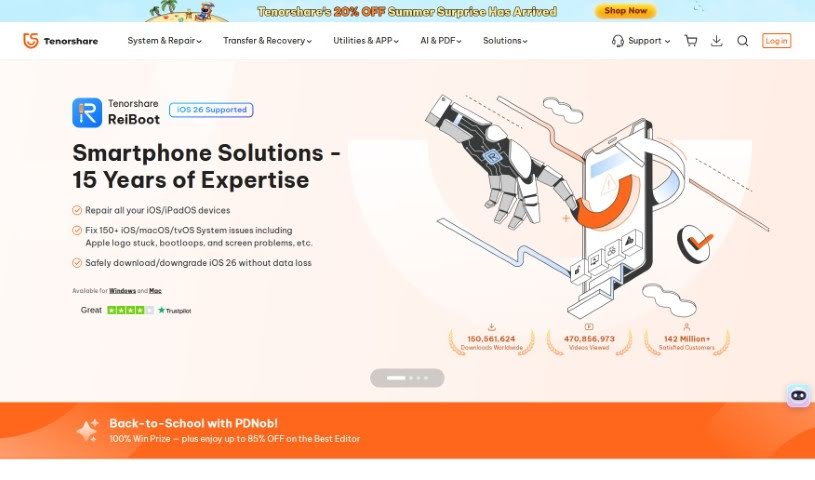
Screenshot of Tenorshare

Tenorshare

Discover what Tenorshare is and how to make the most of its features in 2025. We'll explore its capabilities and how it stacks up against other documentation tools.

Screenshot

What is Tenorshare?

Tenorshare is a software company that’s really made a name for itself with its highly recommended iOS repair tools. Think of their software, like Tenorshare ReiBoot – it’s incredibly handy for getting back lost files from your iPhone. They’ve picked up quite a few awards and nods for their work, even getting a shout-out from Macworld. It’s impressive how many people worldwide have downloaded their products; millions of users are happy with what they offer, and satisfaction rates are really high. Essentially, Tenorshare’s software is built to tackle those common iOS system glitches and provide straightforward ways to recover your data if you’re an iPhone user. Plus, when you buy from them, it’s a secure process. They offer a money-back guarantee, and your transactions are protected with 256-bit SSL encryption.

Who created Tenorshare?

Tenorshare was actually founded by a team of professionals who bring about a decade of experience to the table. The company officially got its start on November 6, 2007, thanks to Tenorshare (Hong Kong) Limited. They’ve developed a range of software products, including Tenorshare ReiBoot for sorting out iOS system issues and other software specifically for recovering data from iPhones. What really stands out about Tenorshare is their focus on high-quality products. Their strong track record speaks for itself, with a huge user base and all those awards they’ve earned for their software.

What is Tenorshare used for?

Tenorshare is incredibly versatile, helping you with a bunch of different tasks:

  • Fixing iOS/iPadOS/tvOS System Glitches: It’s great for resolving issues like being stuck in a boot loop, the dreaded Apple logo screen, devices that won’t update, or just general system problems.
  • iPhone Data Recovery:
    • You can recover deleted or lost data directly from your iPhone, even if you don’t have a backup.
    • It also helps you restore data from your iTunes backup.
    • And you can restore data from your iCloud backup too.
  • PDF Management with AI:
    • Tenorshare Chat PDF Tool: This is a game-changer for long PDF documents, letting you summarize them into neat, concise summaries.
    • Enhanced Reading & Search: It makes reading and searching through PDFs much easier.
    • AI Summarization: Get AI-powered summaries that distill lengthy PDFs into key points.
    • Key Information Extraction: It automatically pulls out the most important details from your PDFs.
    • Batch File Handling: A handy feature for adding multiple files at once.
  • Boosting Productivity: This is a big one! It’s super beneficial for students, researchers, business folks, and really anyone who wants to get more done, especially when dealing with lots of PDF documents.
  • iOS Version Downgrading: If you’re on a beta iOS version and want to switch back to a stable release, you can do it in just one click.
  • Interactive PDF Understanding:
    • You can actually chat with your PDF files, asking questions and getting insights.
    • It provides insightful PDF analysis.
    • It keeps a record of your conversations with the PDFs.
  • Making PDFs Easier to Digest:
    • Condense those lengthy PDFs into easy-to-understand summaries.
    • Extract specific information and sections from PDFs without all the manual effort.
    • Say goodbye to endless scrolling and searching!
    • It really changes how you interact with PDFs.
  • Practical Applications:
    • For Students: Easily understand textbook content, get quick explanations of complex ideas, and summarize lengthy papers effectively.
    • For Researchers: Quickly analyze financial reports and legal documents, and retrieve literature content for your academic work.
    • For Business: Maximize productivity when working with PDF documents.
  • Overall Benefits:
    • Improve your research efficiency and save valuable time.
    • Get straightforward explanations for complex concepts.
    • The user-friendly interface means you can quickly grasp what’s in a PDF just by interacting with the tool.
    • It’s suitable for a wide range of fields and users.

Essentially, Tenorshare helps you recover lost files from your iPhone, fix those annoying iOS system problems (like boot loops or the Apple logo freeze), and makes dealing with PDF documents much more efficient and insightful, especially with its AI features. It’s top-ranking software for iPhone data recovery and system repair.

Who is Tenorshare for?

Tenorshare is a great tool for a variety of users:

  • Students
  • Researchers
  • Business individuals
  • General users

How to use Tenorshare?

Using Tenorshare effectively is pretty straightforward. Just follow these simple steps:

  1. Download the Software: First off, head over to the official Tenorshare website. From there, download the specific software you need – whether it’s ReiBoot for fixing iOS system issues or their iPhone Data Recovery tool.
  2. Installation: Once the download is complete, go ahead and install the software. Just follow the instructions that pop up on your screen. Make sure you pick the right version for your computer, whether you’re using Windows or a Mac.
  3. Launch the Program: After installation, you’ll want to open the Tenorshare software. You can usually do this by double-clicking the icon on your desktop or by searching for it in your computer’s program files.
  4. Select What You Need to Do: Depending on which Tenorshare tool you downloaded, you’ll need to choose the specific function you want to use. This could be repairing your iPhone’s system, getting back lost data, or something else entirely.
  5. Connect Your Device (if needed): If the tool you’re using requires a physical connection, plug your iPhone, iPad, or other Apple device into your computer using a USB cable.
  6. Follow the On-Screen Guide: The software is designed to walk you through everything. You’ll see clear instructions on your screen, so just follow them carefully to get the results you’re looking for, whether that’s fixing a system problem or recovering data.
  7. Finishing Up: When the process is all done, the software will let you know. It’s a good idea to follow any final instructions it gives you to ensure everything works perfectly.
  8. Share Your Thoughts: After you’ve used Tenorshare, you might get a chance to give feedback or leave a review. Your input is really valuable – it helps them improve the software for everyone and helps other users make informed decisions.

By sticking to these steps, you’ll be able to use Tenorshare’s software really effectively for whatever you need. If you ever run into any snags, don’t worry – you can always check out the user manual or the online resources Tenorshare provides for more help.

Related AI Tools

Discover more tools in similar categories that might interest you

Stay Updated with AI Tools

Get weekly updates on the latest AI tools, trends, and insights delivered to your inbox

Join 25,000+ AI enthusiasts. No spam, unsubscribe anytime.