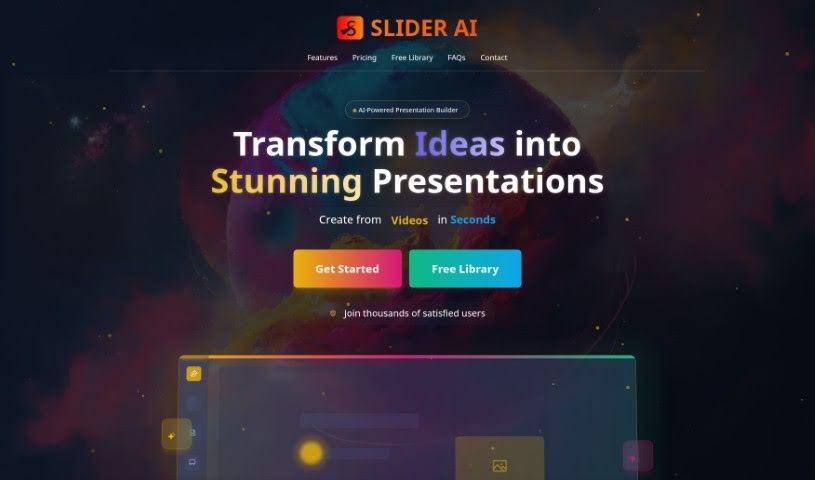
Screenshot of SliderAI

SliderAI

Discover what SliderAI is and how to use it effectively in 2025. We'll walk through its features, compare it to other presentation makers, and show you how to save time creating stunning slides.

Screenshot

What is SliderAI?

SliderAI is a really smart AI tool that helps you build presentations without all the usual hassle. It is your personal presentation assistant! Instead of spending hours picking slides, finding content, and choosing templates, you just give it a single prompt. SliderAI then takes over, generating the slides, organizing the information, and even applying nice-looking templates. This means you can spend less time wrestling with design and more time crafting the actual message you want to share with your audience. It’s all about making presentation creation much quicker and more efficient.

Who created SliderAI?

SliderAI was developed by a founder or team whose identities haven’t been publicly shared. The company officially launched on July 30, 2024, introducing this advanced AI tool specifically for presentation creation. What makes SliderAI stand out is its ability to automate the entire slide generation process from just one user prompt. This includes not only creating the slides but also selecting and arranging the content, and applying attractive templates. The goal is to save users a significant amount of time and boost their productivity. Plus, its user-friendly interface makes it accessible and easy to use, whether you’re a tech whiz or just starting out.

Who is SliderAI for?

  • Individuals
  • Professionals

How to use SliderAI?

Using Slider AI is pretty straightforward. Here’s a quick rundown:

  1. Give it a prompt: Start by typing a single prompt into Slider AI. This is your instruction to get the presentation creation process rolling.
  2. Watch it generate slides: Based on your prompt, Slider AI will automatically create all the necessary slides for you.
  3. Content is selected and arranged: The AI intelligently picks and organizes relevant content to fit your presentation’s theme.
  4. Templates are applied: Slider AI adds visually appealing templates to make your slides look polished and professional.
  5. Save time: You’ll notice a huge time saving because tasks like organizing content and applying templates are automated.
  6. Easy to use: The platform is designed with a user-friendly interface, making it super simple even if you’re not very tech-savvy.
  7. Try the free version: You can explore what Slider AI can do with its accessible free version, which is a great way to get started without any cost.
  8. Your data is safe: Slider AI takes user data security seriously, so you can be confident that your files and information are kept confidential.

Basically, Slider AI makes creating presentations much smoother through automation, nice templates, and features that are easy to use. It’s a really helpful tool for anyone, whether you’re an individual working on a personal project or a professional needing to present for work.

Related AI Tools

Discover more tools in similar categories that might interest you

Stay Updated with AI Tools

Get weekly updates on the latest AI tools, trends, and insights delivered to your inbox

Join 25,000+ AI enthusiasts. No spam, unsubscribe anytime.