What is Tableau?
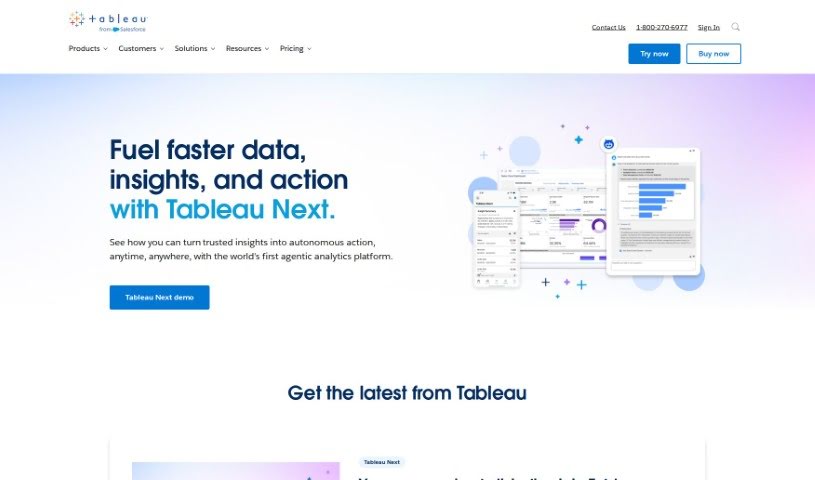
Tableau is a leading business intelligence and analytics software that helps organizations visualize, understand, and act on their data. It is a powerful tool that makes complex data accessible and actionable. It offers a wide range of features, including the ability to connect to virtually any database, a super intuitive drag-and-drop interface for building visualizations without needing to code, and flexible deployment options – you can run it in the cloud, on your own servers, or in a native setup. Plus, Tableau has a really strong community behind it, offering tons of support and resources. It also includes advanced AI features like Tableau Pulse and Einstein Copilot, which help with intelligent analytics at scale and provide tools for better decision-making. Many different kinds of organizations trust Tableau to help them make data-driven decisions, thanks to its user-friendly design and focus on making data actionable. While it offers great training resources and can be adapted for specific industry needs, it’s worth noting that the license costs can be a bit high, and there’s a learning curve for those new to data visualization.
Who created Tableau?
Tableau was actually started by three friends: Chris Stolte, Christian Chabot, and Pat Hanrahan, back in 2003. Their big idea was to create business intelligence and analytics software that was easy for anyone to use. They officially launched their product on January 23, 2004. Since then, Tableau has become a real leader in the field. They offer a versatile drag-and-drop interface that makes creating charts and graphs a breeze, they can connect to all sorts of databases, and they’ve built a massive community of over a million members worldwide who share tips and help each other out.
What is Tableau used for?
Tableau is incredibly versatile and can be used for a lot of things:
- Automating tasks: It helps streamline repetitive processes.
- Data Management: Keeping your data organized and accessible.
- Data Visualization: Turning raw data into clear, understandable charts and graphs.
- Analytics: Digging into data to find patterns and insights.
- Visual Storytelling: Presenting data in a narrative format that’s easy to follow.
- Business Intelligence: Gaining insights to help businesses make smarter decisions.
- Data-driven Decision Making: Using data, not just gut feelings, to guide choices.
- Connecting to Data: It easily links up with many different types of databases.
- Flexible Deployment: You can choose to host it in the cloud, on-premises, or use native options.
- AI-Powered Insights: Features like Tableau Pulse and Einstein Copilot automate tasks and provide intelligent analytics.
- Understanding Customers: Supporting CRM analytics to get insights from customer data.
- Building a Data Culture: Providing tools that help organizations become more data-literate.
- Embedding Analytics: Integrating Tableau’s insights directly into other applications.
Essentially, it’s all about making data easier to see, understand, and use for better business outcomes.
Who is Tableau for?
Tableau is a great tool for a variety of professionals who work with data:
- Business Analysts: To understand trends and performance.
- Data Analysts: To explore, clean, and analyze data.
- Data Scientists: To visualize complex datasets and model findings.
- Tech Professionals: Who need to work with data in their roles.
- Project Managers: To track project progress and performance metrics.
If you work with data and need to make sense of it, Tableau is likely a good fit.
How to use Tableau?
Here’s a straightforward way to get started with Tableau:
- Connect to Your Data: First, you’ll need to connect Tableau to your data sources. It’s designed to link up with all sorts of databases, and the drag-and-drop interface means you can select the data you need without writing any code.
- Build Your Visualizations: Once your data is connected, use that easy drag-and-drop feature to create visualizations. This is key to understanding your data and making informed decisions.
- Pick Your Deployment: Decide whether you want to use Tableau in the cloud, on your own servers (on-premises), or through a native setup. Choose what works best for your organization’s needs.
- Tap into the Community: Tableau has a huge, active community. Don’t hesitate to join in for learning, getting inspiration, and connecting with others who use Tableau.
- Use the AI Tools: Explore features like Tableau Pulse and Einstein Copilot. They can really boost your decision-making and help automate certain tasks.
- Keep Learning: Tableau is always evolving. Make sure to check out the new features and resources they regularly add to the platform.
- Get Training: Take advantage of Tableau’s free training materials, certification options, and instructor-led courses. There are plenty of ways to learn.
- Handle Big Data: Tableau’s AI capabilities are great for working with large datasets, helping you find meaningful insights even in massive amounts of information.
- Visualize Effectively: Use Tableau’s simple interface to create visualizations that are not only informative but also visually engaging, making your data much easier to grasp.
- Embed Analytics: You can also use Tableau to embed analytics directly into other applications or for CRM analytics, giving you insights right where you need them.
Remember, while Tableau offers a wealth of resources and features, it’s a good idea to consider the learning curve, the costs involved, and what your organization specifically needs to get the most out of it.