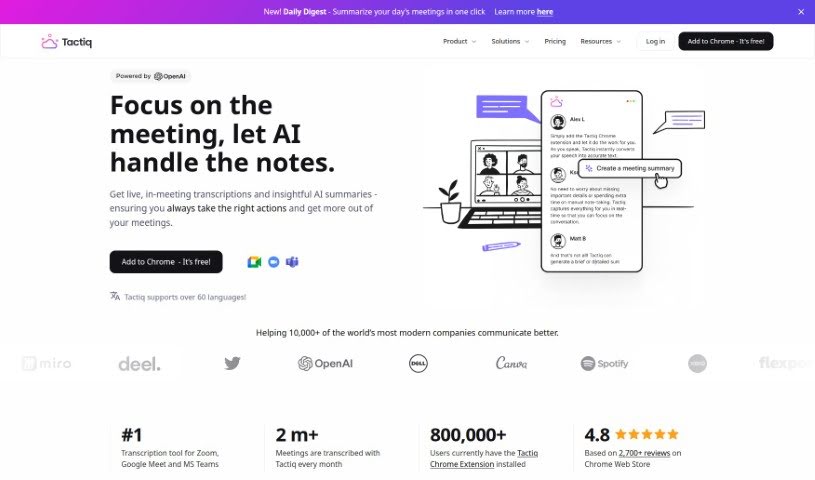
Screenshot of Tactiq

Tactiq

Discover Tactiq, the AI meeting assistant that transcribes and summarizes your calls. Learn how to use its features, compare it to other AI note-takers, and boost your meeting productivity.

Screenshot

What is Tactiq?

Tactiq is your super-helpful Chrome extension designed to completely change how you run and document meetings. It’s a really smart tool that automatically transcribes your meetings as they happen, which is fantastic for anyone working remotely on platforms like Google Meet, Zoom, and MS Teams. It’s already popular, with over 300,000 people worldwide using it, and it’s known for making remote meetings much more productive and collaborative. But Tactiq does more than just transcribe; it uses ChatGPT’s power to create meeting summaries, list out action items, and even draft agendas. This gives you a complete record of everything discussed. It fits right in with your existing meeting tools, ensuring you get accurate, instant transcripts without missing any important details. By adding Tactiq to your browser, you can easily make meeting notes a breeze and improve how your team works together, freeing you from manual note-taking.

Who created Tactiq?

Tactiq was built by a team who really wanted to make meeting documentation better. They’ve created a powerful Chrome extension that automatically transcribes meetings in real-time, using some pretty advanced technology. It’s earned the trust of people all over the world, with more than 300,000 downloads and lots of positive feedback. It helps both individuals and companies get more done and collaborate more effectively during remote meetings. The extension works smoothly with popular platforms like Google Meet, Zoom, and MS Teams, giving you accurate transcripts and cool extra features, like meeting summaries powered by ChatGPT.

Who is Tactiq for?

  • Project Managers
  • Language Professionals
  • Professors
  • Students
  • Teachers
  • Modern Companies
  • Anyone participating in virtual meetings

How to use Tactiq?

Getting the most out of Tactiq is pretty straightforward. Here’s a simple breakdown:

  1. Get it installed: First, add the Tactiq Chrome extension. It connects easily with platforms like Google Meet, Zoom, and MS Teams.
  2. Transcribe in real-time: Tactiq automatically transcribes your meetings as they’re happening. It does this without recording any audio, and it even tells you who said what.
  3. Let AI help: Use ChatGPT to go beyond just the transcript. You can easily get meeting summaries, action items, and agendas.
  4. One-click AI actions: Make your life easier with custom AI actions you can reuse. Think about quickly writing follow-up emails, organizing your notes, or even automating responses.
  5. Ask the AI questions: Need specific info from a meeting? Just ask the transcript directly. It’s a great way to get exactly what you need for better communication and quicker decisions.
  6. Stay secure and compliant: You can rest easy knowing Tactiq is SOC-2 Type II compliant, meaning your meeting data is protected and kept confidential.
  7. Customize and save time: Set up your own AI prompts to become one-click actions. This really helps streamline your work, especially when you’re following up after meetings.
  8. Need help? Just ask!: The Tactiq team is friendly and ready to help if you have any questions or need a hand.

By following these steps, you can really improve your meeting experience, boost your productivity, and make collaboration smoother, all thanks to Tactiq’s smart features and easy-to-use design.

If you want to dive deeper, check out Tactiq’s resources. They have a Trust Center and helpful articles that cover everything from security and how to install it, to tips on getting the most out of the tool.

Give Tactiq’s innovative technology a try to transform how you handle meeting notes and make your team collaboration much more efficient.

Related AI Tools

Discover more tools in similar categories that might interest you

Stay Updated with AI Tools

Get weekly updates on the latest AI tools, trends, and insights delivered to your inbox

Join 25,000+ AI enthusiasts. No spam, unsubscribe anytime.