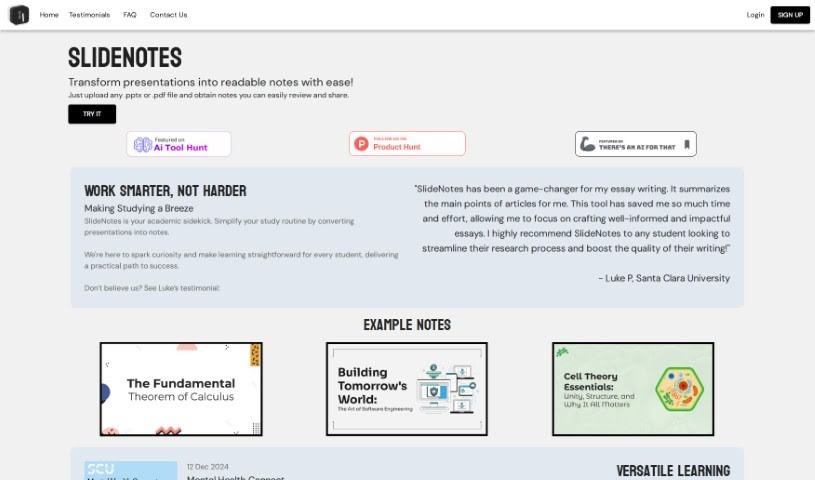
What is Slidenotes?
SlideNotes is your personal assistant for turning presentations into easy-to-read notes. You just upload your PowerPoint or PDF file, and SlideNotes does the heavy lifting, creating a set of text notes for you. It’s a fantastic way to cut down on the time you spend distilling information, which really helps boost productivity for both students and professionals. The tool is designed to be super adaptable, making learning and handling post-meeting tasks much simpler and more effective. It’s really user-friendly, too – it can convert PowerPoint to text, PDF to text, and it even gives you logical summaries of your slides while picking out those important keywords.
Who created Slidenotes?
While the specific founder or company details aren’t readily available, SlideNotes was launched on April 8, 2023. The team behind it created this tool with a clear goal: to make converting presentations into readable notes much easier for students and professionals. They wanted to provide a user-friendly interface that streamlines the whole process and, in turn, really enhances productivity.
What is Slidenotes used for?
SlideNotes is incredibly versatile and can really help in a bunch of ways:
- For Students:
- It simplifies your study routine by turning presentations into handy notes.
- It sparks curiosity and makes learning feel more straightforward.
- You’ll save time and effort on research and essay writing.
- It helps you distill information from presentations for academic purposes.
- It boosts the quality of your writing and study materials.
- It streamlines your research processes.
- For Professionals:
- It turns meeting slides into actionable notes you can actually use.
- It helps you streamline the creation of concise notes from lengthy presentations.
- It improves your productivity by cutting down the time spent transcribing slides.
- It makes it easy to review and share notes with colleagues.
- It helps you distill information from presentations efficiently.
- It enables you to easily review and share notes.
- General Benefits:
- It’s ideal for educators, students, and business professionals alike.
- It effortlessly distills information from presentations.
- It boosts the quality of your writing and study materials.
- It streamlines the note creation process, saving you time.
- It improves the quality of your writing by summarizing main points.
- It facilitates easy review and sharing of notes.
Who is Slidenotes for?
SlideNotes is a great tool for:
- Educators
- Business professionals
- Students
How to use Slidenotes?
Using SlideNotes is pretty straightforward. Here’s a simple breakdown:
- Upload Your Presentation: First off, just upload your PowerPoint (.pptx) or PDF file right into the SlideNotes interface. It’s the starting point.
- Let the AI Work: SlideNotes uses AI to figure out the key points and important phrases in your presentation. Then, it converts all of that into clear, easy-to-read text notes for you.
- Review and Share: Once the tool has generated your notes, take a moment to look them over and make sure they’re accurate. After that, sharing them with others is a breeze.
- Boost Your Productivity: By making the process of creating notes from presentations so much simpler, SlideNotes really saves you time and helps you get more done. It effectively condenses your slides into summaries that are much easier to manage.
- It’s Super User-Friendly: The tool boasts a simple and intuitive interface. You really just upload your file, and SlideNotes handles the rest, making the whole experience straightforward.
- Great for Everyone: SlideNotes is beneficial for both students and business professionals. Students can use it to turn long slides into concise notes, and professionals can use it to summarize presentations for quick review and easy sharing.
- Complete Conversion: SlideNotes offers a thorough conversion of your presentations into text notes, ensuring you get a logical summary of all your slides.
- Easy to Share: The notes that SlideNotes creates can be shared easily, which really helps with collaboration and makes communication more efficient.
Basically, by following these steps, you can really make the most of SlideNotes. It simplifies turning presentations into actionable notes, which is a big help for both learning and professional productivity.