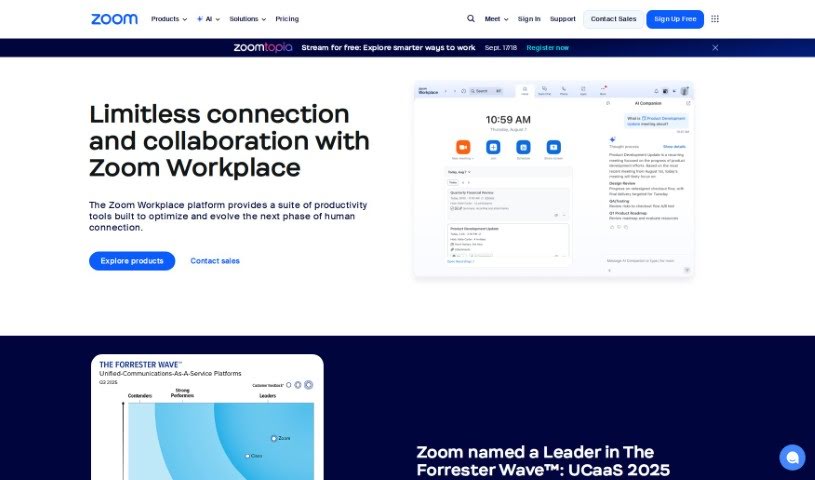
Screenshot of Zoom

Zoom

Discover what Zoom is and how to use it effectively in 2025. We'll explore its features and see how it stacks up against other meeting tools.

Screenshot

What is Zoom?

Zoom is a really popular video conferencing tool that lets people host virtual meetings, webinars, and conference calls. You can share your screen, send chat messages, and even record your sessions. It’s super easy to join a Zoom meeting, whether you use a web browser or the dedicated app, which means you can hop on from pretty much any device. Zoom became a go-to because it’s so user-friendly, offers great video and audio quality, and can handle a lot of people at once. Businesses, schools, and individuals all use it for working together and staying in touch when they’re not in the same place. Plus, Zoom has neat features like virtual backgrounds, breakout rooms for smaller group chats, and the ability to schedule meetings ahead of time, all of which make the meeting experience even better.

Who created Zoom?

Eric Yuan founded Zoom on April 21, 2011. The company’s official name is Zoom Communications, Inc., and it’s based in San Jose, California. They offer a whole suite of collaboration tools, including video meetings, team chat, a VoIP phone system, webinars, a whiteboard feature, a contact center, and event management.

What is Zoom used for?

Zoom is incredibly versatile. Here are some of the ways people use it:

  • Direct Support: You can connect straight with support engineers to figure out problems, whether that’s through a phone call, chat, or email.
  • Call Center Insights: If you’re in a call center, you get better analytics and historical data to understand your performance.
  • Hybrid Work: It lets any standard SIP or H.323 video conferencing system join in, making hybrid work much smoother.
  • Compliance: It offers a complete communications compliance solution for archiving, e-discovery, legal holds, risk management, and data governance.
  • Conversation Intelligence: Get insights from your calls and opportunities with a solution that analyzes conversations.
  • Real-time Service: You can get Zoom QSS (Quality of Service) as a service in near-real-time.
  • Webinars & Events: Host high-quality webinars and events from anywhere, no matter your internet speed or how many people are joining.
  • Data Protection: Bring your own encryption keys to protect your Zoom data when it’s stored.
  • Meeting Summaries: It can analyze and summarize your meetings for you.
  • Video Meetings: Of course, it includes video meetings!

Who is Zoom for?

Zoom is a great tool for a wide range of professionals and groups:

  • Educators
  • Business Executives
  • Healthcare professionals
  • Legal practitioners
  • Sales Representatives
  • Customer service agents
  • Project managers
  • Freelancers
  • Consultants
  • Nonprofit leaders
  • Event Planners
  • Marketing teams
  • Software developers
  • Researchers
  • Real Estate Agents

How to use Zoom?

Want to get the most out of Zoom? Here’s a simple guide:

  1. Sign In: First, head over to the Zoom website and log in with your account details.
  2. Start a Meeting: You have a few options here:
    • With Video On: Just click “Start a Meeting” with video enabled to kick off a video conference.
    • With Video Off: If you prefer voice-only, you can start a meeting with your video turned off.
    • Screen Share Only: Need to present? You can use the screen share feature directly.
  3. Explore More Features: Zoom offers more than just basic meetings:
    • Webinars & Events: Check these out for larger audiences.
    • Customer Stories: See how others are using Zoom successfully.
    • Zoom Trust Center: Learn about Zoom’s security and trust practices.
  4. Download the Zoom App: It’s a good idea to make sure you have the latest version of the Zoom app. This ensures you get all the newest features and the best stability.
  5. Connect & Learn: Want to dive deeper?
    • Zoom Community: Join discussions with other Zoom users for tips and support.
    • Resources and Tech Library: Find more helpful materials to understand Zoom’s functions better.

By following these steps, you’ll be able to use Zoom effectively for all your meetings, webinars, and other communication needs. And remember, keeping your app updated is key to enjoying the latest features and improvements!

Related AI Tools

Discover more tools in similar categories that might interest you

Stay Updated with AI Tools

Get weekly updates on the latest AI tools, trends, and insights delivered to your inbox

Join 25,000+ AI enthusiasts. No spam, unsubscribe anytime.