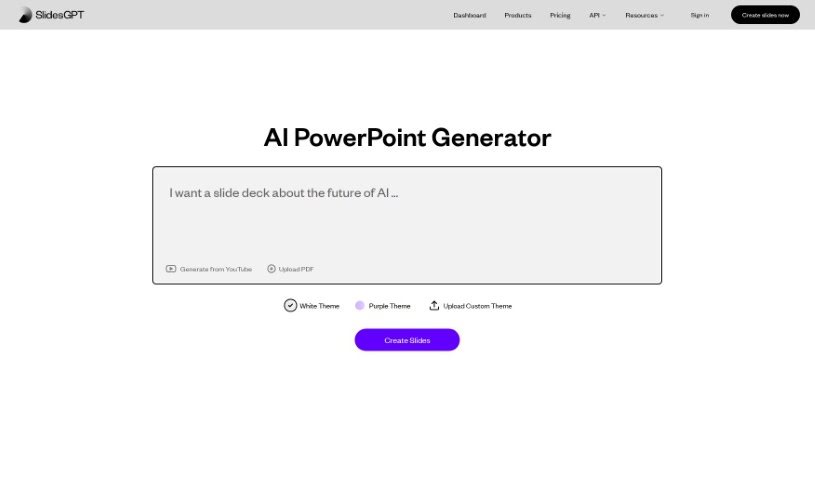
Screenshot of SlidesGPT.com

SlidesGPT.com

Discover SlidesGPT.com in 2025! Learn what this AI presentation maker does, how to use its features effectively, and how it stacks up against other presentation tools.

Screenshot

What is SlidesGPT.com?

SlidesGPT.com is a platform powered by AI that makes creating PowerPoint presentations super quick and easy. It like ChatGPT, but its whole focus is on building PowerPoint slides. You just give it a prompt about what you want your presentation to be about, and its AI technology whips up custom slides for you in seconds. It’s pretty flexible too, letting you save your presentations are PowerPoint files, Google Slides, or PDFs. Plus, SlidesGPT has a neat Text-to-Presentation feature. This means you can take content from blog posts, articles, or even PDFs and turn it into polished slideshows without any fuss.

Who created SlidesGPT.com?

The team behind SlidesGPT.com specializes in AI tools for creating PowerPoint presentations. They harness the power of ChatGPT’s AI to generate slides rapidly and efficiently. Users simply provide prompts detailing their topic, and SlidesGPT uses AI to produce slides that work seamlessly with PowerPoint, Google Slides, and PDF formats. Beyond the main website, they also offer various products, including a B2B solution that uses their API to create presentations with AI.

How to use SlidesGPT.com?

Getting started with SlidesGPT.com is straightforward. Just follow these simple steps:

  1. Head over to SlidesGPT: First, visit the website at www.slidesGPT.com.
  2. Give it a Prompt: Begin by typing in a prompt that clearly states your desired presentation topic.
  3. Generate Your Slides:
    • SlidesGPT will use its AI to create PowerPoint presentations based on what you’ve entered.
    • Alternatively, you can use the Text-to-Presentation feature to build slideshows from existing written content. Just copy the text from your document and paste it into the Text-to-Presentation tool.
  4. Supported Formats: You can get your presentations in PowerPoint, Google Slides, or PDF formats.
  5. Choose Your AI PPT Maker: You have three main ways to create presentations:
    • Use the prompt feature directly on the website.
    • Try the AI PowerPoint Maker available on chat.slidesGPT.com.
    • Integrate the B2B solution through their API.
  6. Download Your Work:
    • The platform provides download options, which might depend on your subscription level or role.
    • If you’re a premium user or have a specific subscription, you’ll be able to download the presentations the AI creates.
  7. Share It:
    • You can easily share your presentations by generating a shareable link.
  8. Add Extra Touches:
    • You’ll find options to add speaker notes and make other customizations to your slides.
  9. Finalize and Download:
    • Once you’re happy with how the presentation looks, download it in your preferred format – whether that’s PPTX, PDF, or Google Slides.
  10. Share on Social Media:
    • Feel free to share your presentation on Twitter using the short link provided.

By following these steps, you can efficiently use SlidesGPT.com to create AI-powered PowerPoint presentations with remarkable ease.

Related AI Tools

Discover more tools in similar categories that might interest you

Stay Updated with AI Tools

Get weekly updates on the latest AI tools, trends, and insights delivered to your inbox

Join 25,000+ AI enthusiasts. No spam, unsubscribe anytime.