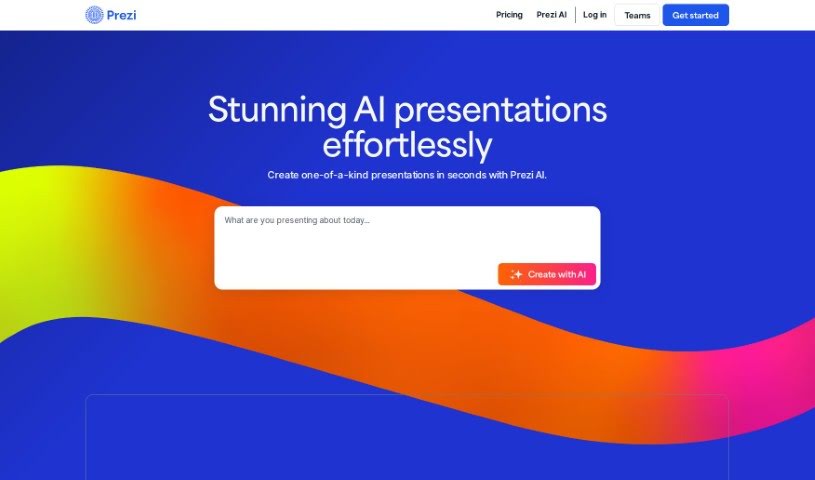
What is Prezi?
Prezi is a dynamic presentation tool that really makes your content pop. Instead of static slides, it uses motion, zooming, and spatial relationships to build engaging videos, presentations, and even infographics. It’s designed to make virtual presentations interactive and visually appealing. You get a lot of freedom to customize your creations, and Prezi also provides helpful resources if you’re looking to make videos or infographics. For data security, Prezi adheres to SOC2 standards, which is great, especially for schools. It’s a fantastic fit for educational settings, offering tools that support hybrid learning experiences. Really, Prezi is built for all sorts of businesses and individuals who want to communicate, collaborate, and connect more effectively.
Prezi started in Budapest back in 2009 and has since grown into a global company where everyone works remotely. They’ve kept evolving the software, adding interactive design tools and launching Prezi Video in 2019 to make virtual presentations even better for remote teams. With over 100 million users worldwide, Prezi is really leading the charge in how we work in hybrid environments.
Plus, Prezi offers different pricing plans for everyone – individuals, students, teachers, and business folks. These plans include cool features like Prezi AI, more advanced privacy settings, premium images, and tools to convert your PowerPoint files. You can also add unlimited visual content, control who sees your work, and use share links that you can revoke if needed, all to make your presentations more engaging and professional.
Who created Prezi?
Prezi was founded in Budapest in 2009. It’s a global company that operates entirely remotely, with team members spread across many countries. They first launched their unique zooming presentation software in 2009 and then introduced Prezi Video in 2019, specifically to improve virtual presentations. Prezi has seen incredible growth, now boasting over 100 million users worldwide, and it’s all about making communication and collaboration smoother.
What is Prezi used for?
- It’s really easy to use.
- Great for business presentations.
- You can create videos with it.
- It offers a customizable creation experience.
- It helps make interactive, hybrid learning happen.
- Supports making videos.
- Supports making infographics.
- Comes with a huge content library.
- You can reuse presentations.
- Works for lots of different industries.
- It’s designed for the hybrid work environment.
- Makes visual communication simpler.
- There’s a library of pre-designed assets.
- You can host webinars on it.
- It gives you real creative freedom.
- It’s suitable for marketing purposes.
- Handy for sales presentations.
- Useful for human resources departments.
- Perfect for marketing presentations.
- Great for infographic creation.
- It helps create business presentations that keep teams engaged and customers wanting more.
- In education, it can make lessons more exciting and easier to remember.
- It’s used for creating engaging videos, presentations, and infographics.
- It helps facilitate interactive and hybrid learning experiences.
- It enhances communication experiences.
- It supports various sectors like marketing, sales, and human resources.
- It boosts interactivity in presentations.
- It simplifies visual communication.
- It’s used for creating captivating and engaging presentations, whether in-person or delivered via video.
- It helps create memorable and impactful messages for businesses.
- It’s great for educational presentations.
- It’s ideal for engaging virtual presentations.
- It supports hybrid learning experiences.
- It’s excellent for sales presentations.
- It’s also used for human resources purposes.
Who is Prezi for?
- Business individuals
- Business professionals
- Teams and entire enterprises
- Students and Educators
- Administration and various Departments
- Teachers
- Students
- Marketing professionals
- Sales professionals
- Human Resources professionals
How to use Prezi?
To really make your Prezi presentations shine, here’s a simple step-by-step guide:
- Getting Started: First, sign up for a Prezi account so you can access everything. You can either pick a template that catches your eye or start building from a blank canvas.
- Adding Content: Now, start adding your text, images, videos, and shapes onto the presentation canvas. Just make sure you organize everything in a way that makes sense.
- Creating Your Path: This is key to Prezi! Arrange the flow of your presentation by creating a path. This path dictates the order in which your content will be shown.
- Zooming and Moving: Prezi’s signature zooming feature is what makes it special. Use it to move smoothly through your content. You can zoom in to highlight important details or zoom out to give a broader view.
- Designing Your Layout: Make it your own by customizing the layout. Change colors, fonts, and backgrounds to create a consistent and polished look.
- Adding Animations: Sprinkle in some animations for engaging transitions. These motion effects really boost visual appeal and help keep your audience hooked.
- Collaboration: If you’re working with others, invite them to collaborate on the presentation. This feature makes teamwork smooth and allows for real-time feedback.
- Practice and Rehearse: Before you present, practice! Go through your Prezi to make sure the delivery is smooth. Get comfortable with the path and how your content flows.
- Sharing: Once your presentation is ready to go, share it with your audience. Prezi offers several ways to share, like direct links or embedding it on a website.
- Presenting: When you’re actually presenting, navigate through your content using the path you set up. Remember to use that zoom feature strategically to really emphasize your key points.
By following these steps, you’ll be able to create dynamic and engaging presentations with Prezi that really grab your audience’s attention and get your message across effectively.