Facecheck Id (Productivity)
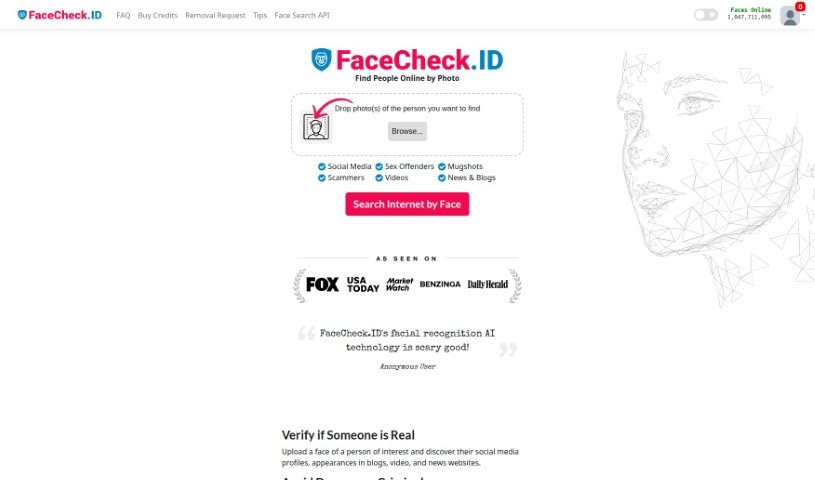
Screenshot of Facecheck Id

Facecheck Id

Discover what FaceCheck ID is, how its facial recognition search works, and how it helps verify identities and avoid scams online.

Screenshot

What is FaceCheck ID?

FaceCheck ID is a facial recognition AI tool designed to support personal and public safety. Upload a photo and the tool searches for related social media profiles, news articles, blog posts, and videos. It can help you verify whether someone is who they claim to be, spot online scams, protect your family from potential threats, and request removal of your own photos from search results. FaceCheck’s stated goal is to stop deceptive practices, identify known criminals, and make online interactions safer. The platform recommends cross-referencing results from multiple sources before making decisions based on what you find.

Who created FaceCheck ID?

FaceCheck ID was developed by a company that uses facial recognition AI to improve personal and public safety. The service maintains a database of known criminals to help users avoid potential threats, with a focus on accuracy and online safety.

What is FaceCheck ID used for?

  • Verify identities: Confirm that someone you meet online is who they claim to be, using an uploaded photo to find matching profiles and mentions across the web.
  • Avoid criminals and scammers: Check photos against databases of criminals, including mugshots, sex offender registries, and relevant news stories. This covers violent offenders, sex offenders, kidnappers, abusers, catfish, and romance scammers.
  • Protect your family: Identify individuals who might pose a risk to loved ones.
  • Prevent fraud: Run background-style checks to reduce your exposure to scams and deception.
  • Photo removal: Request free removal of your own photos from search results.

Who is FaceCheck ID for?

  • Law enforcement
  • Private investigators
  • HR professionals
  • Journalists
  • Criminal investigators

How to use FaceCheck ID

  1. Accept the terms: Visit the FaceCheck ID platform and agree to its terms of use.
  2. Upload a photo: Provide a picture of the person you want to look up. The tool searches for their social media profiles and appearances in blogs, videos, and news articles.
  3. Review the results: Check for matches against criminal databases and news coverage to assess whether the person may pose a threat.
  4. Act on what you find: Use the results to make informed decisions about who you interact with, and cross-reference information from other sources before drawing conclusions.

Related

Related AI Tools

Discover more tools in similar categories

New tools, in your inbox.

Weekly picks of the best AI tools we've researched and added — no spam, unsubscribe anytime.

Join 25,000+ AI enthusiasts. No spam, unsubscribe anytime.