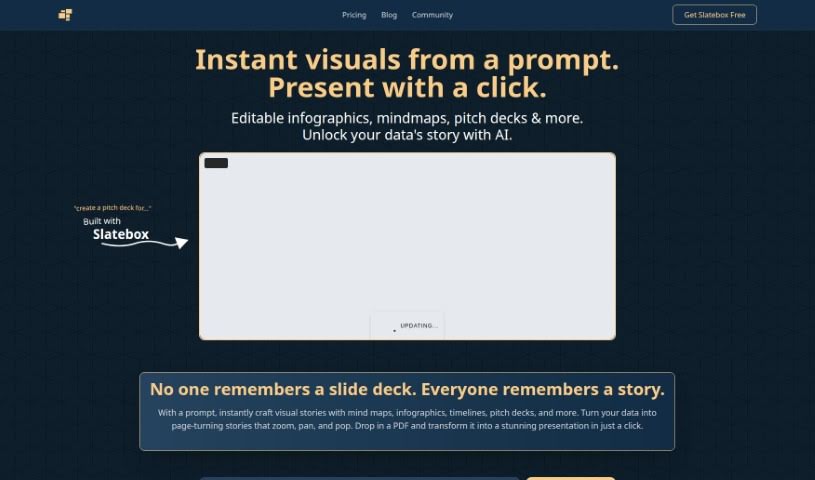
Screenshot of Slatebox

Slatebox

Discover what Slatebox is and learn how to use it effectively in 2025. We'll explore its features and see how it stacks up against other documentation tools.

Screenshot

What is Slatebox?

Slatebox is a really neat visual collaboration platform that’s packed with AI smarts. It lets you build editable diagrams and visuals just by typing in what you want, or by giving it a web link. It is a digital whiteboard that understands your instructions! It comes with over 100 templates to get you started, so you can quickly create diagrams and then work on them with your team in real-time.

What’s cool is its AI assistant. It can actually help fill in sticky notes for you based on what you’re trying to achieve, making those quick brainstorming sessions super smooth. Plus, Slatebox plays nicely with other tools you probably already use, like Microsoft Teams, Slack, and GitHub, which really helps when you’re documenting things or building diagrams. You can even connect it directly to your business systems using its API, or just share your visuals instantly with magic links. And if you like to personalize things, you can change the look of your ‘slates’ with different themes and pick from a huge library of shapes to make your visualizations really comprehensive.

Who created Slatebox?

Slatebox was brought to life by Tim Heckel, who launched it on April 25, 2023. It’s designed as a visual collaboration tool that really leans into AI. This means you can create diagrams and visuals that you can actually edit, simply by typing in natural language prompts. The platform is built for teamwork, allowing multiple people to collaborate on visuals at the same time. It also integrates smoothly with popular services like Microsoft Teams, Slack, and GitHub. With more than 100 pre-built templates available, and an AI assistant ready to help, building diagrams becomes a much more efficient process.

Who is Slatebox for?

Slatebox is a versatile tool that can help a wide range of professionals:

  • Project Managers
  • Software Developers
  • Graphic Designers
  • Business Analysts
  • Marketing Professionals
  • Educators
  • UX/UI Designers
  • Product Managers
  • Consultants
  • Sales Professionals
  • Data Analysts
  • Content Strategists

How to use Slatebox?

Here’s a simple guide to get you started with Slatebox:

  1. Get Started with Slatebox: First, head over to the Slatebox website. If you don’t have an account yet, you’ll need to create one. Once you’re signed up, just log in with your details.
  2. Explore the Dashboard: Take a moment to look around the dashboard. You’ll see clear options for starting new projects, finding ones you’ve already begun, and various tools that can help with your data analysis.
  3. Start a New Project: Look for the “New Project” button and click it. You’ll be prompted to enter a name for your project, a brief description, and any other important information. Then, just click “Create.”
  4. Bring Your Data In: To get your data into Slatebox, click the “Import Data” button. You can then choose the file from your computer and select the correct settings for how your data is structured and what type it is.
  5. Clean Up Your Data: Before you dive in, use the built-in data cleaning tools. These help you sort out any missing pieces, unusual values, or duplicates, making sure your data is in great shape for analysis.
  6. Analyze Your Data: Now it’s time to explore! Use the tools provided to look at your data, create visualizations, and find interesting insights. Pick the analysis methods that best fit what you want to achieve with your project.
  7. Build Your Model: If you’re working on a predictive model, this is where you select the key features, choose the right algorithm, and then train your model using your data. Make sure to check how well your model is performing.
  8. Work Together: You can easily invite your team members to join you on a project. Feel free to set up different roles and permissions for everyone involved in shared projects.
  9. Share What You’ve Done: Once your analysis is complete, you can share your findings with others. This can be done by exporting reports, sharing your visualizations, or simply sending out the project link.
  10. Get Feedback and Refine: It’s always a good idea to get feedback from the people you’re sharing with. You can then use that input to make adjustments to your analysis or models, helping to improve your project even further.
  11. Keep Things Running: Keep an eye on your projects in Slatebox. You might need to update data, retrain models occasionally, or just make sure everything stays relevant and up-to-date.

By following these steps, you’ll be able to use Slatebox effectively for all your data analysis and machine learning needs.

Related AI Tools

Discover more tools in similar categories that might interest you

Stay Updated with AI Tools

Get weekly updates on the latest AI tools, trends, and insights delivered to your inbox

Join 25,000+ AI enthusiasts. No spam, unsubscribe anytime.