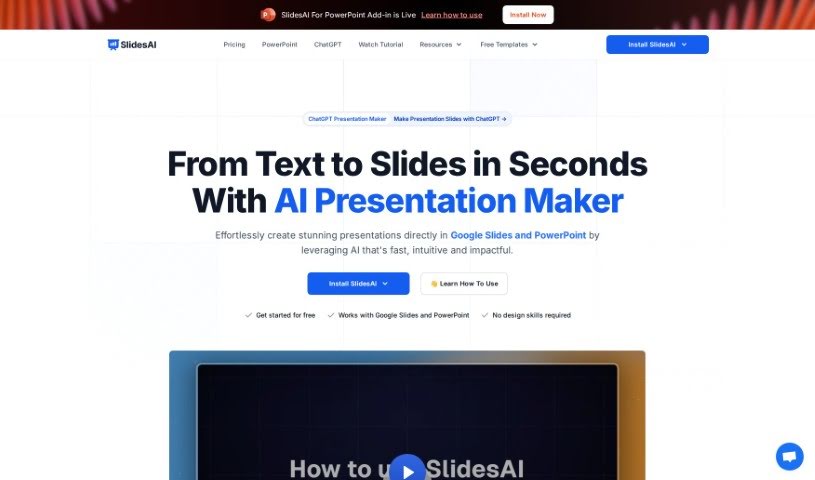
Screenshot of SlidesAI

SlidesAI

Discover what SlidesAI is and how to use it effectively in 2025. We'll explore its features and see how it stacks up against other presentation makers.

Screenshot

What is SlidesAI?

SlidesAI is a smart tool that uses AI to make creating presentation slides much easier. It takes your text and turns it into good-looking slides automatically. Unlike other tools where you have to do everything yourself, SlidesAI handles a lot of the work for you, saving you time and effort. Just give it your text, and its AI will create professional slides, even picking out themes, colors, and graphics that fit your content. SlidesAI aims to help everyone, whether you’re a pro or just starting out, create presentations that are both informative and visually engaging, all through an easy-to-use interface that lets you tweak things easily.

Who created SlidesAI?

Anurag Vajpayee is the creator of SlidesAI. His company offers advanced AI tools specifically for making professional and engaging presentation slides. People really like the platform because it’s easy to use, saves them a ton of time, and they get great support directly from Anurag and his team.

What is SlidesAI used for?

  • Turn any text into beautiful, engaging slides with ease.
  • Automate the whole process of making presentation slides.
  • Save precious time and effort thanks to automation.
  • Generate professional-looking slides in just seconds by inputting your text.
  • Analyze and summarize text, pulling out the main points into eye-catching slides.
  • Improve how your slides look using AI to pick the best themes, colors, and graphics.
  • Create presentations that are both informative and captivating.
  • It’s designed for everyone, from seasoned professionals to beginners.
  • Easily customize and edit your slides.
  • Make the process of creating presentations enjoyable and creative.
  • Craft professional, engaging slides from any text you have.
  • Automate the entire slide creation process.
  • Save time and effort when putting together presentations.
  • Transform your text into visually stunning slides.
  • Generate slides quickly using AI technology.
  • Enhance the visual appeal of slides with AI algorithms.
  • Easily customize and edit slides.
  • Make presentations informative and captivating.
  • It’s a great fit for both professionals and novices.
  • Boost your efficiency when creating presentations.

Who is SlidesAI for?

  • Business & Marketing Professionals
  • Business professionals
  • Marketing professionals
  • Educators
  • Students

How to use SlidesAI?

Here’s how to get the most out of SlidesAI:

  1. First, install SlidesAI from the Google Workspace Marketplace.
  2. Then, open SlidesAI within Google Slides. You can find it under Extensions > SlidesAI.io > Generate Slides.
  3. Just put in your text, and let the AI do its thing to create great-looking slides in seconds.
  4. Feel free to customize and edit the slides to add your personal touch.
  5. Pick from different themes, colors, and graphics that the AI suggests to match your content.
  6. Use the AI’s ability to analyze and summarize text to make your presentations informative and captivating.
  7. Choose a pricing plan that fits your needs: Basic (3 presentations/month), Pro (10 presentations/month), or Premium (unlimited presentations).
  8. You can cancel your subscription anytime from the ‘Your Account’ tab.
  9. If you have any questions or need help, just use the chat button to contact support.

SlidesAI’s easy-to-use interface and AI features really simplify making presentations. It makes the whole process time-saving and creative, no matter your experience level or background.

Related AI Tools

Discover more tools in similar categories that might interest you

Stay Updated with AI Tools

Get weekly updates on the latest AI tools, trends, and insights delivered to your inbox

Join 25,000+ AI enthusiasts. No spam, unsubscribe anytime.