AI Tools for Productivity

Discover the best Productivity AI tools to enhance your productivity and creativity.

Page 103 of 114 • 1361 total tools

In today’s busy world, staying productive can feel like a real challenge. With so much to do, constant notifications, and distractions everywhere, having the right tools to manage your time well is more important than ever. That’s where AI productivity tools come in—they’re designed to make your work smoother, handle repetitive tasks for you, and keep you organized.

These smart solutions have come a long way recently. They’ve gone from simple task managers to complete systems that can adapt to what you need. Whether you’re trying to organize your day better, improve how your team works together, or finally tackle that huge inbox, the right AI tools can make a big difference.

As I looked into the best AI productivity tools out there, I tried out several apps that promise to make you more efficient and focused. From smart schedulers to new project management systems, there are tons of options to help you get your time back.

So, if you’re ready to boost your productivity and make the most of your workday, you’re in the right place. Here’s a list of great AI productivity tools that are definitely worth checking out. Let’s explore how to work smarter together!

The best AI Productivity Tools

  1. Perplexity for automating tasks and helping with management.
  2. Small PDF.com for smoother document management for teams.
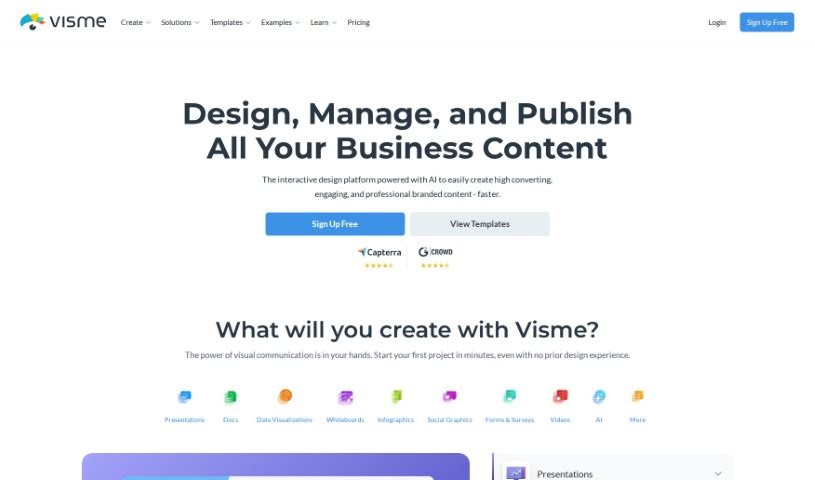
  3. Gamma for document creation tools that save time.
  4. Odoo for a task management and collaboration app.
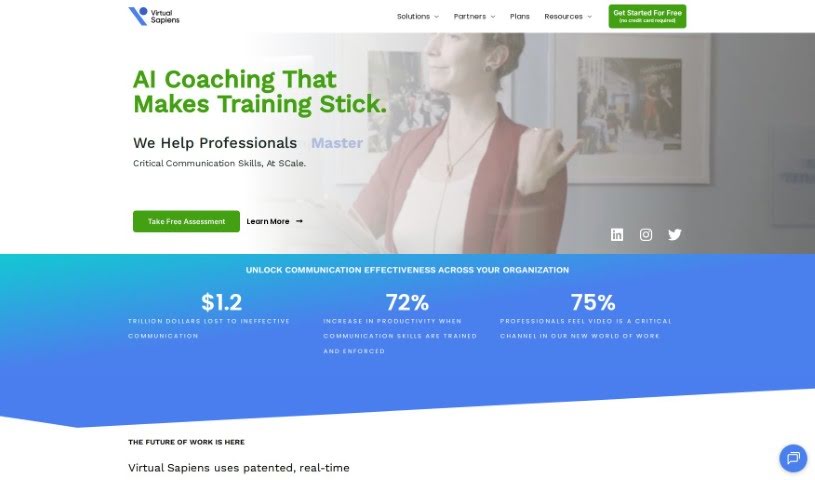
  5. Zoom for analyzing and summarizing meeting content.
  6. N8N for smoother team onboarding processes.
  7. Prezi for engaging team collaboration sessions.
  8. Tableau for creating reports and dashboards more easily.
  9. Data Camp for efficient team collaboration workflows.
  10. Otter.ai for getting action items from meetings without the fuss.
  11. Tenorshare for easily summarizing long PDF documents.
  12. Slidesgo for creating professional presentations efficiently.
  13. Facecheck Id for streamlining identity verification tasks.
  14. HIX.AI for boosting writing speed with smart tools.
  15. Tactiq for automating meeting notes for teams.
How do AI productivity tools work?

AI productivity tools use machine learning to look at how you work and make your tasks more efficient. These tools are built to handle lots of information, spotting patterns and your preferences to help smooth out your workflows. By understanding how you use different apps, AI can suggest personal improvements to boost your productivity.

Basically, these tools use natural language processing (NLP) to understand and respond to what you ask. For example, they can schedule meetings, set reminders, or create reports just by understanding simple requests. This saves you time and cuts down on manual work.

Many AI productivity apps connect with popular tools like calendars, email, and project management software. This connection lets them gather information and automate tasks across different places. As a result, you get a smooth, connected experience that improves how you work day-to-day.

AI productivity tools also learn from how you use them to get better over time. The more you use a tool, the better it gets at guessing what you need and offering helpful suggestions. This ability to adapt is what makes AI tools increasingly valuable for improving productivity for both individuals and teams.

Plus, these tools can look at data about how you complete tasks and suggest ways to improve. For instance, if you often miss deadlines, the AI might suggest better ways to manage your time. By giving you useful insights, AI productivity tools help you work smarter, not just harder.

In the end, AI productivity tools show how technology can change everyday tasks into more efficient processes. By automating routine jobs and offering personal insights, they help you focus on what’s most important—hitting your goals and being more effective overall.

Our best AI productivity tools at a glance

RankNameBest forPlans and PricingRating
1PerplexityAutomating tasks and helping with management.N/A4.70 (10 reviews)
2SmallPDF.comSmoother document management for teams.Paid plans start at $9/month.4.73 (11 reviews)
3GammaDocument creation tools that save time.N/A4.79 (19 reviews)
4OdooA task management and collaboration app.N/A4.67 (6 reviews)
5ZoomAnalyzing and summarizing meeting content.Paid plans start at $15.99/month.4.73 (11 reviews)
6N8NSmoother team onboarding processes.Paid plans start at $50/month.4.58 (12 reviews)
7PreziEngaging team collaboration sessions.Paid plans start at $19/month.4.18 (11 reviews)
8TableauCreating reports and dashboards more easily.N/A4.70 (43 reviews)
9DataCampEfficient team collaboration workflows.Paid plans start at $25/month.4.71 (24 reviews)
10Otter.aiGetting action items from meetings without the fuss.Paid plans start at $13.59/month.4.73 (11 reviews)
11TenorshareEasily summarizing long PDF documents.N/A4.64 (11 reviews)
12SlidesgoCreating professional presentations efficiently.N/A4.68 (22 reviews)
13Facecheck IdStreamlining identity verification tasks.N/A4.42 (19 reviews)
14HIX.AIBoosting writing speed with smart tools.N/A4.36 (11 reviews)
15TactiqAutomating meeting notes for teams.N/A4.64 (11 reviews)
Screenshot of Todo.is

Todo.is

Freemium

Todo.is is a smart task management and project organization tool that uses AI to help teams and individuals boost their productivity. It's designed to make managing your work simpler, no matter your industry. You'll find features like AI that helps create tasks for you, easy ways for teams to work together, and tools to convert text to speech or speech to text. Plus, it even has AI vision for analyzing images. Basically, Todo.is helps you stay organized, feel less stressed, collaborate better, figure out what's most important, and get a handle on your time. It's a really useful platform for keeping your tasks, projects, and team workflows running smoothly, all aimed at helping you get more done and hit your project goals.

Screenshot of Todobee

Todobee

Freemium

Todobee is an AI-powered project management app built for individuals and small teams. Its main goal is to help you manage your projects more efficiently, boosting your focus and making it easier to get tasks done. You'll find it has a really intuitive interface, a handy 'Drag and Drop' system for organizing tasks, and an AI Progress Dashboard that gives you real-time insights into how your projects are doing. Plus, Todobee includes a privacy feature, lets you assign tasks, and can handle multiple projects at once. You can choose between a monthly subscription or a lifetime deal, both of which come with great perks like premium support, unlimited users, projects, and subtasks, along with access to all sorts of tools designed to make project management a breeze.

Screenshot of Tomat.ai

Tomat.ai

Freemium

Tomat.AI is a tool designed to make working with large CSV data much simpler. Think of it like Excel, but specifically built for handling big datasets. You can easily do things like analyze data distribution, sort, group, and even merge different CSV files together. Plus, it's packed with AI features that can help with things like enriching your data, translating languages, understanding sentiment, and cleaning up or categorizing your information. The best part? It all runs right on your computer, so your data stays private and secure. If you're comfortable with Excel, you'll find Tomat.AI a breeze to use – no need for fancy tech skills!

Screenshot of Tomorrow.io

Tomorrow.io

Freemium

Tomorrow.io is a leading Weather Intelligence Platform. It provides incredibly accurate weather data, along with unique satellite data products. This platform is designed for organizations across all sorts of industries. It is a powerful Weather API that offers more than 80 different layers of insights, helping you make smarter decisions based on the weather. They also have special solutions tailored for government and defense sectors. Plus, there's a Consumer App that gives you access to advanced weather forecasts and customizable widgets. For developers, Tomorrow.io offers really thorough documentation, helpful tools, and a supportive community to make integrating their API a breeze. On top of all that, Tomorrow.io is really pushing the envelope in Space & Technology, actively shaping the future of meteorology with its own pioneering sensors and weather models.

Screenshot of Toneup

Toneup

Freemium

Toneup is your personal fitness assistant. It's designed to create workout plans that are just for you, based on what you like and how long you want to exercise. You can tell it you want a workout that's anywhere from 15 to 60 minutes long, and it'll whip up a plan. Pretty neat, right? You can even bring your own favorite workouts into the system. While they don't spill all the beans on exactly how the workout generation works, Toneup really focuses on letting you customize things and make the plans your own. Just a friendly reminder, though: it's always a good idea to keep your own health conditions and physical limits in mind. If you're unsure about anything, chatting with a health or fitness pro is a smart move. Toneup is also upfront about how they handle your information, with clear Terms of Service and a Privacy Policy to keep your data safe and explain how everything works.

Screenshot of Tonkean

Tonkean

Freemium

Tonkean is a solution that's getting a lot of praise for how well it automates manual business tasks. It lets teams try out new ways of working without needing a lot of help from the IT department. People who use it often mention that it improves efficiency, speeds up processes, and boosts overall productivity. Tonkean really focuses on creating AI-driven process experiences that people actually want to use. This leads to better adoption, lower costs, making sure things are compliant, and automating workflows in a way that feels natural.

Screenshot of Toolbuilder

Toolbuilder

Freemium

Toolbuilder is a really neat online platform that makes it super easy for anyone to build their own AI-powered tools. And the best part? You don't need to know a single line of code! Whether you're looking to speed up your daily tasks, get more done, or just explore what AI can do, Toolbuilder has you covered. Its interface is so straightforward, and it generates results incredibly fast – you'll see your custom tool working in just a few seconds. Plus, you can connect with other users in the Toolbuilder community. It's a great way to find cool new tools others have made or share your own creations to inspire people. You can even save the tools you like best in your personal "ToolBox" for quick access later. Need to work with others? You can easily share these tools with your colleagues or friends to boost collaboration. Come join the AI movement with Toolbuilder; it's where your ideas come to life with the power of AI.

Screenshot of Toolmark

Toolmark

Freemium

Toolmark.ai is a really flexible no-code platform that lets anyone build and integrate their own AI tools right into their daily work. It is a super user-friendly way to create text, images, or even voice using powerful AI models, all without needing to write a single line of code. It's built to be super accessible, even if you're not tech-savvy. You can customize things to fit your needs, work with popular AI models like GPT and DALL-E, and even sell the tools you create in their marketplace.

Screenshot of Tori

Tori

Freemium

Tori is a really neat AI-powered Chrome extension that lets you create your own virtual companion. It is a personalized sidekick designed to help you focus and get more done. You can chat with Tori, and it'll kick off special focus sessions, block those pesky distracting websites, and even offer advice based on what you're looking at on your screen. The more you interact with Tori, the more XP it earns, leveling up from 1 all the way to 32. As it levels up, its personality grows and it unlocks new abilities, all aimed at helping you tackle your tasks more effectively.

Screenshot of Torq AI

Torq AI

Freemium

Torq AI is your go-to tool for making your workday smoother and tasks easier, all thanks to smart automation. It's designed to be the ultimate productivity assistant, fitting right into your workflow to help you manage your time better, automate those repetitive jobs, and give you smart insights so you can work more efficiently. This platform uses advanced artificial intelligence to tailor the experience just for you, learning your habits and preferences to adapt to your unique way of working. Whether you're a professional looking to get more done, a student trying to keep your study schedule on track, or anyone wanting to reach their goals with a bit more ease and accuracy, Torq AI can help.

Screenshot of Toyon

Toyon

Freemium

Toyon is a project management tool that's been developed with support from Y Combinator. It is a smart AI copilot specifically designed to help teams coordinate their tasks. Its main goal is to make task coordination much smoother, and it does this through a handy Slackbot interface. You can assign tasks and keep tabs on progress just by sending messages, which means no more fiddling with complicated dashboards or manually entering every detail. Toyon's AI is pretty clever; it notices when tasks are being assigned and will proactively check in with team members to make sure things are moving along. You get instant updates on task completion, which really helps boost your team's productivity and coordination.

Screenshot of Track Calories Ai

Track Calories Ai

Freemium

Track Calories AI, from Track-Calories.com, offers a really straightforward way for anyone focused on their health to keep tabs on what they eat. It uses AI to make calorie tracking simple. Just snap a picture of your meal, and the AI figures out the calorie count and breaks down the nutrients for you. You get personalized diet tracking, too, based on your own details like weight, age, gender, and how active you are. This means you can enjoy your food while still working toward your health goals. It's super easy to use, you don't need to label anything extra, and it even gives you tips to make your meals healthier. Since it's a Progressive Web App, you can track your meals conveniently wherever you are, whenever you want. They have different plans, from free to premium, to fit what you need.

Stay Updated with AI Tools

Get weekly updates on the latest AI tools, trends, and insights delivered to your inbox

Join 25,000+ AI enthusiasts. No spam, unsubscribe anytime.