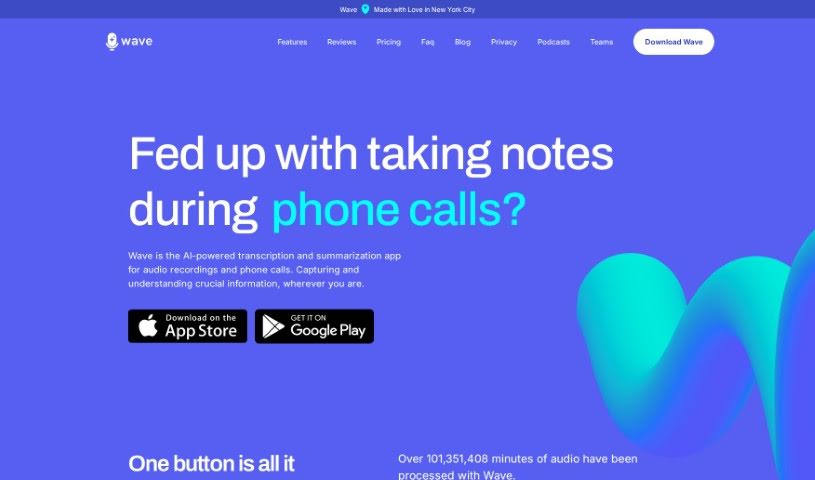
Screenshot of Wave AI Note Taker For Ios

Wave AI Note Taker For Ios

Discover Wave AI Note Taker for iOS, a powerful tool for recording, transcribing, and summarizing audio in 2025. We'll walk you through its features, how to use it, and how it stacks up against other AI note-takers.

Screenshot

What is Wave AI Note Taker For Ios?

Wave AI Note Taker for iOS is a really smart app for your iPhone and Android devices. It’s designed to make recording, transcribing, and summarizing audio super easy. It is your go-to for capturing meetings, phone calls, or even importing podcasts and YouTube videos. Wave records the audio, turns it into text, and then gives you a neat, concise summary that you can tweak just how you like it. There’s a free version that gives you 30 minutes of recording time each month, and you can always upgrade if you need more. Wave really cares about your privacy and uses an open-source transcription model, which helps make sure the transcriptions are accurate. Plus, it can record in the background and works with Siri shortcuts, which is pretty handy. You can even adjust how long the summaries are and what format they’re in right within the app. Wave is available for both iOS and Android, and they’re also working on a web dashboard so you can easily get to your transcripts and summaries from any device.

Basically, if you need a simple way to capture and process audio information while you’re out and about, Wave AI Note Taker for iOS is a great option.

Who created Wave AI Note Taker For Ios?

Wave AI Note Taker for iOS comes from a team that’s really focused on creating innovative iOS apps. They’ve built this particular app to transcribe and summarize recorded audio and phone calls, no matter the language. Their goal is to make it an essential tool for anyone who needs to capture and understand important information, anytime and anywhere.

What is Wave AI Note Taker For Ios used for?

Wave AI Note Taker for iOS is incredibly versatile. Here’s a breakdown of what you can do with it:

  • Record meetings and capture all the important discussions.
  • Transcribe audio to text, making it easy to search and review.
  • It supports multi-language transcription, so language is never a barrier.
  • You can record audio or phone calls directly.
  • Generate customized summaries that fit your specific needs.
  • Import podcasts and YouTube videos to transcribe and summarize them.
  • Enjoy background recording for both iOS and Android, so you don’t miss a thing.
  • It helps you capture meeting discussions accurately.
  • You can capture critical information in any language.
  • It boosts productivity by summarizing conversations.
  • It can aid in reviewing and refining ideas you’ve captured.
  • It helps you stay engaged and present in meetings and conversations by handling the note-taking.
  • You have the flexibility to customize the transcription and summary details.
  • Background recording is available for both iOS and Android devices.
  • It’s perfect for capturing ideas and concepts as they come to you.
  • You can even summarize public sessions at conferences.
  • It helps you stay engaged in meetings and conversations without worrying about missing details.
  • It really enhances productivity in note-taking.
  • It can enhance creativity by capturing thoughts on-the-go.
  • It helps you improve focus during meetings and discussions.
  • You can easily record phone calls.
  • It makes importing podcasts and YouTube videos straightforward.
  • It offers reliable transcribing of audio to text.
  • It’s great for generating summaries of audio content.
  • You can easily customize summaries to your liking.
  • Recording in the background is a key feature.
  • It helps you capture and understand critical information efficiently.
  • It allows for effortless audio recording on iOS devices.

Who is Wave AI Note Taker For Ios for?

Wave AI Note Taker for iOS is a fantastic tool for a wide range of people:

  • Anyone who regularly attends meeting attendees.
  • Professionals who need to summarize conversations and personal voice notes.
  • Individuals capturing ideas and concepts as they arise.
  • Professionals who want to stay engaged in meetings and not miss important details.
  • Professionals who want to capture ideas and concepts for later use.
  • People who want to capture thoughts during walks or other activities.
  • Those who want to improve productivity in meetings and conversations.
  • Professionals attending meetings who need efficient note-taking.
  • Professionals needing to capture and understand critical information.
  • Creatives unloading ideas at a rapid pace and needing to capture them for review and refinement.
  • Professionals staying engaged in meetings and not missing important information.
  • It’s also a great tool for note and writing apps.
  • It can be useful for LLMs.
  • And it’s a valuable addition for meeting software.

How to use Wave AI Note Taker For Ios?

Using Wave AI Note Taker for iOS is pretty straightforward. Just follow these simple steps:

  1. Download the App: First things first, grab Wave from the App Store if you’re on an iOS device.
  2. Recording: Starting a recording is super easy – just tap a single button. You get unlimited recording time, it can record in the background, and you can even start it with a single tap on your iPhone, iPad, or Mac.
  3. Transcription: You’ll get really good transcription services that are fast and support multiple languages.
  4. Phone Calls: You can capture phone calls, and it even recognizes caller ID and stores them securely.
  5. Importing: Wave lets you import voicemails, your own notes, podcasts, and even YouTube videos. It works well with most podcast players too.
  6. Summarization: Need a quick rundown? You can summarize your recordings, getting custom-length highlights in the format you prefer.
  7. Multi-language Support: The app offers accurate transcription and language customization, supporting many different languages.
  8. Siri Compatibility: Make things even quicker by using Siri shortcuts. You can even use the iPhone’s action button for fast recording.
  9. Upgrade Plans: If you need more than the free 30 minutes of recording per month, you can upgrade. There’s the Standard plan with 5 hours per month, or the Pro plan which offers unlimited recording time.
  10. Privacy: Wave really puts user privacy first, making sure your data is kept secure and confidential.
  11. Cross-Device Access: You can access all your transcripts and summaries on any of your devices, and they’re planning a web-based dashboard soon for even easier access.

By following these steps, you’ll be able to use Wave AI Note Taker for iOS effectively to record, transcribe, and summarize all your important audio content.

Related AI Tools

Discover more tools in similar categories that might interest you

Stay Updated with AI Tools

Get weekly updates on the latest AI tools, trends, and insights delivered to your inbox

Join 25,000+ AI enthusiasts. No spam, unsubscribe anytime.