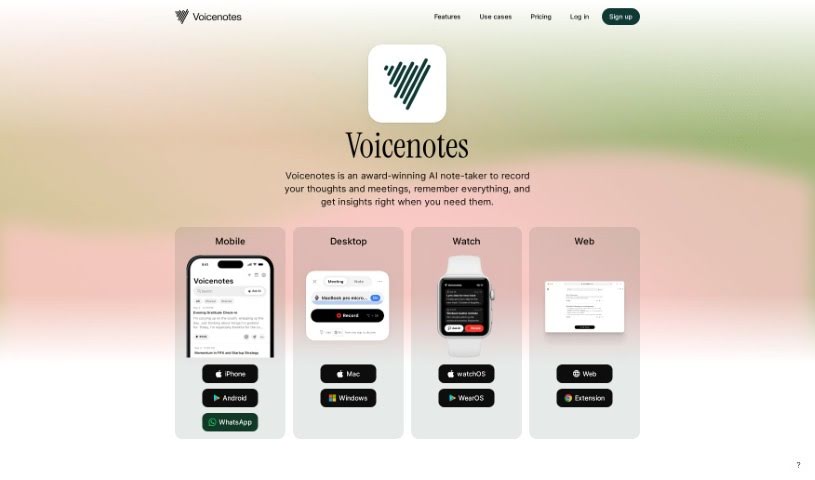
Screenshot of Voicenotes

Voicenotes

Discover what Voicenotes is and how to make the most of it in 2025. We'll explore its features, compare it to other AI note-takers, and show you how to use it for everything from jotting down ideas to managing your tasks.

Screenshot

What is Voicenotes?

Voicenotes is a handy digital tool built for capturing and keeping all sorts of notes – think fleeting thoughts, brilliant ideas, precious family moments, or even important lectures. What’s really neat is that it can take these recordings and turn them into summaries, blog posts, tweets, and to-do lists. Plus, it’s got this smart AI that you can chat with; you can ask it questions or get its feedback. Voicenotes really cares about keeping your data safe and private, storing your voice records securely and making sure your privacy is protected.

At its core, Voicenotes acts as your personal digital vault for thoughts and ideas. But it’s more than just storage. You can use its AI to ask questions, reflect on what you’ve recorded before, and even transform your notes into different formats like summaries and blog posts. It also offers a user-friendly interface, making it super easy to record and manage your notes, whether they’re personal or professional. It really encourages you to interact with its AI features, making note-taking more engaging.

Who created Voicenotes?

Voicenotes first launched on March 27, 2024. While the specific founder hasn’t been named in the details we have, the tool itself is designed as a versatile digital assistant for note-taking. It can transform your voice notes into summaries, blog posts, tweets, and to-do lists. A big focus is on keeping your data secure and your privacy intact, all through an easy-to-use interface. Voicenotes is really committed to privacy, offering ways to turn voice notes into various text formats, ensuring your data is safe, and helping you look back and reflect on your past notes.

What is Voicenotes used for?

  • Recording and storing notes: Jot down thoughts, ideas, family memories, or lectures.
  • Transforming notes: Turn your recordings into summaries, blog posts, tweets, and to-do lists.
  • AI interaction: Ask questions, get feedback, and reflect on your past notes and ideas with the AI.
  • Content creation: Easily create blog posts and tweets directly from your recorded notes.
  • Personal diary: Use it to record your thoughts, emotions, and ideas for personal reflection.
  • Lecture recording: It’s super convenient for capturing lectures.
  • Getting feedback: Use the AI to ask for feedback on your recordings.
  • Data privacy: Your voice records are stored securely, and your privacy is a top priority.
  • Note transformation: Convert voice notes into text formats like summaries, blog posts, tweets, and to-do lists.
  • Task management: Turn voice notes into actionable to-do lists to help you stay organized.
  • Note management: Record and store both personal and professional notes easily.
  • AI reflection: Interact with the AI to ask questions, get feedback, and reflect on your past notes.
  • Lecture capture: A dedicated feature for recording lectures.
  • Actionable tasks: Manage your tasks by transforming voice notes into actionable items.
  • Personal journaling: Use it as a diary to capture thoughts, emotions, and ideas.
  • Future reference: Seamlessly record sessions for later review, which is great for students.
  • Digital repository: Create a secure place to store all your important records.
  • AI-powered reflection: Get feedback and reflect on your past notes and ideas using the AI features.

Who is Voicenotes for?

  • Students
  • Bloggers
  • Professionals who need to take and organize notes

How to use Voicenotes?

Here’s a simple guide to getting started with Voicenotes:

  1. Record Your Thoughts: Just hit the ‘Record’ button on the platform to capture anything – thoughts, ideas, lectures, you name it. You don’t even need to sign up for your very first note!
  2. Transform Your Notes: Voicenotes makes it super easy to turn your recorded notes into different text formats like summaries, blog posts, tweets, and to-do lists.
  3. Chat with the AI: Use the AI features to ask questions, get feedback, and reflect on your past notes and ideas. It really makes the experience more engaging.
  4. Privacy and Security First: Voicenotes takes data security seriously, with strong measures in place to keep all your voice recordings and notes safe.
  5. Mobile App Available: There’s a mobile app too, making Voicenotes even more accessible when you’re on the go.
  6. Use it as a Diary: You can easily use Voicenotes as your personal diary to record thoughts, emotions, and ideas for later reflection.
  7. Manage Your Tasks: Turn your voice notes into actionable tasks to create to-do lists, which really helps with organization and productivity.
  8. Get Feedback and Reflect: Ask Voicenotes’ AI for feedback to help you reflect on your past notes, ideas, or even emotions.
  9. Consider the Lifetime Upgrade: For more features, like longer voice note recordings and GPT-4 integration, you might want to look into the ‘upgrade for a lifetime’ option.
  10. Manage Your Account: You can easily log out or access account settings through the interface for a personalized experience.

Just a reminder, Voicenotes is also great for recording lectures, offers easy interactions through its user interface, and is committed to user privacy and long-term usability. Enjoy all the different ways Voicenotes can boost your productivity and make note-taking a breeze!

Related AI Tools

Discover more tools in similar categories that might interest you

Stay Updated with AI Tools

Get weekly updates on the latest AI tools, trends, and insights delivered to your inbox

Join 25,000+ AI enthusiasts. No spam, unsubscribe anytime.