VoiceLine (Productivity)
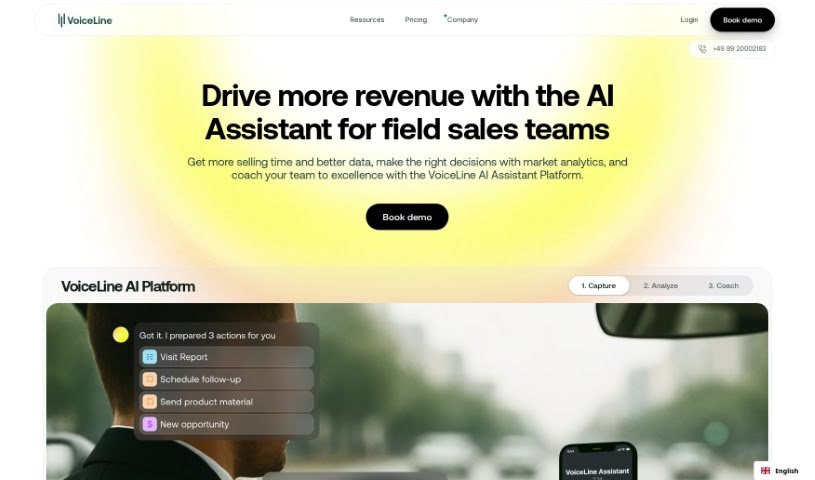
Screenshot of VoiceLine

VoiceLine

Discover what VoiceLine is and how it turns voice recordings into CRM-ready data with AI speech recognition, insights, and integrations.

Screenshot

What is VoiceLine?

VoiceLine is a communication tool for capturing and organizing voice interactions. It offers high-quality voice calls along with call forwarding, voicemail, and call recording. The interface is easy to use and can be adjusted to fit the needs of individuals or businesses, keeping voice communication reliable across teams.

Who created VoiceLine?

VoiceLine was created by Micahel Busse. Users report that it has changed how they interact with customers and made their workplaces run more smoothly.

What is VoiceLine used for?

  • AI-Powered Insights: Analyzes voice recordings to produce useful data and real-time market information.
  • Efficient Documentation: Recording with VoiceLine is up to 7 times faster than typing, and can be done on the go.
  • Better CRM Adoption: Because recording is simple, sales teams tend to use their CRM more often.
  • Rapid Setup: Integrates quickly with any CRM system with minimal IT help.
  • Multilingual Speech Recognition: Recognizes and translates recordings into many languages; you can train it on your company’s specific terms.
  • Customizable Workflows: Build and adjust workflows to define required data and streamline processes.
  • Custom Trackers & Reports: Train categories to your specific needs to broaden your market view.
  • Data Security: GDPR-compliant processes and secure servers located in Frankfurt, Germany.
  • Integrations: Connects with CRM, ERP, email, and calendar systems for fast, accurate information sharing.
  • Insight Generation: Extracts key insights from recordings to build a complete data picture for decision-making.
  • Timely Data Capture: Capture information the moment it happens rather than days later, improving data quality.
  • Team Meetings: Use generated insights to make team meetings more productive.

Who is VoiceLine for?

  • Sales professionals
  • Field sales teams
  • Sales representatives

How to use VoiceLine?

  1. Get started: Visit https://getvoiceline.com/ to sign up.
  2. Capture interactions: Tap the interface and speak naturally; VoiceLine records the conversation instantly.
  3. AI speech recognition: The AI recognizes speech across languages and accents, and can be trained on your company’s terminology.
  4. Connect your systems: Link VoiceLine to your CRM, email, and calendar so voice-captured data flows directly into those platforms.
  5. Use the insights: Apply the AI-generated insights and reports to inform sales decisions and team meetings.

Related

Related AI Tools

Discover more tools in similar categories

New tools, in your inbox.

Weekly picks of the best AI tools we've researched and added — no spam, unsubscribe anytime.

Join 25,000+ AI enthusiasts. No spam, unsubscribe anytime.