AI Tools for Productivity

Discover the best Productivity AI tools to enhance your productivity and creativity.

Page 90 of 114 • 1361 total tools

In today’s busy world, staying productive can feel like a real challenge. With so much to do, constant notifications, and distractions everywhere, having the right tools to manage your time well is more important than ever. That’s where AI productivity tools come in—they’re designed to make your work smoother, handle repetitive tasks for you, and keep you organized.

These smart solutions have come a long way recently. They’ve gone from simple task managers to complete systems that can adapt to what you need. Whether you’re trying to organize your day better, improve how your team works together, or finally tackle that huge inbox, the right AI tools can make a big difference.

As I looked into the best AI productivity tools out there, I tried out several apps that promise to make you more efficient and focused. From smart schedulers to new project management systems, there are tons of options to help you get your time back.

So, if you’re ready to boost your productivity and make the most of your workday, you’re in the right place. Here’s a list of great AI productivity tools that are definitely worth checking out. Let’s explore how to work smarter together!

The best AI Productivity Tools

  1. Perplexity for automating tasks and helping with management.
  2. Small PDF.com for smoother document management for teams.
  3. Gamma for document creation tools that save time.
  4. Odoo for a task management and collaboration app.
  5. Zoom for analyzing and summarizing meeting content.
  6. N8N for smoother team onboarding processes.
  7. Prezi for engaging team collaboration sessions.
  8. Tableau for creating reports and dashboards more easily.
  9. Data Camp for efficient team collaboration workflows.
  10. Otter.ai for getting action items from meetings without the fuss.
  11. Tenorshare for easily summarizing long PDF documents.
  12. Slidesgo for creating professional presentations efficiently.
  13. Facecheck Id for streamlining identity verification tasks.
  14. HIX.AI for boosting writing speed with smart tools.
  15. Tactiq for automating meeting notes for teams.
How do AI productivity tools work?

AI productivity tools use machine learning to look at how you work and make your tasks more efficient. These tools are built to handle lots of information, spotting patterns and your preferences to help smooth out your workflows. By understanding how you use different apps, AI can suggest personal improvements to boost your productivity.

Basically, these tools use natural language processing (NLP) to understand and respond to what you ask. For example, they can schedule meetings, set reminders, or create reports just by understanding simple requests. This saves you time and cuts down on manual work.

Many AI productivity apps connect with popular tools like calendars, email, and project management software. This connection lets them gather information and automate tasks across different places. As a result, you get a smooth, connected experience that improves how you work day-to-day.

AI productivity tools also learn from how you use them to get better over time. The more you use a tool, the better it gets at guessing what you need and offering helpful suggestions. This ability to adapt is what makes AI tools increasingly valuable for improving productivity for both individuals and teams.

Plus, these tools can look at data about how you complete tasks and suggest ways to improve. For instance, if you often miss deadlines, the AI might suggest better ways to manage your time. By giving you useful insights, AI productivity tools help you work smarter, not just harder.

In the end, AI productivity tools show how technology can change everyday tasks into more efficient processes. By automating routine jobs and offering personal insights, they help you focus on what’s most important—hitting your goals and being more effective overall.

Our best AI productivity tools at a glance

RankNameBest forPlans and PricingRating
1PerplexityAutomating tasks and helping with management.N/A4.70 (10 reviews)
2SmallPDF.comSmoother document management for teams.Paid plans start at $9/month.4.73 (11 reviews)
3GammaDocument creation tools that save time.N/A4.79 (19 reviews)
4OdooA task management and collaboration app.N/A4.67 (6 reviews)
5ZoomAnalyzing and summarizing meeting content.Paid plans start at $15.99/month.4.73 (11 reviews)
6N8NSmoother team onboarding processes.Paid plans start at $50/month.4.58 (12 reviews)
7PreziEngaging team collaboration sessions.Paid plans start at $19/month.4.18 (11 reviews)
8TableauCreating reports and dashboards more easily.N/A4.70 (43 reviews)
9DataCampEfficient team collaboration workflows.Paid plans start at $25/month.4.71 (24 reviews)
10Otter.aiGetting action items from meetings without the fuss.Paid plans start at $13.59/month.4.73 (11 reviews)
11TenorshareEasily summarizing long PDF documents.N/A4.64 (11 reviews)
12SlidesgoCreating professional presentations efficiently.N/A4.68 (22 reviews)
13Facecheck IdStreamlining identity verification tasks.N/A4.42 (19 reviews)
14HIX.AIBoosting writing speed with smart tools.N/A4.36 (11 reviews)
15TactiqAutomating meeting notes for teams.N/A4.64 (11 reviews)
Screenshot of Siwalu Software

Siwalu Software

Freemium

Siwalu Software is an AI-powered tool that helps you identify different animal species just by looking at them. Its mobile apps, like Dog Scanner, Cat Scanner, and Horse Scanner, is your go-to guides for the animal kingdom. Whether you're a pet owner or just love nature, these apps let you quickly learn about the animals around you. They use smart artificial intelligence to instantly tell you a pet's breed, giving you insights into its characteristics and background without needing pricey DNA tests. With over 17 million downloads, Siwalu has become a really popular way for people to identify their pets and join a worldwide community that's all about appreciating and understanding the amazing variety of life on our planet.

Screenshot of Sixty AI

Sixty AI

Freemium

Sixty AI is your personal assistant, designed to give you back your time. It's an AI tool that handles those everyday tasks that really eat into your day, the ones that artificial intelligence can easily manage. We're talking about things like clearing out your inbox, scheduling meetings, putting together agendas, and getting you prepped with briefings. Sixty AI also offers some neat features to keep you connected and on top of things without all the fuss. You can get personalized snapshots of your day, week, or weekend schedule, filter your emails so the important stuff stands out, and get instant alerts if your schedule changes last minute. Plus, it'll remind you about birthdays or other important milestones for people in your network, even helping you send a quick greeting or gift. Essentially, it lets you stay engaged and connected, freeing you up to focus on what truly matters.

Screenshot of SkedPal

SkedPal

Freemium

SkedPal is a really smart calendar app. It uses advanced AI to automatically schedule your tasks based on what's most important, what you prefer, and when things need to be done. It is more than just a regular calendar; it's like having an intelligent assistant that organizes your tasks and creates the best possible schedule for you. SkedPal helps you manage your time efficiently, easily adapting when priorities change or when you get interrupted. It's pretty popular too – people from over 4,000 organizations trust it, and it's helped schedule over 8 million tasks and counting!

Screenshot of Skills.ai AI Copilot For Your Data Analytics

Skills.ai AI Copilot For Your Data Analytics

Freemium

Skills.ai AI Copilot is a really neat tool designed to make data analysis much smoother. Think of it like having a helpful AI assistant for your data. Its AI Data Chat feature lets data scientists get answers to their questions about data right away, almost like chatting with another analyst. You can easily connect it to different data sources, like Google Analytics, or just upload your own .csv files. It works by translating your everyday questions into clear data insights instantly. Plus, it uses Python to automatically write code and create detailed charts that you can tweak to look just how you want them. Whether you need quick answers or a deep dive, Skills.ai is a fantastic partner for making your data work more efficient.

Screenshot of Skm.ai

Skm.ai

Freemium

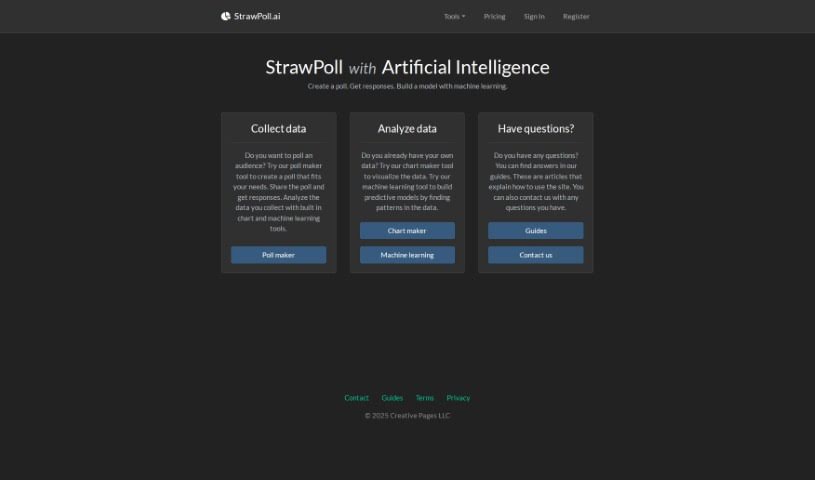
Skm.ai is a smart AI tool designed to really improve how we search. It brings clarity to text and visuals, going way beyond just keyword matching. It is a way to truly understand what you're reading, whether it's in a PDF or a video transcript. Skm.ai's multilingual semantic search lets you dig deep into text data, no matter the language. It also offers semantic visual video search, which is incredibly handy for quickly finding specific moments in videos – perfect for team meetings or even security footage. Plus, Skm.ai has a surveillance feature that boosts security with smart search options and instant event identification. They're even planning to add semantic image search soon, which will be a big help.

Screenshot of Slate

Slate

Freemium

Slate is a pretty neat mobile keyboard, and it's powered by AI, which really changes how we think about smart typing. Instead of a standard keyboard, Slate treats your phone's screen like an intuitive 2D space. This means you can type accurately, even if your taps aren't perfectly placed. What's really cool about Slate, though, is its knack for turning your everyday chats into actual tasks. It is a personal assistant that works across all your phone apps. You can easily schedule meetings, create to-do lists, or manage your emails without missing a beat, all thanks to Slate's clever features. It’s all about making your mobile life smoother, offering a more intuitive way to type, AI that spots tasks for you, seamless integration with other apps, automatic task management, and a forward-thinking way to handle your digital interactions.

Screenshot of Slatebox

Slatebox

Freemium

Slatebox is a really neat visual collaboration platform that's packed with AI smarts. It lets you build editable diagrams and visuals just by typing in what you want, or by giving it a web link. It is a digital whiteboard that understands your instructions! It comes with over 100 templates to get you started, so you can quickly create diagrams and then work on them with your team in real-time.

Screenshot of Slated

Slated

Freemium

Slated is a smart tool designed to automate team meeting scheduling and take notes for you. Its main goal is to make scheduling easier, help teams focus more, and generally boost happiness. It is your personal assistant for team coordination. It comes with handy features like one-click scheduling, AI that helps with note-taking, smart links for scheduling, personalized calendars, and ways to manage your focus time. Right now, Slated is in a private beta, meaning it's still being tested and refined.

Screenshot of SleepSpace Dr. Snooze AI

SleepSpace Dr. Snooze AI

Freemium

Dr. Snooze AI is a smart system designed to help you sleep better. It uses advanced technology and clever algorithms to look at your unique sleep habits. Based on what it finds, it offers personalized tips to make your sleep more efficient. It keeps track of how long you sleep, how well you sleep, and if you're waking up during the night. Then, Dr. Snooze AI gives you specific insights and suggestions to help you get more restful sleep. It's designed to adapt to what you need and prefer, aiming to completely change how people think about and experience sleep. The goal is to boost your overall well-being and how much you can get done.

Screenshot of Slidcast AI Presentation Maker

Slidcast AI Presentation Maker

Freemium

Slidcast AI Presentation Maker is a tool that uses artificial intelligence to help you create professional-looking presentations with surprising ease. It is having an AI assistant for your slides. You can generate entire presentations, complete with text and design elements, all thanks to the Slidecast platform. Beyond that, Slidecast offers a lot of flexibility. You can customize presentations to your heart's content, upload different kinds of files, and share your work in various ways – through email, text messages, direct links, or even QR codes. You can also print your presentations, import images, and work with your team on them, just like you would with PowerPoint. What's really neat is that Slidecast gives you insights into how people are interacting with your presentations. You can see how long they watch, where they're located, if they scan QR codes, and how many finish watching. For those who want to dive deeper, you can start with a free account that has some limitations, or choose a paid plan starting at $15 a month for more features.

Screenshot of Slidebean

Slidebean

Freemium

Slidebean is a platform designed to help startups create really compelling presentations and pitch decks. It was founded back in 2014 by Caya, Vini, and Jose. Slidebean offers a few key things: AI-powered tools to build your pitch deck, features that let you collaborate with others, automated design tools to make things look good, and analytics so you can see how people are interacting with your slides. They also provide services like designing your pitch deck, creating financial models, developing your content strategy, and handling the slide design itself. The Slidebean team is made up of analysts, storytellers, graphic designers, and financial experts, all working together to turn your ideas into polished pitch decks. They've helped over 500 happy clients and, in the last 18 months alone, have assisted in raising more than $500 million in funding.

Screenshot of Slidenotes

Slidenotes

Freemium

SlideNotes is your personal assistant for turning presentations into easy-to-read notes. You just upload your PowerPoint or PDF file, and SlideNotes does the heavy lifting, creating a set of text notes for you. It's a fantastic way to cut down on the time you spend distilling information, which really helps boost productivity for both students and professionals. The tool is designed to be super adaptable, making learning and handling post-meeting tasks much simpler and more effective. It's really user-friendly, too – it can convert PowerPoint to text, PDF to text, and it even gives you logical summaries of your slides while picking out those important keywords.

Stay Updated with AI Tools

Get weekly updates on the latest AI tools, trends, and insights delivered to your inbox

Join 25,000+ AI enthusiasts. No spam, unsubscribe anytime.