What is Struct Chat?
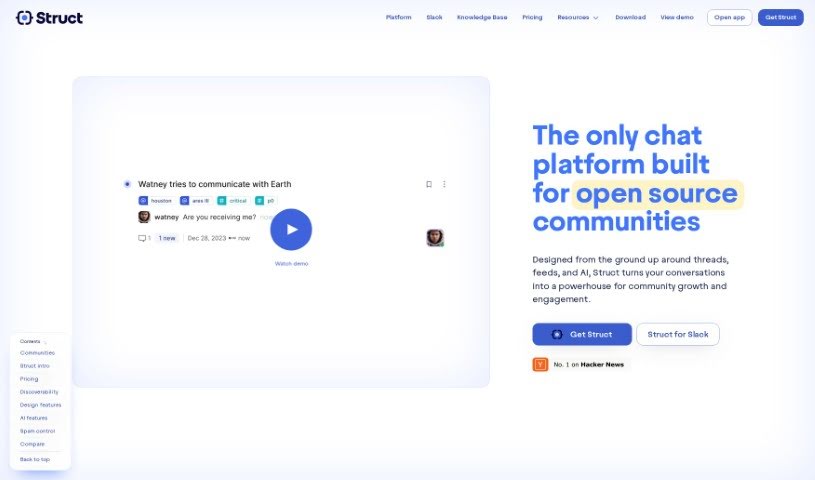
Struct Chat is a modern chat platform built to really improve how teams communicate. It comes packed with cool features like real-time chat, conversations organized into threads, and a feed-style way to browse through everything. The main idea is to help teams be more productive by capturing, organizing, and adding context to all the information shared during chats. It is turning your conversations into a searchable knowledge base. Struct Chat also includes helpful AI features, such as generative AI to create context, vector search for much better search results, and SEO-optimized pages that make information easy to find and reference later. Plus, they offer clear pricing plans to fit different team sizes and needs, making it easier for everyone to communicate and share knowledge smoothly.
Who created Struct Chat?
Navaneeth PK, the Founder of Tooljet, is the person behind Struct Chat. Tooljet is a company that developed Struct specifically as a chat platform designed with open-source communities in mind. Struct takes a unique approach to team communication, really focusing on threads, feeds, and AI to help communities grow and stay engaged. The platform’s goal is to make conversations flow better, boost productivity, and help manage the knowledge that comes up in chat discussions.
What is Struct Chat used for?
- Managing Knowledge: It’s great for keeping team communication organized and accessible.
- Automating Content: It can automatically create titles, summaries, and status updates for your conversations.
- Smarter Searching: It uses vector embeddings to make searching through your chats much more powerful.
- Easy Referencing: You can create SEO-optimized pages so information is simple to find.
- Platform Integration: It connects with popular tools like Slack and Discord.
- Flexible Pricing: Offers a Free Forever plan and a Struct Pro plan to suit different budgets.
- Unlimited Threads: You can create unlimited threads from public channels.
- AI Assistance: It uses the Struct.AI chatbot for AI-driven responses.
- Advanced Pro Features: The Struct Pro plan includes custom domains and the ability to add custom JavaScript code.
- Knowledge Sharing: It really helps teams share and manage knowledge effectively in their daily communications.
Who is Struct Chat for?
Struct Chat is a valuable tool for several professionals:
- Knowledge Management Professionals: Those focused on organizing and making information accessible.
- Conversational AI Professionals: Experts in building and managing AI-driven communication tools.
- Generative AI Professionals: Individuals working with AI to create content and context.
- SEO Optimization Professionals: People who ensure online content is easily discoverable.
How to use Struct Chat?
To get the most out of the Struct tool, here’s a straightforward guide:
- Understand Your Data: First, get familiar with how your data is structured. This could be simple lists, dictionaries, or more complex custom objects.
- Install Struct: Make sure the Struct library is set up in your Python environment. If it’s not there, you can easily install it by running
pip install dataclasses in your terminal.
- Import Struct: At the start of your Python script or code file, you’ll need to import Struct. Just add this line:
from dataclasses import dataclass.
- Define a Struct: You create a new Struct by defining a class and decorating it with
@dataclass. Inside this class, you’ll add attributes that represent the different pieces of data you want to store.
- Add Your Data: Once you’ve defined your Struct class, you create an object from it and then assign your data to each attribute. This is how you populate your Struct.
- Get Your Data: Accessing the information you’ve stored is simple. You just refer to the attribute names of the Struct object you created.
- Change Your Data: Need to update something? You can modify the data directly by changing the attribute values of your Struct object.
- Work with Multiple Structs: If you have several Structs, you can use loops to go through them, accessing and processing the data efficiently.
- Check Data Types: Struct helps you enforce type hints for your attributes. This is great for ensuring your data is correct and makes your code much easier to read and understand.
- Save or Send Data: You can easily convert your Struct objects into formats like JSON or Pickle. This is useful for transferring data or storing it in a structured way.
By following these steps, you’ll find that using the Struct tool in Python to manage and structure your data becomes much easier and more efficient.