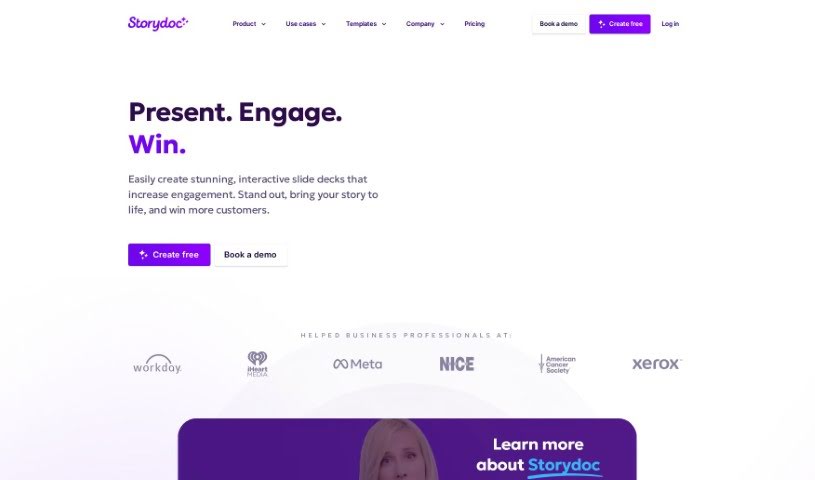
Screenshot of Storydoc

Storydoc

Discover what Storydoc is and how to use it effectively in 2025. We'll explore its features and see how it stacks up against other presentation tools.

Screenshot

What is Storydoc?

Storydoc is a really neat tool for creating interactive web presentations. It’s especially handy for business folks, particularly in sales and marketing, but honestly, anyone in business can find it super useful across different industries. What’s great is you don’t need any coding skills at all to build and customize these web presentations. You can even make unlimited personal versions, perfectly tailored for each specific customer or audience you’re reaching out to. Storydoc also makes sure your brand looks consistent everywhere by automatically pulling in your graphics, colors, fonts, logos, and images from whatever you upload or link to. Plus, it’s got some smart features like AI assistance to help you whip up decks quickly, seamless integrations with tools like Calendly and YouTube, and it’s all designed to look good and work smoothly on any device, including your phone. They also take data security seriously, using encrypted connections and having clear data handling policies.

Who created Storydoc?

Storydoc was started by some founders who wanted to create a better presentation tool, mainly for business professionals, especially those in sales and marketing. It’s designed to be useful for all sorts of business roles and industries. You can use it to create all sorts of documents, like presentations, pitch decks, sales decks, proposals, case studies, reports, brochures, business plans, one-pagers, and even white papers. Storydoc first launched on June 6, 2023.

What is Storydoc used for?

  • Marketing collateral: Create materials that grab attention.
  • Sales decks: Close more deals with presentations that impress.
  • Corporate reports: Present your company’s insights in a way that’s easy to understand and engaging.
  • Start-ups: Get investors and partners excited with really impressive pitch decks that showcase your vision.
  • Investment Updates: Easily create annual reports and portfolio updates that keep everyone informed.
  • Pitch decks that bring your vision to life: Make your start-up shine and stand out.
  • Engage customers: Make your brand memorable with beautiful, interactive decks.
  • Stand out from the competition: Close more deals with sales decks that are a cut above the rest.
  • Present insights: Use interactive, high-end corporate reports to share information effectively.
  • Interactive and actionable documents: Turn static presentations into powerful tools for growth.
  • AI-generated decks: Quickly create presentations with the help of smart AI.

Who is Storydoc for?

Storydoc is a great fit for a wide range of professionals, including:

  • Sales professionals
  • Marketing specialists
  • Business consultants
  • Project managers
  • Product Managers
  • Customer Success Managers
  • Event Planners
  • Entrepreneurs
  • Trainers
  • Content creators
  • Executives
  • Designers
  • Financial Analysts
  • Real Estate Agents
  • Nonprofit coordinators

How to use Storydoc?

Using Storydoc is pretty straightforward. Here’s a simple step-by-step guide:

  1. Create an Account: First things first, head over to the Storydoc website and sign up for an account. You’ll just need to provide some basic info to get registered.
  2. Login: Once you’ve signed up, log in to the platform using your username and password.
  3. Create a New Story: Ready to start building? Just click the “Create New Story” button. This opens up a fresh document where you can begin adding your content.
  4. Add Content: You can write your story directly in the built-in editor. Feel free to add text, images, videos, and any other media that will make your story more engaging.
  5. Format Your Story: Use the formatting tools available to style your text, add headings, change fonts, and arrange everything to create a layout that looks great and is easy to follow.
  6. Add Interactivity: To really captivate your audience, add interactive elements like clickable buttons, smooth animations, and interesting transitions.
  7. Preview Your Story: Before you share it, always preview your story. This lets you see exactly how it will look to your audience and make any final tweaks.
  8. Publish Your Story: When you’re happy with everything, hit the “Publish” button. This makes your story live and ready to be shared.
  9. Share Your Story: Now, share the link to your published story! You can send it out via email, post it on social media, or share it however you like.
  10. Engage with Feedback: Keep an eye on how people are interacting with your story using Storydoc’s analytics. Respond to any comments and use the insights to make your next stories even better.

Following these steps will help you create really engaging and interactive stories with Storydoc.

Related AI Tools

Discover more tools in similar categories that might interest you

Stay Updated with AI Tools

Get weekly updates on the latest AI tools, trends, and insights delivered to your inbox

Join 25,000+ AI enthusiasts. No spam, unsubscribe anytime.