AI Tools for Productivity

Discover the best Productivity AI tools to enhance your productivity and creativity.

Page 91 of 114 • 1361 total tools

In today’s busy world, staying productive can feel like a real challenge. With so much to do, constant notifications, and distractions everywhere, having the right tools to manage your time well is more important than ever. That’s where AI productivity tools come in—they’re designed to make your work smoother, handle repetitive tasks for you, and keep you organized.

These smart solutions have come a long way recently. They’ve gone from simple task managers to complete systems that can adapt to what you need. Whether you’re trying to organize your day better, improve how your team works together, or finally tackle that huge inbox, the right AI tools can make a big difference.

As I looked into the best AI productivity tools out there, I tried out several apps that promise to make you more efficient and focused. From smart schedulers to new project management systems, there are tons of options to help you get your time back.

So, if you’re ready to boost your productivity and make the most of your workday, you’re in the right place. Here’s a list of great AI productivity tools that are definitely worth checking out. Let’s explore how to work smarter together!

The best AI Productivity Tools

  1. Perplexity for automating tasks and helping with management.
  2. Small PDF.com for smoother document management for teams.
  3. Gamma for document creation tools that save time.
  4. Odoo for a task management and collaboration app.
  5. Zoom for analyzing and summarizing meeting content.
  6. N8N for smoother team onboarding processes.
  7. Prezi for engaging team collaboration sessions.
  8. Tableau for creating reports and dashboards more easily.
  9. Data Camp for efficient team collaboration workflows.
  10. Otter.ai for getting action items from meetings without the fuss.
  11. Tenorshare for easily summarizing long PDF documents.
  12. Slidesgo for creating professional presentations efficiently.
  13. Facecheck Id for streamlining identity verification tasks.
  14. HIX.AI for boosting writing speed with smart tools.
  15. Tactiq for automating meeting notes for teams.
How do AI productivity tools work?

AI productivity tools use machine learning to look at how you work and make your tasks more efficient. These tools are built to handle lots of information, spotting patterns and your preferences to help smooth out your workflows. By understanding how you use different apps, AI can suggest personal improvements to boost your productivity.

Basically, these tools use natural language processing (NLP) to understand and respond to what you ask. For example, they can schedule meetings, set reminders, or create reports just by understanding simple requests. This saves you time and cuts down on manual work.

Many AI productivity apps connect with popular tools like calendars, email, and project management software. This connection lets them gather information and automate tasks across different places. As a result, you get a smooth, connected experience that improves how you work day-to-day.

AI productivity tools also learn from how you use them to get better over time. The more you use a tool, the better it gets at guessing what you need and offering helpful suggestions. This ability to adapt is what makes AI tools increasingly valuable for improving productivity for both individuals and teams.

Plus, these tools can look at data about how you complete tasks and suggest ways to improve. For instance, if you often miss deadlines, the AI might suggest better ways to manage your time. By giving you useful insights, AI productivity tools help you work smarter, not just harder.

In the end, AI productivity tools show how technology can change everyday tasks into more efficient processes. By automating routine jobs and offering personal insights, they help you focus on what’s most important—hitting your goals and being more effective overall.

Our best AI productivity tools at a glance

RankNameBest forPlans and PricingRating
1PerplexityAutomating tasks and helping with management.N/A4.70 (10 reviews)
2SmallPDF.comSmoother document management for teams.Paid plans start at $9/month.4.73 (11 reviews)
3GammaDocument creation tools that save time.N/A4.79 (19 reviews)
4OdooA task management and collaboration app.N/A4.67 (6 reviews)
5ZoomAnalyzing and summarizing meeting content.Paid plans start at $15.99/month.4.73 (11 reviews)
6N8NSmoother team onboarding processes.Paid plans start at $50/month.4.58 (12 reviews)
7PreziEngaging team collaboration sessions.Paid plans start at $19/month.4.18 (11 reviews)
8TableauCreating reports and dashboards more easily.N/A4.70 (43 reviews)
9DataCampEfficient team collaboration workflows.Paid plans start at $25/month.4.71 (24 reviews)
10Otter.aiGetting action items from meetings without the fuss.Paid plans start at $13.59/month.4.73 (11 reviews)
11TenorshareEasily summarizing long PDF documents.N/A4.64 (11 reviews)
12SlidesgoCreating professional presentations efficiently.N/A4.68 (22 reviews)
13Facecheck IdStreamlining identity verification tasks.N/A4.42 (19 reviews)
14HIX.AIBoosting writing speed with smart tools.N/A4.36 (11 reviews)
15TactiqAutomating meeting notes for teams.N/A4.64 (11 reviews)
Screenshot of Slideoo: AI

Slideoo: AI

Freemium

Slideoo: AI is a handy software-as-a-service (SaaS) tool that makes creating documents and presentations a breeze, thanks to its AI-powered features. It's designed to help you save time and boost your productivity. You can work on presentations and documents with others in real-time, and it even gives you analytics on who's looking at your shared files.

Screenshot of SliderAI

SliderAI

Freemium

SliderAI is a really smart AI tool that helps you build presentations without all the usual hassle. It is your personal presentation assistant! Instead of spending hours picking slides, finding content, and choosing templates, you just give it a single prompt. SliderAI then takes over, generating the slides, organizing the information, and even applying nice-looking templates. This means you can spend less time wrestling with design and more time crafting the actual message you want to share with your audience. It’s all about making presentation creation much quicker and more efficient.

Screenshot of Slides Wizard

Slides Wizard

Freemium

Slides Wizard is a smart AI tool that makes creating PowerPoint presentations and pitch decks much easier. It uses artificial intelligence to generate slide content from your text and adds relevant images to make your presentations look great. You can use it with both PowerPoint and Google Slides, which means sharing and exporting your work is a breeze. There's a free option, and if you want to download your creations, it's a pay-per-use model, so you only pay for what you download.

Screenshot of SlidesAI

SlidesAI

Freemium

SlidesAI is a smart tool that uses AI to make creating presentation slides much easier. It takes your text and turns it into good-looking slides automatically. Unlike other tools where you have to do everything yourself, SlidesAI handles a lot of the work for you, saving you time and effort. Just give it your text, and its AI will create professional slides, even picking out themes, colors, and graphics that fit your content. SlidesAI aims to help everyone, whether you're a pro or just starting out, create presentations that are both informative and visually engaging, all through an easy-to-use interface that lets you tweak things easily.

Screenshot of Slidesgo

Slidesgo

Freemium

Slidesgo is a fantastic resource for creating presentations. It offers a huge library of customizable templates, each with its own unique design style and tone. You can easily tweak these templates using their online editor. Plus, you get access to tons of images and icons from popular sites like Freepik and Flaticon. If you need to share your work, you can download it as a PDF or just generate a shareable link.

Screenshot of SlidesGPT.com

SlidesGPT.com

Freemium

SlidesGPT.com is a platform powered by AI that makes creating PowerPoint presentations super quick and easy. It like ChatGPT, but its whole focus is on building PowerPoint slides. You just give it a prompt about what you want your presentation to be about, and its AI technology whips up custom slides for you in seconds. It’s pretty flexible too, letting you save your presentations are PowerPoint files, Google Slides, or PDFs. Plus, SlidesGPT has a neat Text-to-Presentation feature. This means you can take content from blog posts, articles, or even PDFs and turn it into polished slideshows without any fuss.

Screenshot of SlideSpeak

SlideSpeak

Freemium

SlideSpeak is a handy platform where you can upload your PDF, Word, and PowerPoint files. Then, it uses ChatGPT AI to summarize them and create presentations for you. It’s designed so you can easily chat with the AI, pull out key information, ask questions about your documents, and build presentations right from the content. Plus, they really focus on keeping your information safe. They use strong encryption and don't keep your documents on their servers after processing. If you're not happy, you can cancel your subscription anytime and get a refund within 7 days of your first purchase.

Screenshot of SlideSpeak AI Powerpoint Generator

SlideSpeak AI Powerpoint Generator

Freemium

An AI PowerPoint Generator is your smart assistant for building presentations. It uses artificial intelligence, specifically things like natural language processing and machine learning, to take your ideas and turn them into slides automatically. It's designed to save you a ton of time. Instead of wrestling with layouts and designs yourself, these tools can quickly whip up visually appealing slides, even suggesting different designs and content ideas. They're also great at helping you structure your presentation so it flows logically from one slide to the next, keeping everything consistent. Basically, AI PowerPoint Generators are all about making the presentation creation process smoother and boosting your productivity by putting AI to work for you.

Screenshot of Slite

Slite

Freemium

Slite is a really smart tool that acts like a company's brain, giving everyone quick access to information they can trust. It is a central hub where your team can easily document all sorts of things – from meeting notes and company handbooks to guides for new hires. What's pretty neat is its AI assistant. You can just ask it a question, and it'll give you an instant answer, saving you the hassle of digging through documents yourself. Plus, Slite uses AI to offer helpful suggestions, making sure your documents stay current and well-organized. It's also designed to cut down on those repetitive questions that pop up all the time and plays nicely with tools you probably already use, like Google Drive, Notion, and Slack. The goal is to make managing all your company's knowledge much simpler, especially as your team grows.

Screenshot of Sloped

Sloped

Freemium

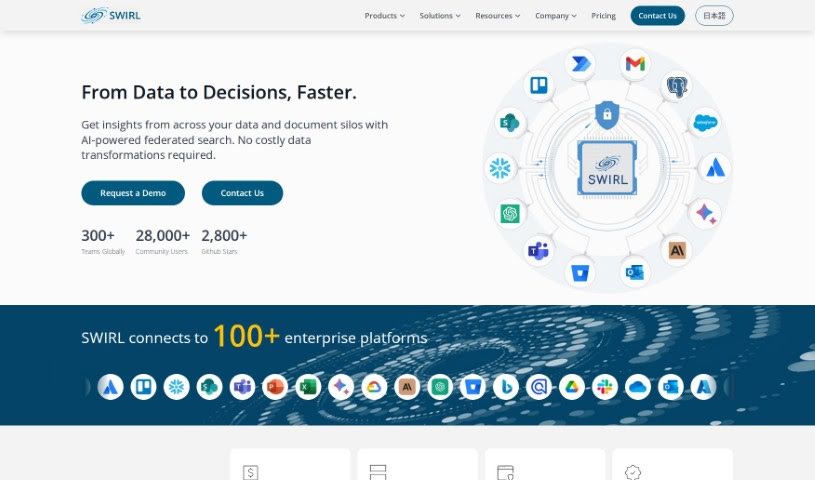
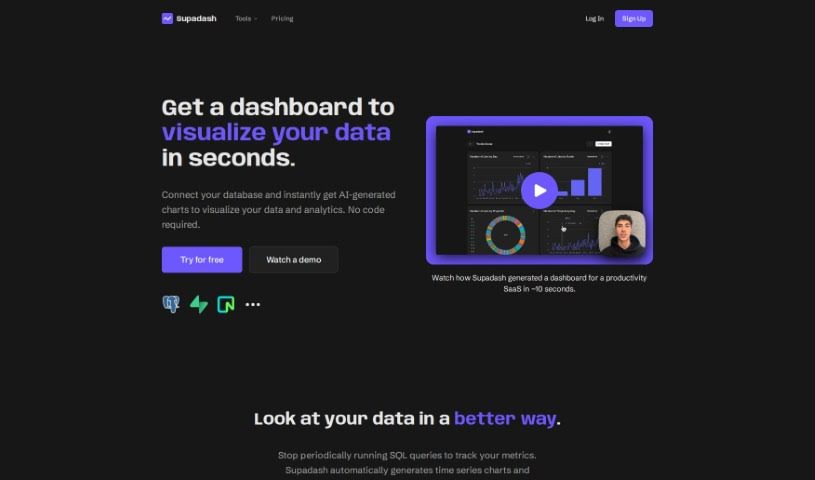
Sloped is a really smart platform that completely changes how you explore data. It lets you ask questions about your data using everyday language, making it super easy. No matter if you're a data analyst, a marketer, or run your own business, Sloped's straightforward design and strong features mean you can easily query APIs, find important insights, and build dashboards to share, all with just a few clicks. What makes it stand out? It uses natural language processing so you can ask questions easily, offers insightful analytics to dig deep into your data, has intuitive dashboards for creating and sharing visuals, connects smoothly with different data APIs, and features a user-friendly interface that just makes analyzing data simpler.

Screenshot of SmallPDF.com

SmallPDF.com

Freemium

SmallPDF.com is a really useful online platform packed with tools to help you manage your PDF files. You can easily convert, compress, edit, merge, split, and even sign your PDFs right there on the site. It's designed to be super user-friendly, so whether you're an individual or running a business, you can handle your PDF tasks quickly and securely without needing any special software or tech skills. SmallPDF.com focuses on making things simple and effective, aiming to streamline how you deal with documents.

Screenshot of Smallppt

Smallppt

Freemium

Smallppt is a handy tool that uses AI to make creating presentations and mind maps a breeze. It is your creative assistant, helping you whip up visually appealing slides and mind maps much faster. It's packed with features designed to speed up the whole design process. You can make one-click changes to layouts, add background videos and music to make your presentations pop, and it even supports a bunch of different file formats for easy sharing. Plus, Smallppt gives you great starting points for both presentations and mind maps, really sparking your creativity and making you more efficient.

Stay Updated with AI Tools

Get weekly updates on the latest AI tools, trends, and insights delivered to your inbox

Join 25,000+ AI enthusiasts. No spam, unsubscribe anytime.