AI Tools for Productivity

Discover the best Productivity AI tools to enhance your productivity and creativity.

Page 87 of 114 • 1361 total tools

In today’s busy world, staying productive can feel like a real challenge. With so much to do, constant notifications, and distractions everywhere, having the right tools to manage your time well is more important than ever. That’s where AI productivity tools come in—they’re designed to make your work smoother, handle repetitive tasks for you, and keep you organized.

These smart solutions have come a long way recently. They’ve gone from simple task managers to complete systems that can adapt to what you need. Whether you’re trying to organize your day better, improve how your team works together, or finally tackle that huge inbox, the right AI tools can make a big difference.

As I looked into the best AI productivity tools out there, I tried out several apps that promise to make you more efficient and focused. From smart schedulers to new project management systems, there are tons of options to help you get your time back.

So, if you’re ready to boost your productivity and make the most of your workday, you’re in the right place. Here’s a list of great AI productivity tools that are definitely worth checking out. Let’s explore how to work smarter together!

The best AI Productivity Tools

  1. Perplexity for automating tasks and helping with management.
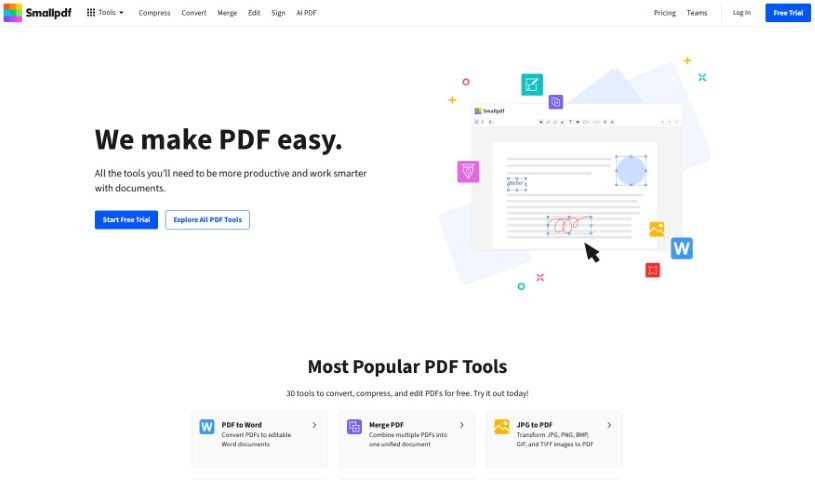
  2. Small PDF.com for smoother document management for teams.
  3. Gamma for document creation tools that save time.
  4. Odoo for a task management and collaboration app.
  5. Zoom for analyzing and summarizing meeting content.
  6. N8N for smoother team onboarding processes.
  7. Prezi for engaging team collaboration sessions.
  8. Tableau for creating reports and dashboards more easily.
  9. Data Camp for efficient team collaboration workflows.
  10. Otter.ai for getting action items from meetings without the fuss.
  11. Tenorshare for easily summarizing long PDF documents.
  12. Slidesgo for creating professional presentations efficiently.
  13. Facecheck Id for streamlining identity verification tasks.
  14. HIX.AI for boosting writing speed with smart tools.
  15. Tactiq for automating meeting notes for teams.
How do AI productivity tools work?

AI productivity tools use machine learning to look at how you work and make your tasks more efficient. These tools are built to handle lots of information, spotting patterns and your preferences to help smooth out your workflows. By understanding how you use different apps, AI can suggest personal improvements to boost your productivity.

Basically, these tools use natural language processing (NLP) to understand and respond to what you ask. For example, they can schedule meetings, set reminders, or create reports just by understanding simple requests. This saves you time and cuts down on manual work.

Many AI productivity apps connect with popular tools like calendars, email, and project management software. This connection lets them gather information and automate tasks across different places. As a result, you get a smooth, connected experience that improves how you work day-to-day.

AI productivity tools also learn from how you use them to get better over time. The more you use a tool, the better it gets at guessing what you need and offering helpful suggestions. This ability to adapt is what makes AI tools increasingly valuable for improving productivity for both individuals and teams.

Plus, these tools can look at data about how you complete tasks and suggest ways to improve. For instance, if you often miss deadlines, the AI might suggest better ways to manage your time. By giving you useful insights, AI productivity tools help you work smarter, not just harder.

In the end, AI productivity tools show how technology can change everyday tasks into more efficient processes. By automating routine jobs and offering personal insights, they help you focus on what’s most important—hitting your goals and being more effective overall.

Our best AI productivity tools at a glance

RankNameBest forPlans and PricingRating
1PerplexityAutomating tasks and helping with management.N/A4.70 (10 reviews)
2SmallPDF.comSmoother document management for teams.Paid plans start at $9/month.4.73 (11 reviews)
3GammaDocument creation tools that save time.N/A4.79 (19 reviews)
4OdooA task management and collaboration app.N/A4.67 (6 reviews)
5ZoomAnalyzing and summarizing meeting content.Paid plans start at $15.99/month.4.73 (11 reviews)
6N8NSmoother team onboarding processes.Paid plans start at $50/month.4.58 (12 reviews)
7PreziEngaging team collaboration sessions.Paid plans start at $19/month.4.18 (11 reviews)
8TableauCreating reports and dashboards more easily.N/A4.70 (43 reviews)
9DataCampEfficient team collaboration workflows.Paid plans start at $25/month.4.71 (24 reviews)
10Otter.aiGetting action items from meetings without the fuss.Paid plans start at $13.59/month.4.73 (11 reviews)
11TenorshareEasily summarizing long PDF documents.N/A4.64 (11 reviews)
12SlidesgoCreating professional presentations efficiently.N/A4.68 (22 reviews)
13Facecheck IdStreamlining identity verification tasks.N/A4.42 (19 reviews)
14HIX.AIBoosting writing speed with smart tools.N/A4.36 (11 reviews)
15TactiqAutomating meeting notes for teams.N/A4.64 (11 reviews)
Screenshot of Sendforsign

Sendforsign

Freemium

Sendforsign is a modern, fast, and straightforward digital contract service. It uses an API and AI technology to help you manage your digital contracts and documents. You can store them, search for them, draft new ones, review them, get approvals, negotiate terms, and sign them electronically – all with absolutely no setup needed. It's designed to make things simpler, offering features like easy drafting, document review with text highlighting, and strong safety and security measures. Plus, Sendforsign provides detailed documentation covering everything from its vision and changelog to its core functions, making it a reliable tool for handling digital contracts efficiently.

Screenshot of Sendsteps

Sendsteps

Freemium

Sendsteps is a really neat AI-powered platform that's all about making your presentations and meetings way more engaging. It is a smart assistant that helps you create interactive content super fast. You've got a few ways to get started with your presentations: you can use their AI presentation maker, build one from scratch, upload your own documents, or even import your existing PowerPoint slides. The whole idea is to save presenters a ton of time by handling the writing, design, and storytelling parts. This way, you can really focus on delivering your message. Plus, Sendsteps has features like live polling, live Q&A, surveys, and feedback tools that really get your audience involved during live presentations or events. You can also customize questions and polls, it supports multiple languages, and it works for any kind of event – whether it's in-person, virtual, or a mix of both. Honestly, Sendsteps is trying to shake up the old way of doing presentations, offering something unique, interactive, and time-saving, and it's got a solid base of happy users and global recognition to back it up.

Screenshot of Sensæ

Sensæ

Freemium

Sensæ is a service designed to help high achievers manage stress. It works by using your personal physiological and psychological data to create custom stress management techniques just for you. The service uses advanced technology, including AI-powered diagnostics and predictive analytics, to develop ways to help you reach your full potential. Sensæ also includes haptic biofeedback, which gives you a tangible way to understand and manage your emotions better. Ultimately, it aims to boost your overall well-being and empower you to be your best.

Screenshot of Sensible Instruct

Sensible Instruct

Freemium

"Sensible Instruct" is your go-to tool for pulling information out of documents. It's designed with an API-first approach, meaning it's built to be easily integrated into other systems. It offers really strong extraction capabilities, lets you define specific areas within documents to focus on, and can even process information in real-time. You can use it to extract data from all sorts of documents, whether it's resumes, contracts, or invoices. What's neat is that it uses GPT-4's advanced Natural Language Processing to understand and extract the data. Plus, it uses something called SenseML, which gives you a lot of flexibility to customize how it works. For businesses, Sensible Instruct also provides enterprise-grade security, ensures compliance with regulations, and delivers reliable performance. Even if you're new to this or not a developer, you can jump right in. Its interface is really user-friendly, and you get instant results without needing to train it yourself. It also plays nicely with Zapier, has its own dashboard, and can handle large volumes of data extraction without breaking a sweat.

Screenshot of Sequential

Sequential

Freemium

Sequential is a modern digital tool developed by Ryan Cushen. It's designed to make your work processes smoother, boost your productivity, and help you get things done faster and more efficiently. The tool blends proven strategies with new ideas, drawing inspiration from successful organizations throughout history. With Sequential, you get powerful AI models for managing your work, a helpful guide for newcomers, an easy way to get in touch, and regular updates to keep everything running smoothly. You'll need to sign up to unlock all its features.

Screenshot of Serge

Serge

Freemium

Serge is a personal assistant tool you can host yourself, putting your privacy and data security first. Setting it up is a breeze – just one Docker command, and you've got a secure, private space without any remote APIs, data collection, or ads. Once it's running, you can chat with Serge through a simple web interface at <http://localhost:8008>. It's designed to be a helpful companion. Plus, Serge has a lively community on GitHub and Discord where you can jump in, get help, and share information. By giving you full control over your data and really focusing on privacy, Serge offers a different kind of personal assistant experience, one that's all about keeping your information safe.

Screenshot of Serviceaide

Serviceaide

Freemium

Serviceaide is a company that offers IT Service Management (ITSM) solutions. Their main goal is to help organizations improve how they deliver IT services and boost productivity, largely by using automation and smart service management tools. They've developed advanced solutions designed to make things more efficient for businesses in sectors like Education, Energy and Utilities, Financial Services, Government, and Healthcare. Serviceaide's product lineup includes offerings such as ChangeGear, ISM for Partners, and Serviceaide Municipal Solutions. They also have the Luma AI Suite, which features the Luma Virtual Agent and Luma Knowledge. Essentially, they aim to simplify IT operations, provide complete solutions that are a good fit for different industries, put advanced automation into practice, and offer strong tools for managing assets. They also have specific products like ChangeGear and ISM to meet particular company needs.

Screenshot of Servicenow

Servicenow

Freemium

Customer Service Management (CSM) on the ServiceNow platform is a really comprehensive solution designed to make customer service better for businesses. The main goal here is to boost how happy customers are, all while keeping operational costs in check. By using advanced AI, CSM really improves self-service options and makes service agents more productive. When agents have real-time access to information, they can sort out issues much faster, which naturally leads to happier customers. CSM brings together a bunch of different applications and features. Think of things like self-service portals that have knowledge bases and tools to help manage your workforce more effectively. Plus, there are built-in tools for process mining and predictive intelligence that help you fine-tune your processes and tasks. ServiceNow's own Now Platform® is the backbone for CSM, making enterprise automation smooth and helping things scale up easily. When you implement CSM, you're not just making service processes better; you can also connect it with other products to create a complete customer experience platform. Ultimately, this boosts your overall business performance.

Screenshot of Sessions.us

Sessions.us

Freemium

Sessions.us is a really comprehensive platform built to make virtual meetings and webinars much better. It's packed with features like easy scheduling, the ability to create chat rooms, cloud storage for your files, and even transcription services. The platform uses AI to power interactive virtual meetings and webinars, offering super clear ultra HD video and audio. Plus, it integrates with lots of other tools, has interactive agendas, and provides workspaces so your team can collaborate effectively. Sessions.us also takes data protection seriously, using a consent mechanism and cookies to improve how you interact with the platform and manage its performance.

Screenshot of SessionStack

SessionStack

Freemium

SessionStack is a really neat AI-powered tool that helps you understand how users interact with your website. It is a session replay tool, but with a smart AI twist that makes reviewing user journeys much easier. It can give you quick summaries of long session recordings, so you don't have to watch every single minute. Plus, the AI actually suggests practical ways to fix the frustrating parts users run into, which can really help boost your conversion rates.

Screenshot of Shadow

Shadow

Freemium

Shadow is a smart autopilot technology designed to boost your productivity by handling all those post-meeting tasks for you, and it does it all without any fuss. Imagine letting Shadow listen in on your conversations – no more struggling to take notes or worrying if follow-up actions will be missed. Shadow works quietly in the background, no bot needed, and gives you instant transcripts and summaries right after your meetings wrap up. It can tackle tasks like writing meeting summaries or updating your CRM up to 20 times faster than usual. This means you can really focus on the discussion itself, knowing that all the next steps are being taken care of. Plus, Shadow takes your privacy seriously; all recordings are kept right on your device, so you're always in control of who sees them. As Shadow gets smarter, it picks up new skills, adding even more features to keep up with your fast-paced work life.

Screenshot of Shape.xyz

Shape.xyz

Freemium

Shape.xyz is an AI tool built to help you explore and analyze your data more efficiently. Think of it like having a dedicated analyst who can give you quick answers to even your most complex data questions, often in just seconds. Whether you're curious about new subscriptions, how many hours people are spending on your app on average, or how editorial articles performed compared to news articles last month, Shape can handle it. Its AI engine works much like a human analyst, meaning it can really understand what you're asking and provide detailed answers that go beyond just numbers. It's pretty sophisticated, too, using advanced SQL capabilities to manage tricky data operations, including complex joins and unions. Plus, Shape takes security seriously. They store your credentials using industry-standard encryption and are SOC 2 Type 1 certified, so your data is well-protected. As you use it, Shape also learns from your interactions, getting better and more accurate over time. You can even connect it to Slack to get answers right there through its Slackbot. If you ever want to double-check a result, you can ask human analysts, and Shape can also create charts automatically to help you visualize your data, giving you a complete picture.

Stay Updated with AI Tools

Get weekly updates on the latest AI tools, trends, and insights delivered to your inbox

Join 25,000+ AI enthusiasts. No spam, unsubscribe anytime.