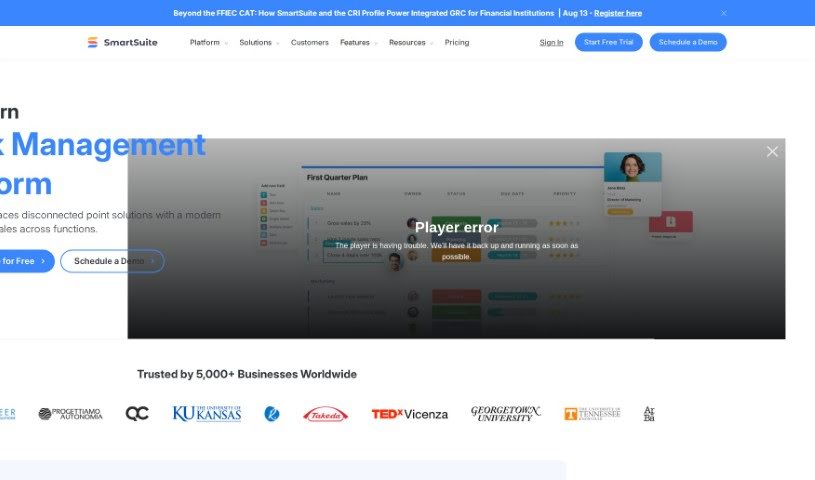
Screenshot of SmartSuite

SmartSuite

Discover what SmartSuite is and learn how to use it effectively in 2025. We'll explore its features and see how it stacks up against other project management tools.

Screenshot

What is SmartSuite?

SmartSuite is a platform designed to help businesses and teams work smarter. It offers a connected suite of solutions for many different parts of running a business. The idea behind it was born because the market really didn’t have a single, all-in-one app that could do everything. SmartSuite provides specific solutions for all sorts of teams, including those in design, software development, governance, risk & compliance, customer success, business operations, finance, procurement, venture capital, construction, real estate, food services, non-profits, legal teams, professional services, information technology, business continuity planning, and security operations, among others. Each of these solutions is built to make workflows smoother, boost efficiency, and keep everything organized in one place.

Who created SmartSuite?

SmartSuite was actually started by a team who felt there was a gap in the market. They were looking for a unified platform to really streamline how work gets done, and they couldn’t find one. Jon, the CEO, led the charge to build it, aiming to make it easy to track tasks in real-time and really improve how teams collaborate. The company’s goal is to empower people to work smarter by offering a set of integrated solutions that are perfect for various industries. This includes sectors like nonprofits, health and wellness, education, project management, sales, marketing, HR, product management, design, software development, governance, risk, compliance, customer success, business operations, finance, procurement, venture capital, construction, real estate, and food services.

What is SmartSuite used for?

SmartSuite is incredibly versatile and can be used for a wide range of business functions:

  • Software development: Manage projects, track bugs, and coordinate releases.
  • Human resources: Handle onboarding, performance reviews, and employee data.
  • Project management: Plan, track, and manage all your projects from start to finish.
  • Real Estate: Manage sales pipelines, track contacts, handle referrals, and oversee property transactions.
  • Product management: Plan roadmaps, track feature development, and manage product lifecycles.
  • Customer success: Centralize customer data, manage support requests, and oversee onboarding.
  • Sales Teams: Track your sales pipeline, manage contacts, nurture leads, and close deals.
  • Food Services: Optimize profitability by keeping a close eye on food costs and coordinating staff schedules.
  • Procurement Teams: Manage procurement workflows, track expenses, handle purchase orders, and maintain vendor relationships.
  • Venture Capital: Manage all the back-office processes for venture firms, from deal flow to portfolio management.
  • Construction Teams: Create a single, reliable source of truth for all your construction projects.
  • Non-Profits: Track supporters and donations, connect with key decision-makers, and manage fundraising efforts.
  • Legal Teams: Streamline case management, track deadlines, and manage client communications.
  • Professional Services: Manage client projects, track billable hours, and improve service delivery.
  • Information Technology: Manage IT assets, track support tickets, and oversee IT projects.
  • Business Continuity Planning: Develop and manage plans to ensure your business can continue operating during disruptions.
  • Health and Wellness: Manage wellness programs for individuals or organizations, tracking progress and engagement.
  • Teachers: Manage student progress, keep track of assets, and organize curriculum materials.
  • Finance Teams: Consolidate financial processes, authorize capital investments, track debts, and monitor financial performance.
  • Marketing Teams: Plan campaigns, track leads, and manage marketing assets.
  • Design Teams: Manage design projects, track feedback, and organize creative assets.
  • Governance, Risk & Compliance: Ensure your organization adheres to regulations and manages risks effectively.
  • Business Operations: Streamline day-to-day operations and improve overall business efficiency.
  • Security Operations: Manage security incidents, track vulnerabilities, and implement security protocols.

Who is SmartSuite for?

SmartSuite is designed for a wide array of professionals and teams across many industries. If your work involves managing projects, clients, data, or processes, SmartSuite likely has a solution for you. It’s particularly useful for:

  • Legal teams
  • Professional services firms
  • Information Technology departments
  • Those involved in Business Continuity Planning
  • Security Operations teams
  • Procurement Teams
  • Creative Design professionals
  • Software development teams
  • Governance, Risk & Compliance specialists
  • Customer success managers
  • Business Operations managers
  • Finance teams
  • Venture Capital firms
  • Construction Teams
  • Real estate professionals
  • Food Services businesses
  • Non-Profit organizations
  • Project Management professionals
  • Sales teams
  • Marketing teams
  • Human Resources departments
  • Product Management teams
  • Design Teams
  • Health and Wellness practitioners
  • Teachers and educational institutions

How to use SmartSuite?

To get the most out of SmartSuite, here’s a straightforward approach:

  1. Pick Your Solution: First, figure out what you need. SmartSuite offers specific solutions for project management, sales, marketing, HR, product management, design, software development, governance, risk & compliance, customer success, business operations, finance, legal teams, professional services, information technology, and procurement. Choose the one that best fits your business needs.
  2. Explore the Features: Once you’ve selected a solution, take some time to look around. Get familiar with all the tools available, like the templates, workflow builders, reporting dashboards, and customization options.
  3. Get Started with Your Work: Begin by setting up your projects, tasks, or workflows. You can use the pre-built templates that come with SmartSuite and then customize them to perfectly match how you work.
  4. Work Together Effectively: Use the platform to collaborate with your team. You can track progress, assign tasks, and keep an eye on what everyone is doing. Keeping communication, feedback, and important documents all in one place makes collaboration much smoother.
  5. Keep an Eye on Performance: SmartSuite’s dashboards and reporting tools are great for tracking key numbers, seeing how projects are progressing, and understanding the overall performance of your business operations.
  6. Customize and Fine-Tune: Don’t be afraid to adjust the tools and features to fit your unique workflow. Make changes as you go to really optimize your efficiency and productivity.
  7. Stay Up-to-Date: Make sure to keep informed about new updates, features, and best practices for SmartSuite. This will help you get the most value from the platform as it continues to improve.

By following these steps, you can really use SmartSuite to improve how you manage projects, make your operations run more smoothly, boost team collaboration, and ultimately drive success in many areas of your business.

Related AI Tools

Discover more tools in similar categories that might interest you

Stay Updated with AI Tools

Get weekly updates on the latest AI tools, trends, and insights delivered to your inbox

Join 25,000+ AI enthusiasts. No spam, unsubscribe anytime.