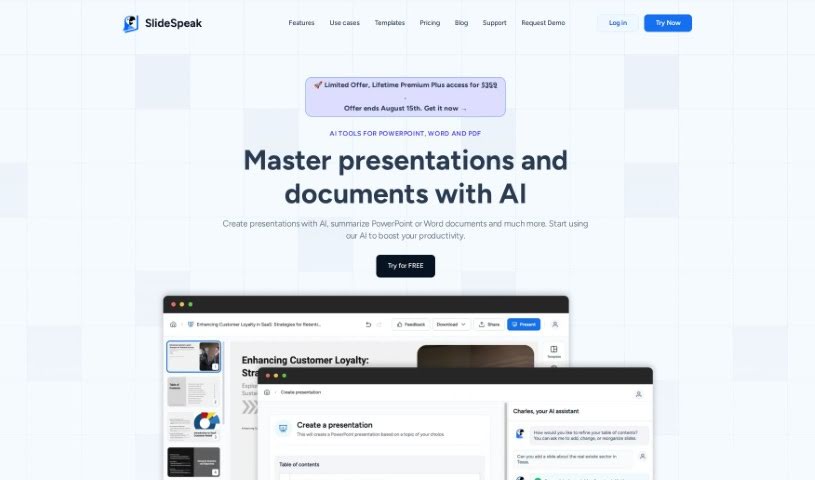
What is SlideSpeak?
SlideSpeak is a handy platform where you can upload your PDF, Word, and PowerPoint files. Then, it uses ChatGPT AI to summarize them and create presentations for you. It’s designed so you can easily chat with the AI, pull out key information, ask questions about your documents, and build presentations right from the content. Plus, they really focus on keeping your information safe. They use strong encryption and don’t keep your documents on their servers after processing. If you’re not happy, you can cancel your subscription anytime and get a refund within 7 days of your first purchase.
Who created SlideSpeak?
According to the website’s footer, SlideSpeak was developed by M5L Software, Inc. The specific founder isn’t mentioned in the information I have.
What is SlideSpeak used for?
SlideSpeak is great for:
- Boosting productivity: Get more done faster.
- Summarizing documents: Quickly get the gist of PDF, Word, and PowerPoint files.
- Generating presentations: Create slides directly from your documents.
- Asking questions: Chat with your documents to find specific information or gain new insights.
- Working with various file types: Supports PowerPoint, Word, and PDF.
- Improving your workflow: Use AI to make creating presentations and summarizing content easier.
- Exporting presentations: Save your AI-generated presentations in PowerPoint format.
- Customizing your look: Tailor presentations with your preferred colors, fonts, and logos.
- Handling sensitive information: Process confidential documents securely.
- Using personal templates: Apply your own templates for consistent branding.
- Scaling for organizations: Custom templates and unlimited file usage are available for teams.
- Extracting images: Pull images directly from your PowerPoint, Word, and PDF files.
- Mastering presentations: Use AI to truly understand and improve your presentations and documents.
- Unlimited questions: Ask as many questions as you need about your documents.
Who is SlideSpeak for?
SlideSpeak is a versatile tool that can help a wide range of professionals and students, including:
- AI professionals
- Presenters
- Document summarizers
- Marketing professionals
- Sales Representatives
- Students
- Educators
- Content creators
- Designers
- Marketers
- Managers
- Bloggers
- Public speakers
- Authors
- Corporate professionals
- Consultants
- Entrepreneurs
- Lawyers
- Real estate professionals
- Financial Analysts
- Project managers
- Business professionals
- Teachers
- Business Development Professionals
- HR Professionals
- Office professionals
- Legal professionals
- Trainers
- Recruiters
- Operations professionals
- Finance professionals
- Accounting professionals
- Researchers
- Analysts
How to use SlideSpeak?
Using SlideSpeak is pretty straightforward. Here’s a quick rundown:
- Upload Your Files: Start by uploading your PowerPoint, Word, or PDF documents to the platform.
- Create Presentations: Use the AI chatbot to help you build presentations based on the content you uploaded.
- Get Summaries: Need a quick overview? Just ask the AI chatbot to generate summaries for your documents.
- Make It Yours: You can customize your presentations by choosing colors, fonts, and adding your logo.
- Ask Away: Have questions about your PowerPoint content? Just ask the AI directly.
- Stay Secure: Your data is encrypted and kept private; it’s not shared with anyone else.
- Manage Your Subscription: You have the flexibility to cancel your subscription anytime, with a 7-day money-back guarantee if you’re not satisfied after your initial purchase.
- Works with Many Formats: SlideSpeak supports summarizing PDF, Word, and PowerPoint files.
- Enterprise Options: For businesses, you can scale up with features like unlimited files and custom templates tailored for your organization.
Just a reminder: SlideSpeak uses encryption to keep your documents secure during processing. Even with a secure platform like this, it’s always wise to handle sensitive documents carefully. Overall, SlideSpeak offers a user-friendly, AI-powered way to boost your productivity when creating and summarizing presentations.