What is Smallppt?
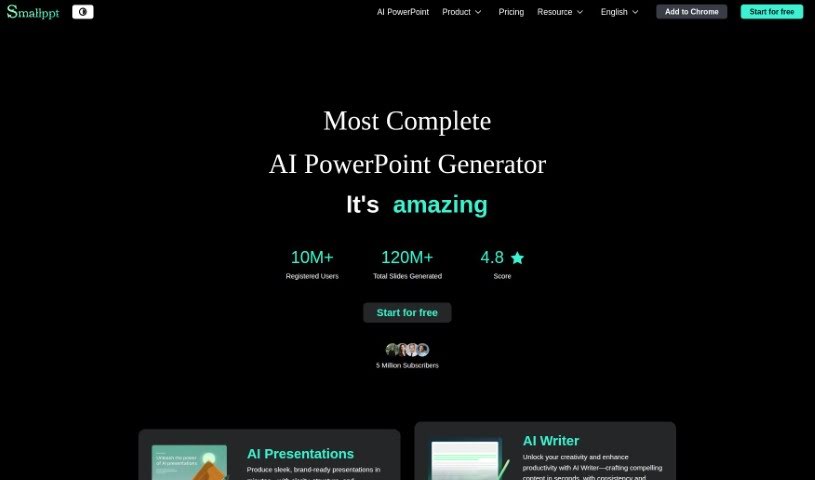
Smallppt is a handy tool that uses AI to make creating presentations and mind maps a breeze. It is your creative assistant, helping you whip up visually appealing slides and mind maps much faster. It’s packed with features designed to speed up the whole design process. You can make one-click changes to layouts, add background videos and music to make your presentations pop, and it even supports a bunch of different file formats for easy sharing. Plus, Smallppt gives you great starting points for both presentations and mind maps, really sparking your creativity and making you more efficient.
With Smallppt, you can actually generate whole slides in a fraction of the time it used to take. Need to tweak a layout? Just a single click does it! Want to add some flair with videos or music in the background? Easy. When you’re done, you can download your work in common formats like PPTX, PDF, or even as an IMAGE. Beyond just making things look good, Smallppt helps you express your ideas clearly, adds variety to your presentations, and generally makes the whole design process much simpler for everyone.
This AI tool is also a lifesaver for creating mind maps quickly and efficiently. It really improves the user experience overall. You get cool features like performance analysis to see how your presentations are doing, the ability to share them online, and a neat presentation mode that helps you get your points across clearly.
Who created Smallppt?
Taylor, who also co-founded Unherd, is the mind behind Smallppt. It first launched on December 15, 2023, with a big goal: to completely change how we create visually stunning PowerPoint slides and mind maps. The idea was to use AI to make the process simpler and faster. This tool doesn’t just help you design presentations; it also offers really useful starting points, boosting both speed and creativity when you’re putting something together.
What is Smallppt used for?
- Performance Analysis: Get insights into how your presentations are received.
- Fosters Creativity: Helps spark new ideas and approaches.
- Efficient PowerPoint Design: Makes creating professional-looking slides much smoother.
- Speedy Slide Creation: Generate slides quickly with AI assistance.
- Single-Page Layout Alteration: Easily change the look of individual slides.
- Allows Online Sharing: Share your work with others easily.
- Enhances Presentation Diversity: Add variety to your slides with different elements.
- Simplifies Design Process: Takes the complexity out of designing.
- Conducts Performance Analysis: Understand how your audience engages with your content.
- Visually Captivating Slides: Create presentations that grab attention.
- Streamlines Presentation Creation: Makes the entire process more efficient.
- Background Videos and Music: Add engaging multimedia elements.
- Supports Multiple File Formats: Download in PPTX, PDF, and IMAGE.
- Online Sharing of Presentations: Reach a wider audience.
- Presentation Mode: A focused way to present your content.
- Creates Impressive Starting Points: Get a head start with AI-generated ideas.
- Presentation and Mind Map Capabilities: Versatile for different visual communication needs.
- Enables Quick Slides: Generate slides rapidly.
- One-Click Modifications: Simple adjustments to layouts and designs.
- Streamlining the creation of presentations and mind maps: Making the whole process easier.
- Creating visually captivating PowerPoint slides and mind maps: Designing presentations that look great.
- AI-assisted design process for presentations: Using AI to help with design tasks.
- Speeding up slide creation with AI-generated starting points: Getting presentations done faster with AI help.
- One-click modifications for easy alterations of layouts: Simple ways to change how your slides look.
- Support for background videos and music in presentations: Adding dynamic elements to your slides.
- Download presentations in multiple formats (PPTX, PDF, IMAGE): Get your work in the file type you need.
- Enhancing creativity and speed in presentation creation: Helping you be more creative and faster.
- Sharing presentations online for broad audience reach: Getting your message out to more people.
- Performance analysis capabilities for insights into presentation effectiveness: Understanding what works best.
Who is Smallppt for?
Smallppt is a great tool for anyone who regularly creates presentations or mind maps. This includes:
- Professionals involved in creating presentations and mind maps: If it’s part of your job, Smallppt can help.
- Professionals focusing on PowerPoint design and creativity: Those who need visually appealing slides will find it useful.
- Professionals utilizing multimedia elements in presentations: If you use videos or music, Smallppt supports this.
- Managers: For clear and effective team updates.
- Product Managers: To showcase product roadmaps and features.
- Co-Founders: To present business plans and visions.
- Professionals in marketing and design: Especially those who need to create visually captivating slides.
- Professionals in various industries: Anyone who benefits from a smoother, more creative presentation design process.
How to use Smallppt?
Using Smallppt is pretty straightforward. Just follow these steps to get the most out of it:
- Getting Started:
- First, you’ll need a subscription plan. They offer Monthly, Yearly, or an Unlimited Year Plan, which gives you benefits like AI PowerPoint generation and document downloads.
- Creating Presentations:
- Once you’re logged into Smallppt, start by picking out some templates for your slides. This really simplifies the design part.
- Make sure to use the AI features! They’re great for generating slides quickly and making modifications with just a single click.
- Don’t forget to add multimedia, like background videos or music, to make your presentations more engaging for your audience.
- When you’re happy with your creation, you can download it in various formats, including PPTX, PDF, and IMAGE.
- Making Mind Maps:
- You can also use Smallppt’s AI to create mind maps quickly and efficiently. It really makes the whole process smoother and more enjoyable.
- Boosting Your Features:
- Check out the performance analysis feature. It gives you insights into how viewers interact with your presentation, helping you improve future ones.
- Save yourself time and boost your creativity by using the AI tools for rapid slide generation and those easy layout changes.
- Take advantage of the templates provided. They’re excellent starting points for professional-looking presentations.
- Sharing and Engaging:
- Share your presentations online! This helps you reach a wider audience and makes it easier to get feedback and communicate with others.
By following these steps, you’ll be well on your way to creating visually appealing presentations and mind maps efficiently, all with a little help from AI technology.