What is Slite?
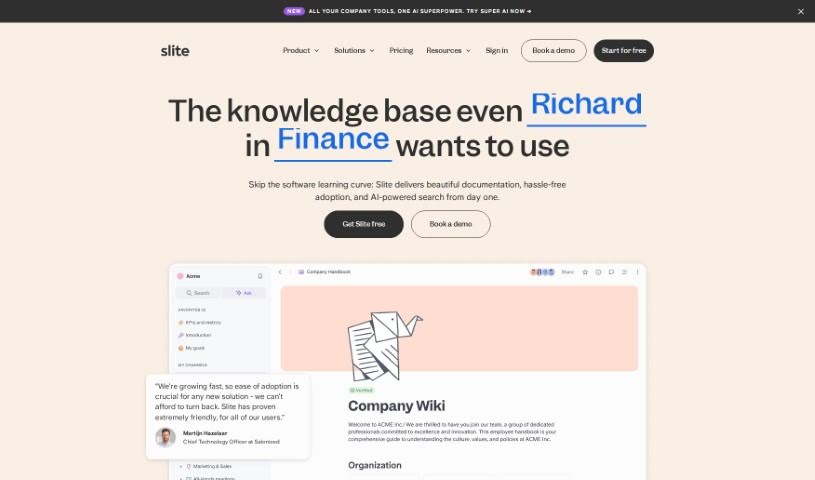
Slite is a really smart tool that acts like a company’s brain, giving everyone quick access to information they can trust. It is a central hub where your team can easily document all sorts of things – from meeting notes and company handbooks to guides for new hires. What’s pretty neat is its AI assistant. You can just ask it a question, and it’ll give you an instant answer, saving you the hassle of digging through documents yourself. Plus, Slite uses AI to offer helpful suggestions, making sure your documents stay current and well-organized. It’s also designed to cut down on those repetitive questions that pop up all the time and plays nicely with tools you probably already use, like Google Drive, Notion, and Slack. The goal is to make managing all your company’s knowledge much simpler, especially as your team grows.
Who created Slite?
Christophe Pasquier is the person behind Slite; he’s also the CEO. The platform first launched on February 10, 2023. From the start, they’ve had a strong focus on sustainability, aiming to reduce CO2 emissions per worker each year. Slite offers features like instant answers powered by AI, collaborative workspaces where teams can work together, and they even practice sustainable compensation. The company really values longevity, strong connections, and a culture that prioritizes sustainability.
What is Slite used for?
Slite is incredibly versatile. You can use it to:
- Summarize documents quickly.
- Document all sorts of company knowledge, like onboarding guides, notes from all-hands meetings, and more.
- Improve your writing with AI help – it can translate, fix spelling and grammar, and even simplify language.
- Get instant answers to your questions thanks to its AI-powered assistant.
- Receive AI-driven insights and recommendations to keep your documents up-to-date.
- Reduce repetitive questions by setting verification periods for your documents.
- Integrate seamlessly with tools you already use, such as Google Drive, Notion, Evernote, and Slack.
- Use templates to ensure consistency across all your teams.
- Import existing documents so you don’t have to start from scratch.
- Easily manage documents, whether they’re for individuals or entire groups.
- Simplify knowledge management at scale, making it much more efficient.
- Document meeting notes and create comprehensive handbooks.
- Develop clear onboarding guides for new team members.
- Prioritize your thoughts rather than getting bogged down in perfectionism.
- Simplify language to make information more accessible.
- Manage knowledge easily as your company grows.
- Enjoy a clutter-free interface that makes everything easy to use.
Who is Slite for?
Slite is a great fit for:
- Knowledge Management Professionals looking to organize and disseminate information effectively.
- Team Leads who need a central place for team resources and updates.
- Team Managers aiming to improve collaboration and information flow.
- Collaboration Specialists focused on creating efficient and connected work environments.
How to use Slite?
Here’s a straightforward guide to getting the most out of Slite:
- Start with a free trial: Sign up for the 14-day free trial. It gives you access to the Standard plan’s features, so you can really explore what Slite can do.
- Use the AI assistant: Let the AI-powered assistant generate instant answers for you. It’s also great for cross-checking sources to make sure information is accurate.
- Stay updated with AI insights: Take advantage of the AI-driven suggestions to keep your documents current. You can act on these recommendations easily.
- Cut down on repetitive questions: Verify your documents with different validity periods to reduce the need for people to ask the same things over and over.
- Connect your tools: Seamlessly integrate Slite with Google Drive, Notion, Evernote, and Slack to keep your workflow smooth.
- Import existing documents: If you already have documents elsewhere, import them to avoid starting from scratch and maintain continuity.
- Use templates: Access ready-made templates to ensure your documentation is consistent across all your teams.
- Leverage the Slack integration: Use it for quick searches directly within Slack, syncing channels, and getting relevant notifications.
- Install the Chrome extension: This lets you get instant answers from your knowledge base right while you’re working in your browser.
- Explore API capabilities: Sync your tools and create or update documents efficiently using the API.
- Consider advanced plans: If you need more, check out the Premium or Enterprise plans. They offer features like sharing docs publicly, workspace analytics, and enhanced security compliance.
- Engage with sustainability: Learn about and participate in Slite’s sustainable practices, which aim to reduce CO2 emissions and highlight the benefits of remote work.
- Ask about discounts: If you’re part of an eligible non-profit or academic organization, reach out to support about available discounts.
- Manage your workspace: Effectively manage who’s in your workspace. You can add or remove users and control their permissions as needed.
By following these steps, you’ll be able to fully utilize Slite’s collaborative features, its helpful AI assistance, and its unique sustainable approach to managing your company’s knowledge.