Sitting down after a long meeting or class to make sense of messy, typed notes is a common headache. Between scribbling down points while someone speaks, capturing action items, and organizing outlines later, taking notes by hand drains your focus. When you spend all your energy writing down words instead of listening, keeping track of big ideas gets tough.
Think of these tools as organized personal assistants for students, professionals, researchers, and project leads. They transcribe live audio, summarize key points, and structure scattered thoughts so you can find information quickly.
Real-Time Transcripts, Summaries, and Knowledge Graphs
Turning live audio and recorded conversations into searchable text takes seconds instead of hours. Trying to write down every word during a lecture or client call means missing out on real engagement. Modern speech-to-text assistants listen in the background, transcribe spoken dialogue in real time, and tag different speakers so you get a clean transcript without missing a detail.
Synthesizing long meetings and study sessions into clear summaries saves massive amounts of time. Reviewing five pages of raw text to find one key decision is tedious. Intelligent note-taking software scans your transcripts, pulls out main themes, and generates bulleted summaries with assigned action items. You get a quick overview to review in two minutes before moving on to your next task.
Building a searchable knowledge hub across large projects becomes far easier, too. Storing notes in separate files often means losing track of important facts over time. Smart note applications automatically link related topics across your digital notebook, suggest tags, and let you ask questions in plain English to pull up specific quotes or facts instantly.
Useful Features for Organization:
- Real-time audio transcription: Systems that record spoken audio and convert it into accurate, timestamped text while distinguishing between speakers.
- Automated summary creation: Features that condense long transcripts and meeting notes into clear bullet points, action items, and key takeaways.
- Cross-note semantic search: Tools that let you search your entire note library using natural language questions rather than exact keyword matches.
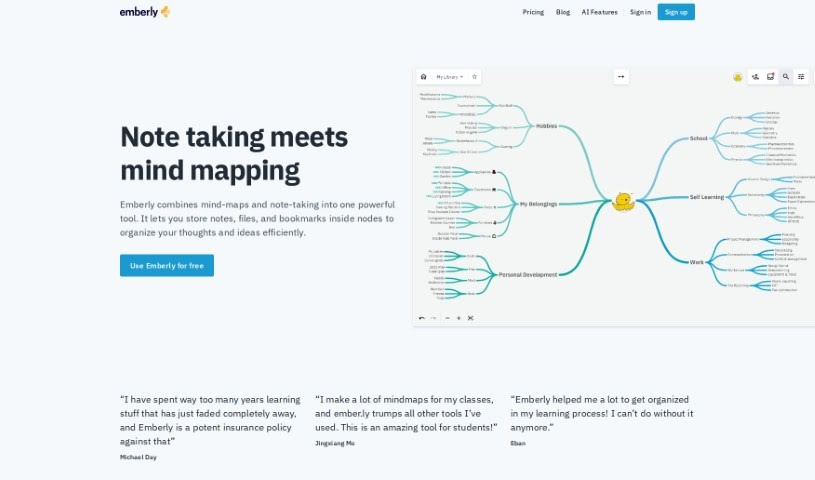
- Knowledge graph linking: Software that automatically connects related notes, ideas, and project references into an organized web of information.
- Multi-platform synchronization: Applications that sync smoothly across desktop computers, web browsers, and mobile devices for quick access anywhere.
Great note taking will always depend on your curiosity, understanding, and personal organization style. Software can transcribe audio, generate a summary, and link related documents, but choosing what matters most requires your human judgment.
Browse the note-taking tools below to organize your workspace.
The Best AI Note Takers
- Otter.ai: for making team meetings smoother with AI notes.
- AI Diary: Journaling with mood tracking, writing analysis and voice entries.
- Fireflies AI: for easy automation of meeting recaps.
- Fathom AI: for simple meeting summaries and action items.
- PLAUD: for help transcribing lectures efficiently.
- AIConsole: Open-source desktop AI editor that automates tasks and drafts content.
- Notta: for making meeting summaries simple.
- Klangio: for turning lectures into music notes.
- Supernormal: for making meeting summaries easier.
- Jamie AI: for generating meeting summaries with ease.
- AiGenda: Transcribes meetings and highlights key agreements across call platforms.
- Voicenotes: for summarizing lectures into clear action items.
- Bubbles Notetaker: for smoother meeting notes and action items.
- Mentalyc: for automatically summarizing therapy sessions.
- Amanu: Team chat assistant that learns from your messages and meetings.