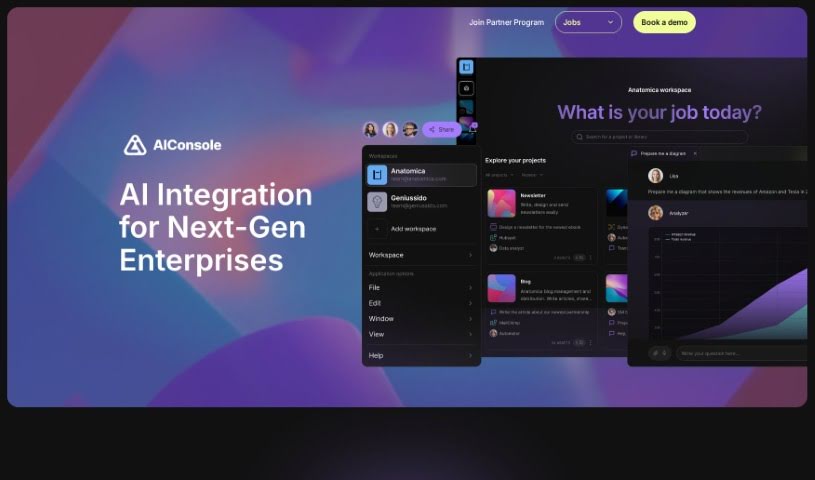
What is AIConsole?
AIConsole is a desktop AI editor that’s open-source and designed to be flexible, adapting to what you need it to do. It is a smart assistant that can help automate tasks, create content, manage your applications, and importantly, keep your data private. It’s built with privacy in mind, meaning it only sends the essential data to AI language model (LLM) APIs. You can use it on Linux, Mac, and Windows. Plus, it has a strong community aspect, with collaboration happening on platforms like Github and Discord. You can actually train AIConsole yourself by simply describing the tasks you want it to perform. Over time, it gets better and better at these tasks through a process of ‘learning by doing.’ It also features ‘expert level prompt engineering’ to ensure its responses are accurate and efficient. Beyond that, AIConsole makes it easier for businesses to integrate AI into their operations, helps streamline how work gets done, and even connects you with AI consultants who specialize in specific fields if you need expert help.
Who created AIConsole?
AIConsole first came out on December 4, 2023. While the specific founder isn’t named in the information I have, what’s clear is that AIConsole is an open-source desktop AI editor. Its main goal is to adapt to what users need, helping to automate tasks, create content, and manage applications, all while keeping your data private. The software really focuses on giving you control over your data privacy by only sending what’s absolutely necessary to LLM APIs. It also encourages community involvement, letting users build and share AI tools tailored for specific purposes on platforms like Github and Discord.
What is AIConsole used for?
AIConsole is a versatile tool that can help you with a lot of different things:
- Content Creation: It helps you write and craft various types of content.
- Task Automation: You can automate tasks by teaching it through a ‘learning by doing’ approach.
- Application Management: It assists in managing your applications.
- Data Privacy: It’s designed to give you control over your data privacy, ensuring only necessary information is sent to AI models.
- Performance Improvement: Your input helps the system get better and more efficient over time.
- Interactive Learning: It supports learning through interaction and user notes.
- Community Collaboration: You can work with others and share AI tools you’ve built.
- Tool Sharing: It makes it easy to share domain-specific AI tools on platforms like Github and Discord.
- Workflow Enhancement: It helps improve how your work processes run.
- AI Model Integration: It supports working with different kinds of AI models.
- Efficiency Boost: It can improve how quickly tasks are completed, especially with its multi-agent system responses.
- Task Management: It helps you manage and automate your tasks effectively.
- Platform Support: It works on Linux, Mac, and Windows operating systems.
- Customization: You can get customized, hosted, or enterprise versions if you need something specific.
- Productivity: It aims to boost your productivity, particularly through its expert prompt engineering capabilities.
- Secure Data: It ensures your data is transmitted safely.
- Local Operation: You can run code directly on your machine.
- Open-Source Verification: Because it’s open-source, you can look at the code to confirm its data privacy claims.
Who is AIConsole for?
AIConsole is a great tool for a wide range of professionals and enthusiasts, including:
- AI Consultants
- Banks and Banking Professionals (like AML analysts)
- Fintech Professionals
- Data Analysts
- Software Developers
- AI Researchers
- Business Analysts
- Data Scientists
- AI Engineers
- General Engineers
- Entrepreneurs
- Computer Scientists
How to use AIConsole?
Here’s a straightforward guide to using AIConsole:
- Tailor it to Your Needs: Start by describing the tasks you want AIConsole to learn. It’s designed to keep learning and completing tasks based on your instructions, so it can adapt indefinitely.
- Automate Your Tasks: Make use of the ‘learning by doing’ feature to automate repetitive or complex tasks.
- Control Your Data Privacy: Remember, AIConsole is built to protect your privacy. It only sends necessary data to LLM APIs.
- Learn Interactively: You can train AIConsole by providing notes, which helps it complete tasks and automate processes more effectively.
- Get Accurate Responses: Use the ‘Expert Level Prompt Engineering’ feature to ensure you get fast and accurate answers for your task steps.
- See Performance Grow: The system naturally improves its performance as you provide more user input.
- Join the Community: Share any domain-specific AI tools you create on platforms like Github and Discord to collaborate with others.
- Cross-Platform Compatibility: AIConsole works smoothly on Linux, Mac, and Windows operating systems.
- Desktop Focus: It’s primarily a desktop tool, offering broad OS support.
- Custom Solutions: If you need something more specific, like a customized, hosted, or enterprise version, these are available.
- Verify Privacy: Since it’s open-source, you can check the code yourself to confirm how it handles data privacy.
To get started, just head to the official website to download AIConsole for your operating system. If you’re interested in custom versions, you can reach out to the team through the website.
Following these steps should help you get the most out of AIConsole for automating tasks, creating content, managing applications, and keeping your data safe and efficient.