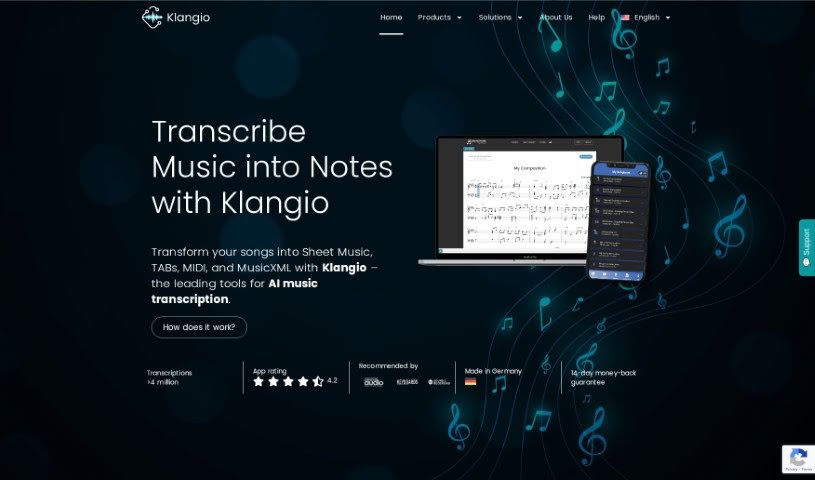
Screenshot of Klangio

Klangio

Discover what Klangio is and how to use it effectively in 2025. We'll explore its features and see how it stacks up against other AI note-takers.

Screenshot

What is Klangio?

Klangio is a really neat AI tool that helps you transcribe music into notes. It can do this in just seconds, making it super easy for musicians to get their tunes down on paper. You can then tweak and download these transcriptions in all sorts of handy formats, like Sheet Music, MIDI, MusicXML, and even GuitarPro Files. The AI behind Klangio is built to be accurate, capturing melodies, chords, rhythms, and all those little musical details. Of course, if anything needs a slight adjustment, you can easily edit the transcriptions yourself. It’s a great tool for anyone who makes music, no matter your skill level. Plus, you can try it out for free before deciding on a Pro Subscription, which unlocks even more features and download options. The company itself was started back in 2021 by Sebastian Murgul and Alexander Lüngen, who really wanted to give musicians around the world a boost with AI technology. Their team is a fantastic mix of folks who know their way around music theory, audio processing, software development, and AI research. They’re all working together with the shared goal of empowering musicians through AI.

Who created Klangio?

Klangio was actually founded by Sebastian Murgul and Alexander Lüngen in 2021. Sebastian was the one who first had the idea back in 2016, and he even developed it as part of his doctoral thesis. He’s got a great background, blending music, computer science, and electrical engineering. Alexander joined Sebastian later, really inspired by the vision for Klangio, and he’s a huge part of what makes the company tick. Based in Karlsruhe, Klangio GmbH is all about creating AI-powered tools for music transcription, with the big aim of helping musicians everywhere harness the power of AI.

What is Klangio used for?

Basically, you can use Klangio for a bunch of things related to getting your music into a written format:

  • Transcribing music into notes: This is its main gig, turning audio into readable musical notation.
  • Editing transcriptions: If the AI needs a little help, you can easily make changes.
  • Downloading in various formats: Get your transcriptions as Sheet Music, MIDI, MusicXML, and GuitarPro Files.
  • Capturing musical details: It’s designed to accurately transcribe melodies, chords, rhythms, and other nuances.
  • Correcting transcriptions: The built-in Edit Mode is perfect for fine-tuning.
  • Transcribing single instruments: If your music features just one instrument, it handles that well.
  • Handling polyphonic music: With Melody Scanner’s different modes, it can even transcribe music with multiple instruments playing together.
  • Trying before buying: You can test out the apps for free, and then upgrade to a Pro Subscription for full song transcriptions and more.
  • Supporting all musicians: It’s built to help people at any skill level with their music transcription needs.
  • Exporting in multiple formats: You can get your transcriptions out as PDFs, MIDI, MusicXML, and GuitarPro files.

How to use Klangio?

Ready to get your music transcribed? It’s pretty straightforward with Klangio:

  1. Pick the right app: First, choose the specific Klangio app that matches the instrument in your music. They’ve got specialized ones!
  2. Upload your music: Upload or record your music. Make sure it’s polyphonic (meaning multiple notes or instruments) and that it features only the instrument the app is designed for.
  3. Let the AI work: Just let Klangio’s AI do its thing. It’ll transcribe your music accurately in just a few seconds.
  4. Review and edit: Take a look at the transcription. If anything needs a tweak, use the built-in Edit Mode to make it perfect for you.
  5. Download your masterpiece: Once you’re happy, download your transcribed piece. You’ve got options like Sheet Music PDFs, MIDI, MusicXML, and GuitarPro Files.
  6. Experiment with settings: Play around with different download formats and settings to really fine-tune your transcription.
  7. Share and refine: Share your edited piece with the world, or take it into your favorite music software for further editing.
  8. Need help? If you run into any issues or need a hand, the Help Center has step-by-step guides and solutions.
  9. Try it free, then go Pro: Remember, you can try out the apps for free. If you love it, upgrade to the Pro Subscription for more features and to transcribe full songs.

So, to kick off your transcription journey with Klangio, just pick the right app, upload your music, and enjoy how accurate and quick the transcription process is. Get creative, personalize your transcriptions, and let Klangio’s easy-to-use AI technology support your musical creativity without a hitch.

Related AI Tools

Discover more tools in similar categories that might interest you

Stay Updated with AI Tools

Get weekly updates on the latest AI tools, trends, and insights delivered to your inbox

Join 25,000+ AI enthusiasts. No spam, unsubscribe anytime.