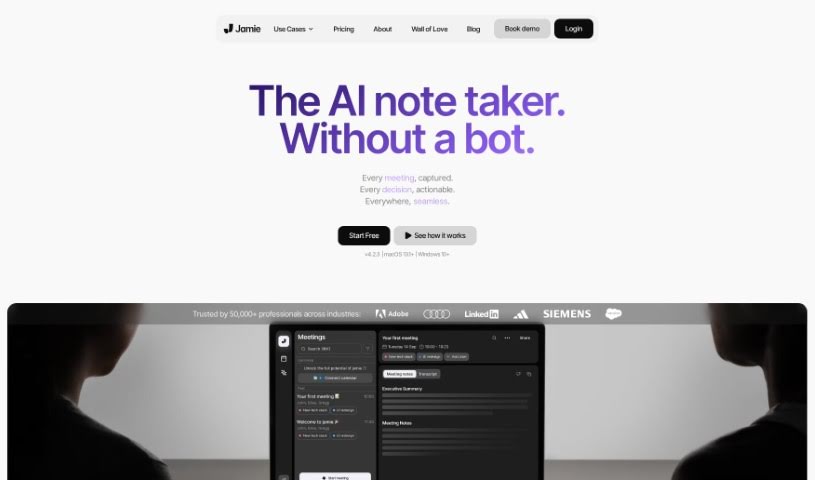
Screenshot of Jamie AI

Jamie AI

Discover what Jamie AI is and how to use it effectively in 2025. Explore its features, compare it with other AI note-takers, and learn how it can simplify your meetings.

Screenshot

What is Jamie AI?

Jamie AI is a smart tool that takes notes for your meetings, helping both individuals and teams save time and get more done. It creates notes that sound like a real person wrote them, along with meeting summaries, full transcripts, and clear action items. It works smoothly with all sorts of tools and in different languages, meaning you don’t have to worry about taking notes yourself during meetings. Jamie automatically handles the audio, pulling out tasks, noting down decisions, and even letting you search your meeting notes by meaning. Plus, they really care about privacy – all your data stays in Europe and is only processed when it absolutely needs to be. Lots of professionals have shared how Jamie makes their work simpler and saves them a ton of time.

Who created Jamie AI?

Jamie was built by a team who really wanted to get rid of tedious busy-work and help people be more productive. Dr. Matthias Müller-Lindenberg, who’s both a Founder and an Executive Coach, started this AI meeting note-taker because he saw how much easier things could be if someone just handled the note-taking. Since launching in early 2023, Jamie has become really popular, with thousands of users already benefiting from its human-like notes across all sorts of meetings and platforms. The team is committed to making work more efficient by using AI in meeting workflows, offering a tool that’s both private and easy to use, truly changing how we take meeting notes.

What is Jamie AI used for?

  • Create summaries, transcripts, and action items from any meeting.
  • Automatically process audio during meetings to generate detailed summaries.
  • Supports multiple languages and lets you customize note templates.
  • Identifies decisions made during your meetings.
  • Easily find information within your meeting notes.
  • Search meetings by their meaning, not just keywords.
  • Extracts tasks that were discussed.
  • Works seamlessly with popular meeting tools like Zoom and Teams.
  • Prioritizes your privacy by storing data in Europe and processing it only when necessary.
  • Gets smarter over time as it learns your work context.

Who is Jamie AI for?

  • Assistant Professors
  • Founders
  • HR & Venture Capital Experts
  • Chancellors
  • Global Heads of Products
  • Executive Coaches
  • Disability Advocates
  • Attorneys
  • Lead CROs
  • HR Professionals
  • Venture Capital Experts
  • Founders & Executive Coaches
  • Disability Advocates
  • Co-Founders & Lead CROs
  • Attorneys
  • Assistant Professors
  • Entrepreneurs

How to use Jamie AI?

Here’s how to get the most out of Jamie:

  1. Start Jamie when your meeting begins so it can automatically process the audio.
  2. Review and Share: Jamie will create a summary, transcript, and action items for you. You can easily review and share them with just one click.
  3. Capture Key Details: Use Jamie to pull out tasks discussed and note any decisions that were made during the meeting.
  4. Find Information Fast: Make use of the semantic search feature to quickly locate specific information within your meeting notes.
  5. Trust Your Privacy: Benefit from Jamie’s privacy-first approach; all data is stored in Europe and only processed when absolutely needed.
  6. Improve Accuracy: Help Jamie understand your work better by teaching it custom words and acronyms.
  7. Enjoy Seamless Use: Experience Jamie’s ease of use and versatility. It works smoothly across different tools and languages without needing intrusive virtual bots.
  8. Personalize Your Experience: Let Jamie learn and adapt to your specific work context for a more tailored and efficient experience.
  9. Save Time: Free up valuable time by using Jamie. It helps you manage busy-work, potentially saving you up to 10 hours each week.
  10. Organize Your Notes: Take advantage of Jamie’s topic-sorted notes and custom templates for greater control over how your notes are organized.

By following these steps, you can really make the most of Jamie’s AI capabilities to make your meetings smoother and boost your productivity.

Related AI Tools

Discover more tools in similar categories that might interest you

Stay Updated with AI Tools

Get weekly updates on the latest AI tools, trends, and insights delivered to your inbox

Join 25,000+ AI enthusiasts. No spam, unsubscribe anytime.