AI Tools for Productivity

Discover the best Productivity AI tools to enhance your productivity and creativity.

Page 106 of 114 • 1361 total tools

In today’s busy world, staying productive can feel like a real challenge. With so much to do, constant notifications, and distractions everywhere, having the right tools to manage your time well is more important than ever. That’s where AI productivity tools come in—they’re designed to make your work smoother, handle repetitive tasks for you, and keep you organized.

These smart solutions have come a long way recently. They’ve gone from simple task managers to complete systems that can adapt to what you need. Whether you’re trying to organize your day better, improve how your team works together, or finally tackle that huge inbox, the right AI tools can make a big difference.

As I looked into the best AI productivity tools out there, I tried out several apps that promise to make you more efficient and focused. From smart schedulers to new project management systems, there are tons of options to help you get your time back.

So, if you’re ready to boost your productivity and make the most of your workday, you’re in the right place. Here’s a list of great AI productivity tools that are definitely worth checking out. Let’s explore how to work smarter together!

The best AI Productivity Tools

  1. Perplexity for automating tasks and helping with management.
  2. Small PDF.com for smoother document management for teams.
  3. Gamma for document creation tools that save time.
  4. Odoo for a task management and collaboration app.
  5. Zoom for analyzing and summarizing meeting content.
  6. N8N for smoother team onboarding processes.
  7. Prezi for engaging team collaboration sessions.
  8. Tableau for creating reports and dashboards more easily.
  9. Data Camp for efficient team collaboration workflows.
  10. Otter.ai for getting action items from meetings without the fuss.
  11. Tenorshare for easily summarizing long PDF documents.
  12. Slidesgo for creating professional presentations efficiently.
  13. Facecheck Id for streamlining identity verification tasks.
  14. HIX.AI for boosting writing speed with smart tools.
  15. Tactiq for automating meeting notes for teams.
How do AI productivity tools work?

AI productivity tools use machine learning to look at how you work and make your tasks more efficient. These tools are built to handle lots of information, spotting patterns and your preferences to help smooth out your workflows. By understanding how you use different apps, AI can suggest personal improvements to boost your productivity.

Basically, these tools use natural language processing (NLP) to understand and respond to what you ask. For example, they can schedule meetings, set reminders, or create reports just by understanding simple requests. This saves you time and cuts down on manual work.

Many AI productivity apps connect with popular tools like calendars, email, and project management software. This connection lets them gather information and automate tasks across different places. As a result, you get a smooth, connected experience that improves how you work day-to-day.

AI productivity tools also learn from how you use them to get better over time. The more you use a tool, the better it gets at guessing what you need and offering helpful suggestions. This ability to adapt is what makes AI tools increasingly valuable for improving productivity for both individuals and teams.

Plus, these tools can look at data about how you complete tasks and suggest ways to improve. For instance, if you often miss deadlines, the AI might suggest better ways to manage your time. By giving you useful insights, AI productivity tools help you work smarter, not just harder.

In the end, AI productivity tools show how technology can change everyday tasks into more efficient processes. By automating routine jobs and offering personal insights, they help you focus on what’s most important—hitting your goals and being more effective overall.

Our best AI productivity tools at a glance

RankNameBest forPlans and PricingRating
1PerplexityAutomating tasks and helping with management.N/A4.70 (10 reviews)
2SmallPDF.comSmoother document management for teams.Paid plans start at $9/month.4.73 (11 reviews)
3GammaDocument creation tools that save time.N/A4.79 (19 reviews)
4OdooA task management and collaboration app.N/A4.67 (6 reviews)
5ZoomAnalyzing and summarizing meeting content.Paid plans start at $15.99/month.4.73 (11 reviews)
6N8NSmoother team onboarding processes.Paid plans start at $50/month.4.58 (12 reviews)
7PreziEngaging team collaboration sessions.Paid plans start at $19/month.4.18 (11 reviews)
8TableauCreating reports and dashboards more easily.N/A4.70 (43 reviews)
9DataCampEfficient team collaboration workflows.Paid plans start at $25/month.4.71 (24 reviews)
10Otter.aiGetting action items from meetings without the fuss.Paid plans start at $13.59/month.4.73 (11 reviews)
11TenorshareEasily summarizing long PDF documents.N/A4.64 (11 reviews)
12SlidesgoCreating professional presentations efficiently.N/A4.68 (22 reviews)
13Facecheck IdStreamlining identity verification tasks.N/A4.42 (19 reviews)
14HIX.AIBoosting writing speed with smart tools.N/A4.36 (11 reviews)
15TactiqAutomating meeting notes for teams.N/A4.64 (11 reviews)
Screenshot of UiPath

UiPath

Freemium

UiPath is a comprehensive Business Automation Platform. It uses artificial intelligence and automation to help people achieve more by automating knowledge work. It is a toolkit designed to handle a wide range of automation needs. The platform works in three main stages: Discover, Automate, and Operate. First, in the Discover phase, it uses AI to find the best ways to improve and automate processes. Then, in the Automate phase, you build the actual AI-powered automations. Finally, the Operate phase is all about running and fine-tuning these automation programs on a large scale. UiPath can automate tasks through user interfaces (UI) and APIs, process documents intelligently, and even gives you real-time insights to make your processes even better. Plus, it's built for the cloud, meaning it's flexible and can easily scale up as your automation needs grow.

Screenshot of Ulog.ai

Ulog.ai

Freemium

ULog.ai is a platform that lets you journal through conversations with an AI companion. It is a smart AI friend that asks really insightful questions, helping you dive deep into whatever you want to explore. You can even set up reminders to make sure you don't miss your journaling sessions, keeping the conversations interactive and thought-provoking. It's great for anyone tracking their personal growth or jotting down ideas, and it's also a fantastic tool for businesses aiming to boost productivity with conversational AI. With uLog.ai, you can easily create and manage different topics, set reminders just the way you like them, have engaging chats with the AI, keep a clear timeline of your thoughts, and rest easy knowing your data is private across all your devices.

Screenshot of Umbrellabird

Umbrellabird

Freemium

Umbrellabird is a smart AI tool built specifically for product teams. Its main job is to take your user-interview recordings and automatically create product documents from them. It is a super-efficient assistant that listens to your interviews, pulls out the important stuff, and then writes up the documents for you. It can grab transcripts, create summaries, and pinpoint crucial details like what users are struggling with (pains), what they're looking for (gains), and what they want to achieve (desired outcomes). This means your team can quickly get comprehensive drafts ready to go. Umbrellabird also plays nicely with tools you probably already use, like Google Meet and Google Drive, and makes it super easy to export the documents it creates. What's really neat is how fast it is – it can turn your recordings into product documents in just seconds, meaning you skip the whole manual transcription step.

Screenshot of Unfetch

Unfetch

Freemium

Unfetch is a handy tool for automating workflows and connecting APIs. It makes it super easy to build AI workflows by letting you link up with existing APIs using plain English, thanks to large language models. You can whip up agents and API connectors in just a few clicks. This means you can talk to APIs using everyday language and automate tasks between them. Unfetch's interface is really user-friendly, and its ability to understand plain English queries makes interacting with APIs a breeze. It's a real time-saver when you're dealing with multiple APIs. You can even sign up for Unfetch for free using just your Google account, as it's currently in beta and available at no charge. The platform lets you create AI workflows in minutes by simplifying how you interact with APIs through natural language questions and triggers.

Screenshot of Unifill AI

Unifill AI

Freemium

Unifill AI is a smart tool designed to handle form filling and other repetitive browser tasks for you. It is your personal assistant for online workflows. It uses artificial intelligence (AI) to fill out forms quickly and accurately, which is a huge time-saver and helps cut down on mistakes for both individuals and businesses. Getting started is really straightforward: you just add the extension to your browser, and then with a few simple prompts, you can start automating. It's built to work across many different websites, and importantly, it keeps your data safe with encryption. You can try out the basic features for free, and there are paid plans available if you need more. With Unifill AI, you can customize forms, fill them out super fast, build your own custom workflows, and even upload data in bulk, all while knowing your information is protected by top-notch security.

Screenshot of Unionai

Unionai

Freemium

Unionai, specifically Union Cloud, is a tool from Union.ai designed to make working with AI, data, and analytics much simpler. It is a way to orchestrate your workflows. It uses a common architectural pattern that cuts down on repetitive code, which can slash your total pipeline costs by as much as 90%. This platform is built to scale and is optimized for resources, helping you bring your data and machine learning pipelines together seamlessly. Unionai plays well with hybrid and multicloud data environments, offering features like caching and task-aware resourcing to make sure you're using your resources efficiently.

Screenshot of Unlost AI

Unlost AI

Freemium

Unlost AI is a smart tool that uses artificial intelligence to help you remember things more easily. It is a digital memory assistant that works with natural language. It lets you search through your own personal "memory palace" – basically, all the information you've encountered – and pull out what you need, fast. You don't have to worry about bookmarking pages or taking notes the old-fashioned way. Once you install it, Unlost AI just starts capturing information. There's no complicated setup or integration needed, making it super user-friendly. Plus, your data stays private; nothing ever leaves your computer. It's designed to be efficient, too, optimizing how it processes information. You can use it to search through meeting transcripts, grab text from screenshots, and it works across different platforms without taking up much space.

Screenshot of UnreadAI

UnreadAI

Freemium

UnreadAI is your personal AI reading assistant. Its main job is to save you time by reading all sorts of content on your behalf. This includes everything from your personal messages and work emails to social media updates and news articles, even podcasts. You get to tell the AI exactly what you want it to read – maybe it's your emails, chats, news feeds, or podcasts. Then, you'll get a daily summary, or digest, that's put together just for you, making sure you're always in the loop on what truly matters. UnreadAI aims to cut through the noise, like clickbait, so you can focus on reading about the topics that are genuinely relevant to you.

Screenshot of Unstract

Unstract

Freemium

Unstract is a smart AI assistant that takes messy, unstructured data – like text documents or reports – and tidies it up into neat, usable formats. This means you can automate a lot of those tedious manual tasks that used to take ages. It's packed with helpful features like LLMWhisperer, LLMeval, and LLMObservability, all designed to make pulling out and checking your data much smoother. You'll often find Unstract being used in places like insurance and finance, where it really boosts accuracy when processing things like insurance claims, underwriting applications, and Know-Your-Customer (KYC) checks. Plus, it’s built with data security and privacy in mind, and it’s easy to plug into your current systems. For a deeper dive into everything Unstract can do, the full document has all the details.

Screenshot of Upsolve AI

Upsolve AI

Freemium

Upsolve AI is a smart tool that uses artificial intelligence to help businesses manage customer-facing analytics smoothly. It is a helpful assistant that can answer questions about your product data without you needing to ask your engineering team. This really boosts your product's value, and you don't need extra engineering work to make it happen. One of its coolest features is how easy it makes creating charts and graphs – you just click around, and your dashboards come to life. It also helps you dig into your data and make smarter choices, thanks to the AI's suggestions. Plus, Upsolve AI connects easily to your databases and data warehouses, making data integration a breeze. Ultimately, the goal is to give businesses more power by automating analytics tasks, so your team can concentrate on what they do best.

Screenshot of User Evaluation

User Evaluation

Freemium

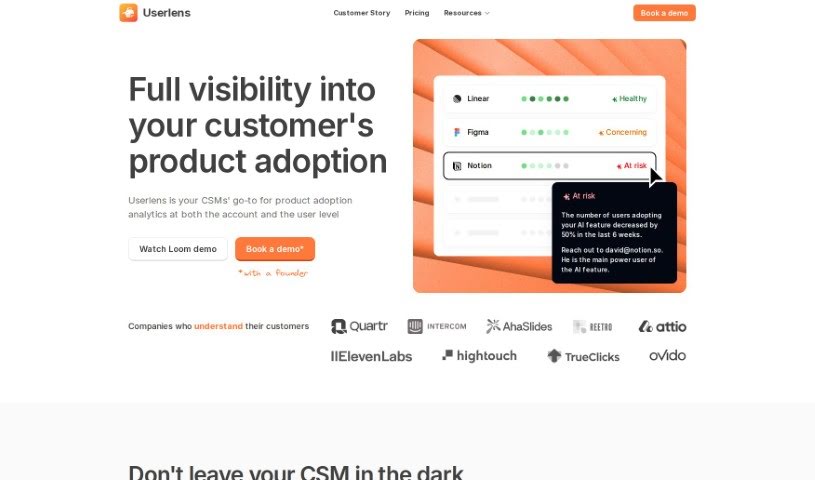
User Evaluation is an AI-powered platform designed to help with customer research. It gives you tools to analyze customer data and turn it into actionable insights. It is a smart assistant for understanding your customers better. The platform offers several key features, including AI-Native customer understanding, really good transcription services, AI-driven insights, a multimodal AI chat feature, and advanced AI models. User Evaluation also takes data security seriously, using state-of-the-art encryption to keep your user data safe, both when it's stored and when it's being sent. If you're curious to try it out, you can sign up for a free trial on their website to explore everything it has to offer.

Screenshot of User Story Generator

User Story Generator

Freemium

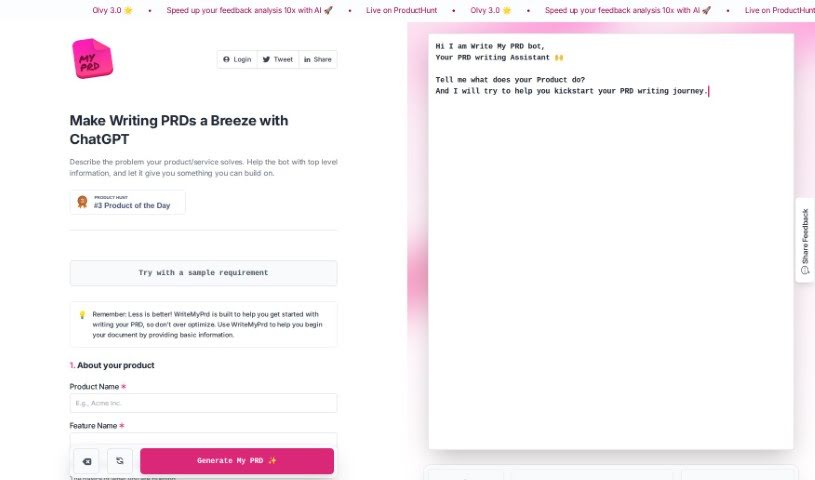
The User Story Generator is a handy, free app from Planorama Design. Its main purpose is to help agile teams capture product requirements in the form of user stories. It is a helpful assistant that prompts you to consider your product's core concepts, potential features, the different types of users (personas), and the actual narratives for those stories. Now, it's not meant to completely replace the traditional ways you gather requirements, but it's a fantastic tool for exploring a wider range of possibilities and really boosting your user experience (UX) research.

Stay Updated with AI Tools

Get weekly updates on the latest AI tools, trends, and insights delivered to your inbox

Join 25,000+ AI enthusiasts. No spam, unsubscribe anytime.