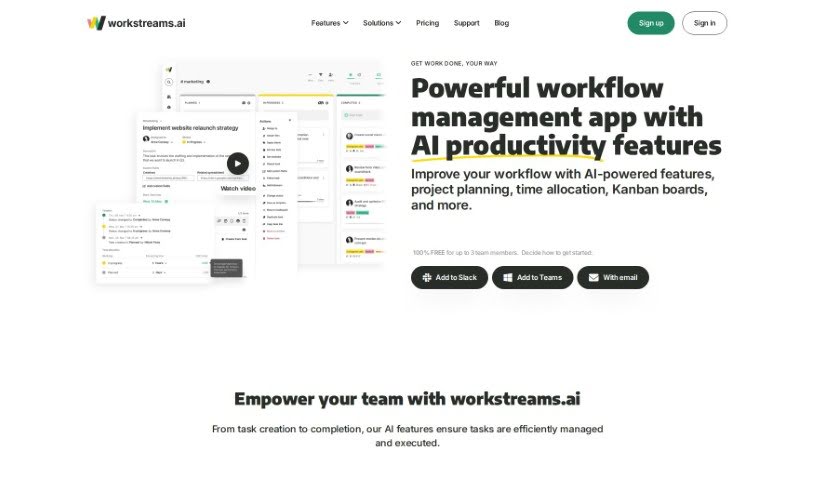
What is Workstreams.ai?
Workstreams.ai is a smart workflow management app. It’s designed to help teams automate tasks, manage them better, set priorities, figure out how to spend their time, and keep an eye on how everyone’s doing. The cool part is that it offers ready-made workflows that can handle a big chunk of your team’s usual tasks, meaning you might not need as many different tools anymore. Workstreams.ai works smoothly with Slack and Microsoft Teams, helping your team get reliable, repeatable, and successful results. You’ll find tools for automation, AI-generated task descriptions, time tracking, assigning who does what, and flexible Kanban boards to make everyone more productive and collaborative.
Who created Workstreams.ai?
Workstreams.ai was developed by a founder who prefers to remain unnamed. This AI-powered app focuses on managing team workflows. It offers features for automation, task management, time allocation, and tracking performance, and it integrates seamlessly with popular communication tools like Slack and Microsoft Teams. The main goal is to simplify processes and help teams achieve consistent, reliable outcomes efficiently through its custom-built workflows.
What is Workstreams.ai used for?
Workstreams.ai is a versatile tool that can help various departments and roles:
- HR: Streamline applicant processing and hiring for every open position. Manage all your HR and recruiting tasks with dedicated workflows.
- Marketing: Whether you’re a marketer, Workstreams.ai has you covered. It helps with everything from drafting marketing campaigns and creating content to generating reports.
- Customer Success: Provide a top-notch experience when handling customer requests. You can easily keep track of customer feedback, bug reports, and other important details.
More specifically, Workstreams.ai helps you:
- Give your teams a boost with AI features for creating and completing tasks.
- Make your processes more consistent using workflows, and boost efficiency with AI.
- Save valuable time using the AI Task Description Generator and assign subtasks to ensure accountability.
- Improve your Service Level Agreements (SLAs) and spot where things get stuck by tracking how long tasks take.
- Increase overall productivity through automation, clearer communication, and better focus.
- Make collaboration and transparency much better by connecting with Slack and Microsoft Teams.
- Get the most out of your time by effectively allocating it and managing tasks.
Who is Workstreams.ai for?
Workstreams.ai is ideal for professionals in:
- Marketing
- Human Resources (HR)
- Customer Success (including specialists and managers)
How to use Workstreams.ai?
To get the most out of Workstreams.ai, try following these steps:
- Standardize Processes: Start by using the workflow features to create clear, consistent processes for your team.
- Generate Task Descriptions: Save yourself time by using the AI Task Description Generator to create detailed and clear instructions for tasks.
- Create Subtasks: Break down those task descriptions into smaller, manageable subtasks. This helps with organization and makes it clear who is responsible for what.
- Track Your Time: Keep an eye on how much time you spend on different tasks. This helps you compare completion times, improve your SLAs, and find any bottlenecks in your workflow.
- Use the “Frozen Tasks” Reminder: If tasks seem to be stuck on your board, use the “Frozen tasks” feature as a visual cue to get them moving again.
- Check Calendar Views: Easily see your schedule with monthly, weekly, and daily calendar views. You can also track tasks that are completed or overdue.
- Automate Tasks: You can create tasks directly within Workstreams.ai, Slack, or Microsoft Teams using AI tools, which can instantly turn ideas into actionable items.
- Assign Ownership: Make sure everyone knows who’s in charge by assigning ownership for workflows and specific steps within processes.
- Leverage Integrations: Take advantage of the smooth integration with Slack and Microsoft Teams for creating, updating, and completing tasks.
- Use Flexible Kanban Boards: Enhance your workflow’s agility and boost productivity by using the flexible Kanban boards.
In short, Workstreams.ai is a great tool for managing workflows, assigning tasks, tracking time, and monitoring team performance. It uses AI-powered features, integrates with other tools, and offers automation to help you maximize productivity, improve how your team collaborates and communicates, and consistently achieve successful results.