AI Tools for Productivity

Discover the best Productivity AI tools to enhance your productivity and creativity.

Page 63 of 114 • 1361 total tools

In today’s busy world, staying productive can feel like a real challenge. With so much to do, constant notifications, and distractions everywhere, having the right tools to manage your time well is more important than ever. That’s where AI productivity tools come in—they’re designed to make your work smoother, handle repetitive tasks for you, and keep you organized.

These smart solutions have come a long way recently. They’ve gone from simple task managers to complete systems that can adapt to what you need. Whether you’re trying to organize your day better, improve how your team works together, or finally tackle that huge inbox, the right AI tools can make a big difference.

As I looked into the best AI productivity tools out there, I tried out several apps that promise to make you more efficient and focused. From smart schedulers to new project management systems, there are tons of options to help you get your time back.

So, if you’re ready to boost your productivity and make the most of your workday, you’re in the right place. Here’s a list of great AI productivity tools that are definitely worth checking out. Let’s explore how to work smarter together!

The best AI Productivity Tools

  1. Perplexity for automating tasks and helping with management.
  2. Small PDF.com for smoother document management for teams.
  3. Gamma for document creation tools that save time.
  4. Odoo for a task management and collaboration app.
  5. Zoom for analyzing and summarizing meeting content.
  6. N8N for smoother team onboarding processes.
  7. Prezi for engaging team collaboration sessions.
  8. Tableau for creating reports and dashboards more easily.
  9. Data Camp for efficient team collaboration workflows.
  10. Otter.ai for getting action items from meetings without the fuss.
  11. Tenorshare for easily summarizing long PDF documents.
  12. Slidesgo for creating professional presentations efficiently.
  13. Facecheck Id for streamlining identity verification tasks.
  14. HIX.AI for boosting writing speed with smart tools.
  15. Tactiq for automating meeting notes for teams.

How do AI productivity tools work?

AI productivity tools use machine learning to look at how you work and make your tasks more efficient. These tools are built to handle lots of information, spotting patterns and your preferences to help smooth out your workflows. By understanding how you use different apps, AI can suggest personal improvements to boost your productivity.

Basically, these tools use natural language processing (NLP) to understand and respond to what you ask. For example, they can schedule meetings, set reminders, or create reports just by understanding simple requests. This saves you time and cuts down on manual work.

Many AI productivity apps connect with popular tools like calendars, email, and project management software. This connection lets them gather information and automate tasks across different places. As a result, you get a smooth, connected experience that improves how you work day-to-day.

AI productivity tools also learn from how you use them to get better over time. The more you use a tool, the better it gets at guessing what you need and offering helpful suggestions. This ability to adapt is what makes AI tools increasingly valuable for improving productivity for both individuals and teams.

Plus, these tools can look at data about how you complete tasks and suggest ways to improve. For instance, if you often miss deadlines, the AI might suggest better ways to manage your time. By giving you useful insights, AI productivity tools help you work smarter, not just harder.

In the end, AI productivity tools show how technology can change everyday tasks into more efficient processes. By automating routine jobs and offering personal insights, they help you focus on what’s most important—hitting your goals and being more effective overall.

Our best AI productivity tools at a glance

RankNameBest forPlans and PricingRating
1PerplexityAutomating tasks and helping with management.N/A4.70 (10 reviews)
2SmallPDF.comSmoother document management for teams.Paid plans start at $9/month.4.73 (11 reviews)
3GammaDocument creation tools that save time.N/A4.79 (19 reviews)
4OdooA task management and collaboration app.N/A4.67 (6 reviews)
5ZoomAnalyzing and summarizing meeting content.Paid plans start at $15.99/month.4.73 (11 reviews)
6N8NSmoother team onboarding processes.Paid plans start at $50/month.4.58 (12 reviews)
7PreziEngaging team collaboration sessions.Paid plans start at $19/month.4.18 (11 reviews)
8TableauCreating reports and dashboards more easily.N/A4.70 (43 reviews)
9DataCampEfficient team collaboration workflows.Paid plans start at $25/month.4.71 (24 reviews)
10Otter.aiGetting action items from meetings without the fuss.Paid plans start at $13.59/month.4.73 (11 reviews)
11TenorshareEasily summarizing long PDF documents.N/A4.64 (11 reviews)
12SlidesgoCreating professional presentations efficiently.N/A4.68 (22 reviews)
13Facecheck IdStreamlining identity verification tasks.N/A4.42 (19 reviews)
14HIX.AIBoosting writing speed with smart tools.N/A4.36 (11 reviews)
15TactiqAutomating meeting notes for teams.N/A4.64 (11 reviews)
Screenshot of Morgen

Morgen

Freemium

Morgen is a really handy tool that combines your calendar and tasks all in one place. It's designed to make managing your schedule across different platforms super smooth. You get unified calendar views, built-in task management, and the ability to block out time for specific activities. Plus, it helps with team coordination and keeps your data safe. Sharing your availability is a breeze, you can avoid those annoying scheduling conflicts, and joining virtual meetings is just a click away. You can use Morgen on pretty much any device – Mac, Windows, Linux, iOS, and Android.

Screenshot of Morph

Morph

Freemium

Morph is your all-in-one data command center – a cutting-edge No-Code tool designed to make data management incredibly straightforward. It provides a single, easy-to-use platform where you can store, manage, analyze, visualize, and share your data. It's built for everyone, whether you're a developer, or working in sales or marketing. Plus, Morph comes with Morph AI, your autonomous AI co-worker that handles all sorts of data tasks. This includes querying data, creating visualizations, generating reports, building data pipelines, and transforming data using familiar tools like SQL or Python.

Screenshot of Morpho by Neutone

Morpho by Neutone

Freemium

Morpho by Neutone is a really neat product from Neutone. It's a new technology that brings together some advanced features to make things work better and feel more intuitive for users. Morpho by Neutone offers a whole bunch of capabilities designed to improve different parts of your day, whether you're communicating, being entertained, or trying to get things done. You can expect it to connect smoothly with your devices, have an easy-to-understand interface, and sport a modern, stylish design. By focusing on making things simple and efficient, Morpho by Neutone is setting a new standard. It’s basically a complete solution for today's tech needs.

Screenshot of Mosaik News

Mosaik News

Freemium

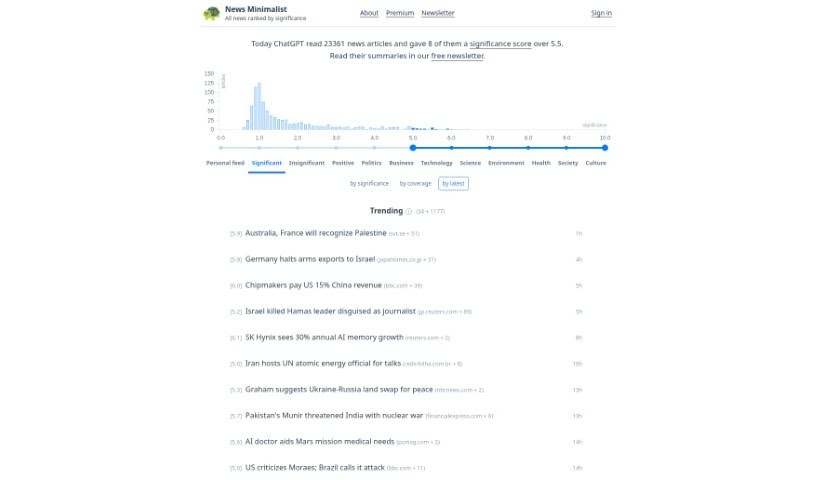
Mosaik News is a really comprehensive platform that brings you news updates as they happen. It does this using its own special RSS reader, which automatically pulls in information from all sorts of places around the world. The platform uses some pretty advanced machine learning to sort the news into the right categories, making it super easy for you to find what's relevant and timely for your specific interests. Plus, Mosaik has an alert system, so you can keep up with everything from important people and companies to major events and new technologies. By giving you a constant flow of news and alerts you can set up yourself, Mosaik makes sure you can always get to the information that matters most to you.

Screenshot of Mostly AI

Mostly AI

Freemium

Founded in Vienna, Austria, back in 2017, Mostly AI is a company built by data scientists Michael Platzer, Klaudius Kalcher, and Roland Boubela. They've really focused on using AI to create synthetic data. What does that mean? Well, they offer services like generating high-quality synthetic data, making sure data privacy and security are top-notch, providing professional training, using this synthetic data to develop AI and machine learning models, and even making it possible to share data across borders safely. Their platform, called GenAI, is pretty neat – it lets you explore and share tabular data, helps make AI and ML fairer and less biased, and makes self-service analytics a breeze. Ultimately, Mostly AI wants to change how companies handle data, pushing for smart, safe synthetic data to build a better, fairer future for everyone.

Screenshot of Motion

Motion

Freemium

Motion is a productivity platform that uses artificial intelligence to help you plan your daily tasks and schedule. It is your smart assistant, constantly keeping an eye on your to-do lists and calendars. It helps you figure out what's most important, so you can tackle your workload without feeling completely swamped. Motion's goal is to help professionals actually make time for the crucial tasks, avoid missing deadlines, and handle meeting interruptions more smoothly. It's built to boost your productivity, make your work schedule smarter, and ensure you hit those important deadlines.

Screenshot of MotionIt AI

MotionIt AI

Freemium

MotionIt AI is a really neat tool that completely changes how students, teachers, and professionals put together their slides. It uses smart AI technology to make slide creation super simple. You can just give it keywords or a document, and it'll whip up polished slides for you, handling all the formatting and picking out the right images without you lifting a finger. What's cool is its automatic image selection; it actually looks at what you've written and chooses the best visuals to get your message across clearly. Plus, it can turn your documents straight into presentations, making them look great really fast. People love MotionIt because it's so good at making high-quality presentations quickly. You can even export them to Google Slides, PowerPoint, or PDF, so they'll work with whatever you normally use. It’s all about making slide creation easy and efficient.

Screenshot of MotionShot

MotionShot

Freemium

MotionShot is a really handy tool designed to help you create detailed walkthrough guides. It's perfect for documenting browser-based operations, and it does this by capturing screenshots as you go. You can then customize these guides and export them in a bunch of different ways – think MP4 videos, GIFs, PDFs, or even embedding them right onto your website. It makes creating tutorials so much simpler because it automatically grabs your screens and clicks with a handy Chrome extension. Plus, MotionShot lets you customize your guides, create a "MotionShot Hub" to share collections of your guides publicly, and it can really cut down on those customer service questions. It's great for getting new employees up to speed, creating content, or putting together product guides. You can start with a free plan, or opt for a paid subscription if you need more advanced features.

Screenshot of Motiv8

Motiv8

Freemium

Motiv8 is a really neat app designed to help you feel better, get more done, and generally enjoy life more. It is your all-in-one spot for handling tasks, setting goals, and keeping everything organized. Plus, it offers suggestions for new experiences and ways to grow as a person. The app aims to help you reach your full potential and truly thrive. You can expect to boost your productivity, work more efficiently, and feel more in control of your tasks and daily life. It also opens doors to exploring new interests, hobbies, and self-improvement ideas, leading to a more satisfying lifestyle. Motiv8 is built for everyone, no matter your background or what you're aiming for, and you can customize it to fit your specific needs and dreams. It's available for both iOS and Android devices, using smart AI technology to give you personalized advice and recommendations based on what you like and what you're trying to achieve. We take your data security seriously, so your personal information is encrypted and stored safely. You can try it out for free before you subscribe, and if you need help, just reach out via email or right in the app.

Screenshot of MovieUncover

MovieUncover

Freemium

MovieUncover is a really neat AI tool designed to make finding movie recommendations super simple. You just describe the movie you're thinking of, and it gives you suggestions that are spot-on. The platform uses AI to analyze your description and then creates a personalized list of movies, which really speeds up the whole process of picking something to watch. It's a much more efficient and intuitive way to find movies, especially since it understands natural language. You can get specific with details like plot points, genres, or even the time period a movie is set in, and MovieUncover will tailor its suggestions just for you, making your movie nights better. And good news for TV fans – it works for TV series too!

Screenshot of MovieWiser

MovieWiser

Freemium

MovieWiser is a platform all about giving you great insights and information on movies. It is a go-to spot for anyone who loves films. It's packed with all sorts of content covering different parts of the movie world. You'll find detailed reviews, ratings, recommendations, and the latest news on all sorts of movies. The main idea behind MovieWiser is to help you decide what to watch next, making sure it fits what you're looking for. It's designed to be easy to use and offers a wide variety of content, making it a reliable place for anyone wanting engaging movie info.

Screenshot of Mr. Cook

Mr. Cook

Freemium

Mr. Cook is a handy app for managing your recipes. You can easily save, share, and keep all your favorite recipes organized in one place. It's designed to make cooking more enjoyable and practical. You can even create recipes based on what you like or what you have in your fridge, turning those leftovers into something delicious. Got a recipe scribbled on a note or in an old magazine? Mr. Cook can scan it for you! Plus, you can tweak recipes to your taste, tag them for easy searching, plan out your meals for the whole week, and it'll even whip up a shopping list automatically. Sharing recipes with friends and family is a breeze, and you can even build shared cookbooks together. The app also offers AI-generated recipe ideas, helps you analyze the nutritional content of your dishes, and includes that handy recipe scanning feature. It's all about being user-friendly, practical, and transparent. The best part? It's developed by a single person who uses the app themselves, so it's constantly being improved based on real user needs. They offer different subscription plans, too, so you can pick the one that best fits what you're looking for.

Stay Updated with AI Tools

Get weekly updates on the latest AI tools, trends, and insights delivered to your inbox

Join 25,000+ AI enthusiasts. No spam, unsubscribe anytime.