AI Tools for Productivity

Discover the best Productivity AI tools to enhance your productivity and creativity.

Page 58 of 114 • 1361 total tools

In today’s busy world, staying productive can feel like a real challenge. With so much to do, constant notifications, and distractions everywhere, having the right tools to manage your time well is more important than ever. That’s where AI productivity tools come in—they’re designed to make your work smoother, handle repetitive tasks for you, and keep you organized.

These smart solutions have come a long way recently. They’ve gone from simple task managers to complete systems that can adapt to what you need. Whether you’re trying to organize your day better, improve how your team works together, or finally tackle that huge inbox, the right AI tools can make a big difference.

As I looked into the best AI productivity tools out there, I tried out several apps that promise to make you more efficient and focused. From smart schedulers to new project management systems, there are tons of options to help you get your time back.

So, if you’re ready to boost your productivity and make the most of your workday, you’re in the right place. Here’s a list of great AI productivity tools that are definitely worth checking out. Let’s explore how to work smarter together!

The best AI Productivity Tools

  1. Perplexity for automating tasks and helping with management.
  2. Small PDF.com for smoother document management for teams.
  3. Gamma for document creation tools that save time.
  4. Odoo for a task management and collaboration app.
  5. Zoom for analyzing and summarizing meeting content.
  6. N8N for smoother team onboarding processes.
  7. Prezi for engaging team collaboration sessions.
  8. Tableau for creating reports and dashboards more easily.
  9. Data Camp for efficient team collaboration workflows.
  10. Otter.ai for getting action items from meetings without the fuss.
  11. Tenorshare for easily summarizing long PDF documents.
  12. Slidesgo for creating professional presentations efficiently.
  13. Facecheck Id for streamlining identity verification tasks.
  14. HIX.AI for boosting writing speed with smart tools.
  15. Tactiq for automating meeting notes for teams.

How do AI productivity tools work?

AI productivity tools use machine learning to look at how you work and make your tasks more efficient. These tools are built to handle lots of information, spotting patterns and your preferences to help smooth out your workflows. By understanding how you use different apps, AI can suggest personal improvements to boost your productivity.

Basically, these tools use natural language processing (NLP) to understand and respond to what you ask. For example, they can schedule meetings, set reminders, or create reports just by understanding simple requests. This saves you time and cuts down on manual work.

Many AI productivity apps connect with popular tools like calendars, email, and project management software. This connection lets them gather information and automate tasks across different places. As a result, you get a smooth, connected experience that improves how you work day-to-day.

AI productivity tools also learn from how you use them to get better over time. The more you use a tool, the better it gets at guessing what you need and offering helpful suggestions. This ability to adapt is what makes AI tools increasingly valuable for improving productivity for both individuals and teams.

Plus, these tools can look at data about how you complete tasks and suggest ways to improve. For instance, if you often miss deadlines, the AI might suggest better ways to manage your time. By giving you useful insights, AI productivity tools help you work smarter, not just harder.

In the end, AI productivity tools show how technology can change everyday tasks into more efficient processes. By automating routine jobs and offering personal insights, they help you focus on what’s most important—hitting your goals and being more effective overall.

Our best AI productivity tools at a glance

RankNameBest forPlans and PricingRating
1PerplexityAutomating tasks and helping with management.N/A4.70 (10 reviews)
2SmallPDF.comSmoother document management for teams.Paid plans start at $9/month.4.73 (11 reviews)
3GammaDocument creation tools that save time.N/A4.79 (19 reviews)
4OdooA task management and collaboration app.N/A4.67 (6 reviews)
5ZoomAnalyzing and summarizing meeting content.Paid plans start at $15.99/month.4.73 (11 reviews)
6N8NSmoother team onboarding processes.Paid plans start at $50/month.4.58 (12 reviews)
7PreziEngaging team collaboration sessions.Paid plans start at $19/month.4.18 (11 reviews)
8TableauCreating reports and dashboards more easily.N/A4.70 (43 reviews)
9DataCampEfficient team collaboration workflows.Paid plans start at $25/month.4.71 (24 reviews)
10Otter.aiGetting action items from meetings without the fuss.Paid plans start at $13.59/month.4.73 (11 reviews)
11TenorshareEasily summarizing long PDF documents.N/A4.64 (11 reviews)
12SlidesgoCreating professional presentations efficiently.N/A4.68 (22 reviews)
13Facecheck IdStreamlining identity verification tasks.N/A4.42 (19 reviews)
14HIX.AIBoosting writing speed with smart tools.N/A4.36 (11 reviews)
15TactiqAutomating meeting notes for teams.N/A4.64 (11 reviews)
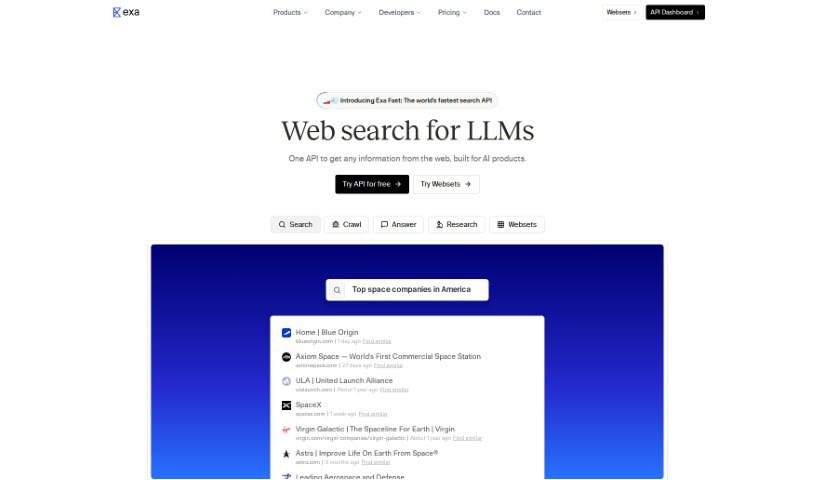
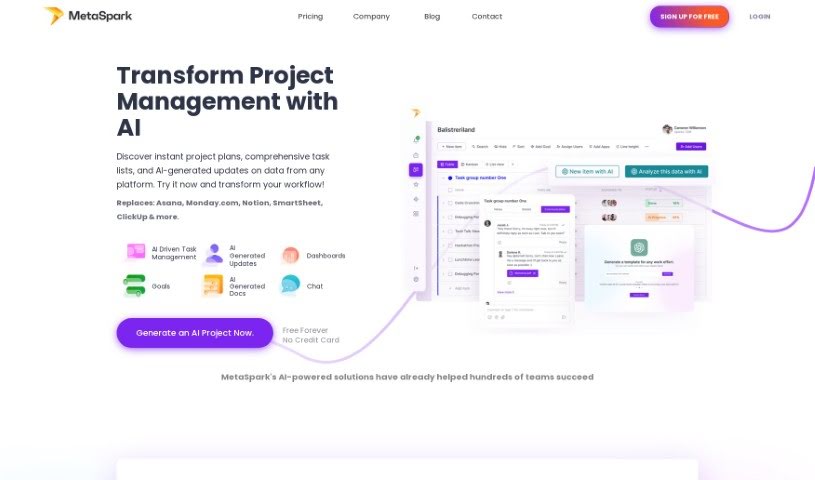
Screenshot of Magpai

Magpai

Freemium

Magpai is a really neat web-based tool that lets you build AI workflows visually. It is a creative playground where you can easily put together multimedia content, and it's built for teamwork too! It brings together image and video editing tools with AI and machine learning, all running in the cloud. You get features that feel like presentation software, AI art generators, and graphic design apps, all rolled into one. The best part? You don't need to be a tech wizard to create your own custom workflows. You can collaborate with your team, and then run these workflows online, on the go, or even connect them to other apps and platforms you already use, like Canva, Figma, or GSuite. Magpai offers different subscription plans, each with its own set of features and credits for using premium tools like Google Translate or AWS services. Ultimately, Magpai's goal is to make content creation and automation much simpler for everyone, whether you're an individual or a business.

Screenshot of Maia

Maia

Freemium

Maia is an AI-powered relationship assistant. Its whole purpose is to help couples build stronger bonds, communicate better, and enjoy their relationships without the awkwardness that sometimes comes with seeking help. Maia offers a variety of features, like thoughtful date ideas, advice from relationship experts, and conversation prompts. These tools are all about helping couples connect more deeply and create memories that last.

Screenshot of Maia Ai

Maia Ai

Freemium

Maia Ai, which stands for My AI Assistant, is a really helpful tool designed to make powerful AI technology easy for everyone to use and afford. It's a Google Chrome extension that lets you transcribe and translate content just by speaking, which is fantastic for making things more accessible and improving how we communicate. Maia Ai packs a lot of useful functions to help you get more done, like summarizing what you're reading, creating new text, breaking down complicated subjects, making information simpler, translating languages, and turning your speech into written text. Because it works on any webpage once you add it to Chrome, it's a super versatile way to boost what you can do online.

Screenshot of Maintain-AI

Maintain-AI

Freemium

Maintain-AI is a smart software solution built to automate the upkeep of machine learning models. It really helps simplify and improve all those essential model maintenance tasks, like keeping an eye on data, retraining models when needed, and getting them ready for use. Maintain-AI is designed to tackle the tough challenges organizations face when trying to efficiently manage and update their machine learning models. The goal is to make sure these models stay accurate and relevant over time. By automating many of these maintenance steps, Maintain-AI frees up data scientists and engineers to concentrate on more important, strategic work, which ultimately leads to better model performance and smoother operations overall.

Screenshot of MakeForms AI Form Builder

MakeForms AI Form Builder

Freemium

MakeForms is a really handy platform for building forms. What makes it stand out are features like no-code AMP forms that work right in your email – pretty neat, huh? You also get over 160 templates and 100 design themes to choose from, plus advanced ways to connect it with other tools and get great reporting. For businesses that need extra security, enterprise accounts come with 128-bit data encryption. The best part? People can fill out and send your forms without ever leaving their inbox. When it comes to paying, MakeForms accepts all the usual suspects: major credit cards, PayPal, ACH, and direct debit. You've also got flexibility with your subscription; you can cancel or upgrade whenever you like, and if you switch plans, you won't lose any time you've already paid for. Just a heads-up, though: MakeForms doesn't offer a way to keep all your data on your own server and database. To make sure everything runs smoothly and can handle growth, MakeForms is hosted on AWS. Your subscriptions will automatically renew each month or year. They also offer discounts for NGOs, and if you have any questions at all, their support team is there to help.

Screenshot of ManageBetter

ManageBetter

Freemium

ManageBetter is a comprehensive software designed to empower managers. It aims to boost productivity and really improve how effective managers are by offering data-driven insights, specific feedback, and personalized suggestions for performance. With ManageBetter, managers can build teams that are both engaged and perform at a high level. It does this by giving them valuable data insights, making it easier to give feedback regularly, and providing suggestions tailored to each person's performance. Ultimately, ManageBetter wants to change how managers lead, which should lead to more productivity, better employee engagement, and overall success for the organization.

Screenshot of Manageprompt

Manageprompt

Freemium

ManagePrompt is a platform built to help you speed up and simplify your AI projects. It is your all-in-one toolkit that also handles all the complicated backend stuff. This way, you can really focus on what matters most: your main goals and those brilliant, innovative ideas you have. The platform gives you access to a variety of AI models from big names like OpenAI, Meta, Google, and Mixtral. Plus, it's got built-in security to filter out any harmful requests, ways to make your workflows smoother by easily tweaking prompts and updating models, and a straightforward pay-as-you-go billing system – no surprises there! You can even work with a team of up to five people. On top of that, you get extra free AI tools for things like proofreading, summarizing text, and even colorizing old photos. It’s all about making your AI projects easier to get off the ground and run smoothly.

Screenshot of Map This

Map This

Freemium

Map This is a really neat AI tool that helps you create mind maps from your PDFs or notes. It is a way to tackle information overload and really get a handle on what you're learning, making it easier to remember and share. You can just upload your PDFs, paste in your notes, or even give the AI a prompt to build a mind map for you. People have said it's super efficient and easy to use, especially if you're an academic trying to speed up research and get more done. Lots of professionals and students have found it helpful, with over 250,000 mind maps already created! There's a free version with a limited number of credits each month, and a pro version that gives you more credits, the ability to upload PDFs, and priority support.

Screenshot of Mappedin

Mappedin

Freemium

Mappedin is a really user-friendly tool that uses AI to help you create detailed, accurate indoor maps. Think schools, malls, offices – anywhere with indoor spaces. It's designed to make mapping easy, even for complex venues. One of its standout features is AutoMap, which helps place objects automatically, saving you a lot of manual work. You also get an interactive 3D map viewer and robust editing tools. Specifically, Mappedin Maker is built with safety in mind, making it simple to pinpoint crucial safety elements like emergency exits and fire extinguishers on your maps. The AI assists throughout the map creation process, offering features like that automatic object placement and the 3D viewing. You can upload existing floor plans, tweak them, connect different areas, move points of interest, and then export your finished maps in various formats. For emergency response, Mappedin Maker is a real asset, providing detailed, up-to-date maps that can significantly help first responders navigate venues more effectively during critical situations.

Screenshot of Marauder

Marauder

Freemium

Marauder is a neat app designed with your privacy in mind. It makes sure your location history stays just that – yours. Your data never leaves your device; it's all stored right there. If you want to learn more, you can check out their website at studiolanes.com or follow them on Twitter at @studiolanes.

Screenshot of Maroofy

Maroofy

Freemium

Maroofy is a really cool platform built for music fans, helping you find new songs that totally fit your vibe. It is your personal guide to expanding your musical world, suggesting tracks that have a similar feel to what you already love. It's super easy to get around, with a clean interface that makes searching a breeze. Plus, you can quickly jump back to songs you've recently looked for. What's neat is that Maroofy connects with Apple Music, so you can link your account for even more personalized suggestions, save playlists, and a whole lot more. It also has a community side to it – there's a Discord channel where you can chat with other people who are just as passionate about music as you are. Essentially, Maroofy is all about helping you discover music you'll enjoy, offering tailored features through Apple Music, and connecting you with a community of fellow music lovers. You can also reach out to the Maroofy team directly through their website's contact form or by joining their Discord server.

Screenshot of Matilda Workspace

Matilda Workspace

Freemium

Matilda Workspace is an all-in-one platform powered by AI, designed to really boost your project management and team collaboration. It tackles the common issues found in older project management tools by offering a whole bunch of features. Think documentation, managing tasks, handling meetings, and even keeping track of customer interactions, all in one place. It works in a pretty straightforward three-step process:

Stay Updated with AI Tools

Get weekly updates on the latest AI tools, trends, and insights delivered to your inbox

Join 25,000+ AI enthusiasts. No spam, unsubscribe anytime.