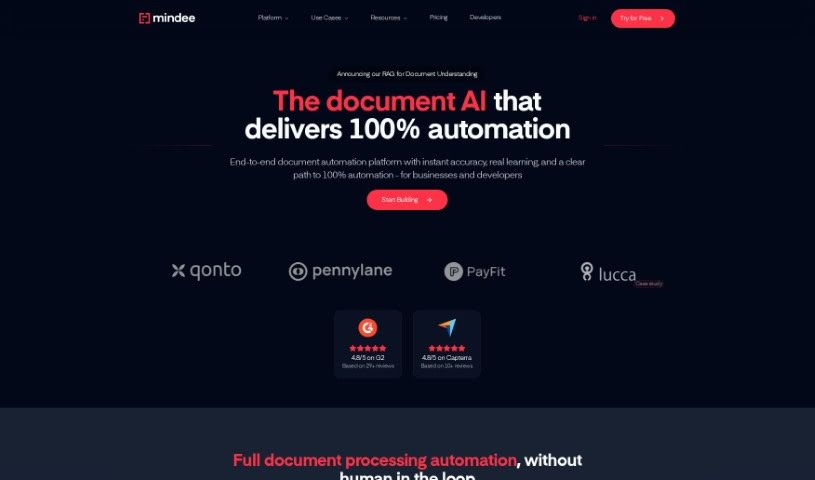
Screenshot of Mindee

Mindee

Discover what Mindee is and how to use its custom document processing tools effectively in 2025. We'll explore its features and compare it to other data analytics tools.

Screenshot

What is Mindee?

Mindee’s “docTI: Custom Document Processing” is a fantastic service that lets you build your own OCR APIs, perfectly matched to what your product needs, and you can do it in just minutes. Forget the limitations of standard, off-the-shelf APIs; this tool gives you instant, accurate AI document processing without any need for model training. It uses the latest deep learning and large language models to deliver high-quality results, making the whole process efficient and effective.

Who created Mindee?

Mindee is the company behind “docTI : Custom Document Processing.” They specialize in offering advanced AI APIs designed to quickly and accurately turn documents into data that computers can read. Their goal is to give developers APIs capable of parsing any document with accuracy that actually surpasses human capabilities. If you want to learn more, their website is https://www.mindee.com/ .

What is Mindee used for?

Mindee helps you do a lot of things with documents:

  • Turn documents into usable data using instant capture APIs.
  • Extract specific data from medical forms.
  • Set up your own APIs for processing documents.
  • Seamlessly integrate document processing into your apps.
  • Extract data from all sorts of documents and languages with great efficiency.
  • Automate your data extraction processes.
  • Boost the accuracy of data you extract from documents.
  • Save valuable development time with quick and precise document processing.
  • Streamline how you parse documents, especially for specialized models.
  • Capture data from specialized documents accurately.
  • Help HRtech companies manage a wide variety of documents.
  • Build specialized models without needing any prior training.
  • Integrate document processing into your applications.
  • Develop custom OCR APIs for any document type.
  • Save development time.
  • Improve accuracy in document processing.
  • Speed up processes using AI.
  • Extract accurate data in mere seconds.
  • Create a smoother overall workflow.
  • Enhance the user experience.
  • Build custom OCR APIs specifically for your product’s needs.
  • Get instant, accurate AI document processing.
  • Avoid the need for model training.
  • Benefit from state-of-the-art deep learning.
  • Integrate large language models.
  • Achieve accurate data extraction from documents.
  • Get customized OCR solutions.
  • Deploy solutions rapidly, often in minutes.
  • Scale your document processing capabilities.
  • Enhance your product’s functionality with custom OCR APIs.

Who is Mindee for?

Mindee is a great fit for:

  • HRtech companies
  • Fintech Professionals
  • HRIS professionals
  • Accounting professionals

How to use Mindee?

Ready to get started with Docti: Custom Document Processing? Here’s a simple guide:

  1. Access the Tool: Head over to the Mindee website at www.mindee.com to find the Docti Custom Document Processing tool.
  2. Sign Up: You’ll need to create an account on the Mindee platform to begin using their document processing tools.
  3. Explore the APIs: Take some time to get acquainted with the advanced AI APIs Mindee offers. They’re designed to transform documents and images into machine-readable data.
  4. Understand the Benefits: It’s helpful to know why Mindee’s AI APIs are so useful – think faster workflows, real-time document processing, and easy integration with your current tech.
  5. Custom Plan Options: If your needs are unique, you can always request a custom plan from Mindee or reach out to their team if you have any questions or need a hand.
  6. Try it Out for Free: You can test out their products without any commitment or credit card needed. It’s a great way to see what the tool can do before you decide.
  7. Build Custom Document Processing: Use the Docti Custom Document Processing tool to create your own OCR APIs, perfectly suited for your specific product needs, all within minutes. Since no model training is required, you get instant and accurate document processing.
  8. Leverage State-of-the-Art Technology: Take advantage of Docti’s advanced deep learning and large language models for precise and efficient AI document processing.
  9. Deploy and Start Using: You can deploy your custom OCR APIs in just minutes and start using them right away for your document processing tasks, without being held back by the limitations of standard solutions.

By following these steps, you can really make the most of Docti: Custom Document Processing to improve your document workflows with top-notch AI technology.

Related AI Tools

Discover more tools in similar categories that might interest you

Stay Updated with AI Tools

Get weekly updates on the latest AI tools, trends, and insights delivered to your inbox

Join 25,000+ AI enthusiasts. No spam, unsubscribe anytime.