AI Tools for Productivity

Discover the best Productivity AI tools to enhance your productivity and creativity.

Page 41 of 114 • 1361 total tools

In today’s busy world, staying productive can feel like a real challenge. With so much to do, constant notifications, and distractions everywhere, having the right tools to manage your time well is more important than ever. That’s where AI productivity tools come in—they’re designed to make your work smoother, handle repetitive tasks for you, and keep you organized.

These smart solutions have come a long way recently. They’ve gone from simple task managers to complete systems that can adapt to what you need. Whether you’re trying to organize your day better, improve how your team works together, or finally tackle that huge inbox, the right AI tools can make a big difference.

As I looked into the best AI productivity tools out there, I tried out several apps that promise to make you more efficient and focused. From smart schedulers to new project management systems, there are tons of options to help you get your time back.

So, if you’re ready to boost your productivity and make the most of your workday, you’re in the right place. Here’s a list of great AI productivity tools that are definitely worth checking out. Let’s explore how to work smarter together!

The best AI Productivity Tools

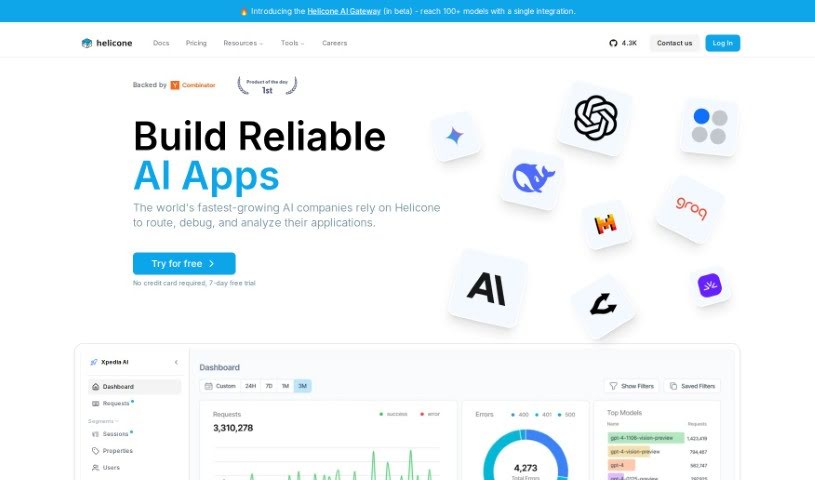
  1. Perplexity for automating tasks and helping with management.
  2. Small PDF.com for smoother document management for teams.
  3. Gamma for document creation tools that save time.
  4. Odoo for a task management and collaboration app.
  5. Zoom for analyzing and summarizing meeting content.
  6. N8N for smoother team onboarding processes.
  7. Prezi for engaging team collaboration sessions.
  8. Tableau for creating reports and dashboards more easily.
  9. Data Camp for efficient team collaboration workflows.
  10. Otter.ai for getting action items from meetings without the fuss.
  11. Tenorshare for easily summarizing long PDF documents.
  12. Slidesgo for creating professional presentations efficiently.
  13. Facecheck Id for streamlining identity verification tasks.
  14. HIX.AI for boosting writing speed with smart tools.
  15. Tactiq for automating meeting notes for teams.
How do AI productivity tools work?

AI productivity tools use machine learning to look at how you work and make your tasks more efficient. These tools are built to handle lots of information, spotting patterns and your preferences to help smooth out your workflows. By understanding how you use different apps, AI can suggest personal improvements to boost your productivity.

Basically, these tools use natural language processing (NLP) to understand and respond to what you ask. For example, they can schedule meetings, set reminders, or create reports just by understanding simple requests. This saves you time and cuts down on manual work.

Many AI productivity apps connect with popular tools like calendars, email, and project management software. This connection lets them gather information and automate tasks across different places. As a result, you get a smooth, connected experience that improves how you work day-to-day.

AI productivity tools also learn from how you use them to get better over time. The more you use a tool, the better it gets at guessing what you need and offering helpful suggestions. This ability to adapt is what makes AI tools increasingly valuable for improving productivity for both individuals and teams.

Plus, these tools can look at data about how you complete tasks and suggest ways to improve. For instance, if you often miss deadlines, the AI might suggest better ways to manage your time. By giving you useful insights, AI productivity tools help you work smarter, not just harder.

In the end, AI productivity tools show how technology can change everyday tasks into more efficient processes. By automating routine jobs and offering personal insights, they help you focus on what’s most important—hitting your goals and being more effective overall.

Our best AI productivity tools at a glance

RankNameBest forPlans and PricingRating
1PerplexityAutomating tasks and helping with management.N/A4.70 (10 reviews)
2SmallPDF.comSmoother document management for teams.Paid plans start at $9/month.4.73 (11 reviews)
3GammaDocument creation tools that save time.N/A4.79 (19 reviews)
4OdooA task management and collaboration app.N/A4.67 (6 reviews)
5ZoomAnalyzing and summarizing meeting content.Paid plans start at $15.99/month.4.73 (11 reviews)
6N8NSmoother team onboarding processes.Paid plans start at $50/month.4.58 (12 reviews)
7PreziEngaging team collaboration sessions.Paid plans start at $19/month.4.18 (11 reviews)
8TableauCreating reports and dashboards more easily.N/A4.70 (43 reviews)
9DataCampEfficient team collaboration workflows.Paid plans start at $25/month.4.71 (24 reviews)
10Otter.aiGetting action items from meetings without the fuss.Paid plans start at $13.59/month.4.73 (11 reviews)
11TenorshareEasily summarizing long PDF documents.N/A4.64 (11 reviews)
12SlidesgoCreating professional presentations efficiently.N/A4.68 (22 reviews)
13Facecheck IdStreamlining identity verification tasks.N/A4.42 (19 reviews)
14HIX.AIBoosting writing speed with smart tools.N/A4.36 (11 reviews)
15TactiqAutomating meeting notes for teams.N/A4.64 (11 reviews)
Screenshot of GPT Excel

GPT Excel

Freemium

GPT Excel is an AI tool designed to really boost your productivity and make working with spreadsheets, whether in Excel or Google Sheets, much smoother. It's pretty neat because it can generate and even understand complex formulas for you. Plus, it helps you create VBA scripts for Excel, Apps Scripts for Google Workspace, and even SQL queries. It also supports over 50 languages, which is handy for a lot of people. Essentially, it empowers you to automate tasks and simplify data analysis, changing the game for how you work with spreadsheets.

Screenshot of Gpt For Slides

Gpt For Slides

Freemium

GPT for Slides is a fantastic tool that lets you create really impressive presentations with AI, using either the MagicSlides Web App or their GPT for Slides Addon. It's designed to help you whip up presentations super fast, and best of all, it's free! You get cool features like the ability to pull information from the web, integrate with Wikipedia, and even generate AI images. Plus, it supports over 100 languages, and you can easily tweak colors and fonts to make your slides look exactly how you want them, whether it's for personal use or your brand.

Screenshot of GPT Hotline

GPT Hotline

Freemium

GPT Hotline is a really neat way to chat with AI right through WhatsApp. It's packed with features that make interacting with artificial intelligence super easy. You can send voice messages, and it'll convert them to text using Speech to Text. Need to remember something? It can set reminders for you. Plus, there are handy "power commands" that let you do things like edit images or get the latest news updates. Getting started is straightforward: just sign up for the GPT Pro Plan, register your phone number, and you can start texting the AI assistant right away. Oh, and if you use the code PHSALE, you'll get a 20% discount on your first month of the pro plan. Basically, GPT Hotline aims to give you a smooth, interactive experience when you want to engage with AI on WhatsApp.

Screenshot of GPT Workspace

GPT Workspace

Freemium

GPT Workspace is a handy productivity tool that uses GPT technology to help you get more done. It's designed to boost your productivity, help you make accurate predictions, and offers customization options that can be tailored to exactly what your business needs. It is a cost-effective, future-ready technology that saves you time and effort, all while keeping you in the loop with the latest tech trends.

Screenshot of Gpt-Ppt

Gpt-Ppt

Freemium

GPT-PPT is an AI tool that acts like a PowerPoint generator, designed to help you create really impressive presentations. It makes the whole process quick and easy, which is great for students, business folks, or anyone looking to step up their presentation game. You can generate informative and engaging slides without spending ages on research or design. Basically, GPT-PPT uses AI to simplify how you build presentations. You just tell it your topic, and it helps you customize slides efficiently. The goal here is to make presentation creation better, offering ready-to-edit PowerPoint slides that really grab your audience's attention. Why not give GPT-PPT a shot? You might find it makes building presentations a breeze.

Screenshot of Gpt-Tab

Gpt-Tab

Freemium

GPT-Tab is a handy AI tool built to give you fast access to ChatGPT, right from your Mac's menu bar. This means you can chat with the AI without having to open a separate app or go to a website. It's pretty neat because GPT-Tab has a window you can drag anywhere on your screen, making it super easy to position wherever it works best for you. Plus, the tool keeps the ChatGPT window floating right on top of everything else, so it's always visible and ready, even when you're deep into other applications. Basically, GPT-Tab is all about making your ChatGPT experience smoother and helping you get more done by being efficient and flexible with how you use the interface.

Screenshot of Gptagent

Gptagent

Freemium

Gptagent is a really powerful AI tool that lets you build your own custom applications using AI technology, much like the tech behind ChatGPT. It makes developing things like chatbots and natural language processing algorithms much more accessible for everyone. While it's designed to be user-friendly, having a basic grasp of coding best practices can really help you get the most out of it. Gptagent is still being developed, but you can sign up for a waitlist to get early access when it officially launches. Plus, there's Julius, a special version of Gptagent that's all about data analysis and visualization. Julius offers advanced statistical modeling, including things like linear regression, forecasting, and training machine-learning models.

Screenshot of GPTAssistant

GPTAssistant

Freemium

GPT Assistant is a Discord bot that uses GPT-4's powerful Natural Language Processing. It fits right into your Discord servers, helping you be more productive. You can get information quickly, simplify data science tasks, get help with financial analysis, and just chat interactively. It's designed to work with many users at once, makes summarizing PDFs super easy, and lets you ask questions about your documents. Plus, they offer flexible pricing plans, with options for yearly or monthly billing, and you can manage your own API key. It's also built to handle large server environments.

Screenshot of GPTGuard

GPTGuard

Freemium

GPT Guard, brought to you by Protecto's privacy engineering experts, is a really smart platform built to keep your conversations with ChatGPT safe. It lets you use your own data for AI and data analysis, all while making sure you're following privacy rules. It is a secure bubble for all sorts of AI tasks – like drafting emails, summarizing notes, or doing research – without ever worrying about your data security. GPT Guard uses clever data tokenization, which means the AI can work with your information without actually seeing the sensitive bits, keeping everything private. It's already trusted by many big Global 1000 companies, and they offer a 14-day free trial plus a 100% satisfaction guarantee, really showing how serious they are about security and privacy.

Screenshot of GPTOCR

GPTOCR

Freemium

GPTOCR is a really smart tool that uses advanced natural language processing and deep learning to pull data out of PDF documents with incredible accuracy. It is a way to automate all that tedious manual data entry and formatting. It turns your documents into structured data, usually in JSON format, which is super helpful. This not only cuts down on mistakes but also makes it easier for teams to work together because everyone's dealing with the same standardized data. What's great is that GPTOCR can handle all sorts of PDFs – whether they're scanned, image-based, or just plain text – no matter how complex or how many pages they have. It's all about saving you time by taking over those manual data tasks, boosting your productivity, and generally making your workflows run much more smoothly.

Screenshot of GPTs Hunter

GPTs Hunter

Freemium

GPTsHunter is a really useful platform where people can share, rate, and talk about GPT prompts. It makes it super easy to find great GPTs in the GPT Store that can really boost your productivity. Plus, it offers reviews and guides for these GPTs, which is fantastic if you're looking to explore different plugins and generally improve your experience with GPTs.

Screenshot of Gradient

Gradient

Freemium

Gradient is a full-stack AI platform built for today's businesses. It is a comprehensive solution for enterprise automation. It lets companies create their own AI agents, which can then power all sorts of tasks and workloads. Gradient's goal is to make AI more accessible to everyone and speed up how businesses adopt it. They do this by offering top-notch AI models, making it simple to integrate your data, and ensuring everything runs with excellent performance. You get to work with AI that truly understands your business needs and can automate your processes with surprisingly little effort. Plus, for developers and data scientists, Gradient makes building private language models (LLMs) a breeze – you can fine-tune them and run them with a single API call.

Stay Updated with AI Tools

Get weekly updates on the latest AI tools, trends, and insights delivered to your inbox

Join 25,000+ AI enthusiasts. No spam, unsubscribe anytime.