AI Tools for Creative

Discover the best Creative AI tools to enhance your productivity and creativity.

Page 81 of 114 • 1360 total tools

Creativity today is changing fast, and AI is becoming a super helpful partner. Whether it’s creating amazing visuals or writing music, AI creative tools are making the art process more accessible and exciting. But with so many options out there, finding the right one for your creative needs can feel a bit overwhelming.

Things have really changed in just a few years. AI tools aren’t just for special uses anymore; they’re smoothly fitting into our everyday creative work. These new technologies can make your projects better, save you time, and even lead you to explore artistic ideas you hadn’t considered before.

I’ve spent a good amount of time exploring the world of AI creative tools, looking into everything from graphic design apps to music software. Since I love seeing how technology and creativity come together, I wanted to share what I found about the best tools available right now.

So, whether you want to make eye-catching visuals or come up with fresh concepts, there’s a tool out there just for you. Let’s dive into the best AI creative tools that can take your artistic projects to the next level and change how you create.

The best AI Creative Tools

  1. Canva for designing social media posts
  2. Character AI for brainstorming story ideas and concepts.
  3. Janitor AI for quickly crafting unique story ideas.
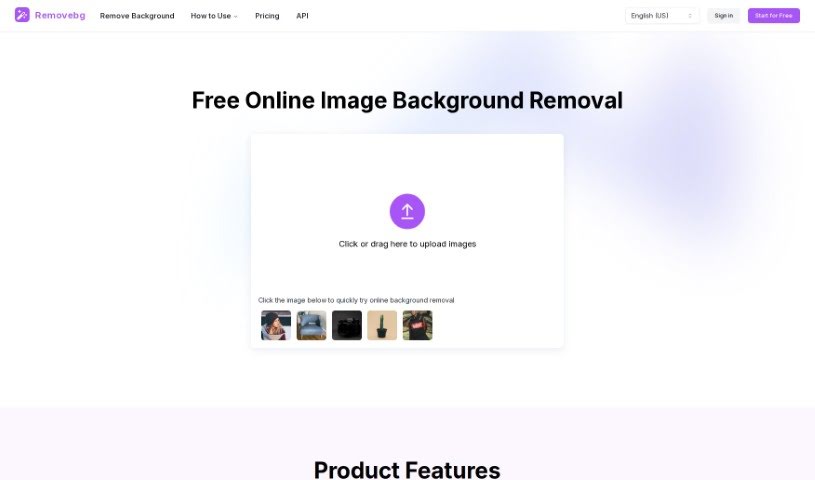
  4. Remove.bg for instantly removing backgrounds from design projects
  5. Leonardo AI for generating dynamic artwork for designers
  6. Photopea for designing stunning graphics and illustrations.
  7. Photoroom for improving photos for creative projects
  8. Pixelcut for designing eye-catching product ads
  9. Pixlr for designing great graphics with ease
  10. Midjourney for visual storytelling through art prompts.
  11. AI Face Swap for creating unique memes for social media.
  12. Cutout.pro for creating dynamic backgrounds for art
  13. Remaker for AI-powered image creation for unique designs.
  14. Ideogram for logo design and customization.
  15. Openart for experimenting with unique artistic styles
How do AI creative tools work?

AI creative tools work by using advanced algorithms that learn from all sorts of data. They look at patterns in creative works—like art, music, or writing—which helps them copy styles and create new, original pieces. It’s a bit like how human artists get inspired by different things they see or hear.

At their core, these tools often use neural networks. These are specially built to understand and interpret human creativity. The networks are trained on huge amounts of data, including works from many different styles and formats, so they can learn and adapt to various approaches.

When you give a prompt—like a topic for a story, a theme for a painting, or a music genre—these AI tools use the patterns they’ve learned to generate fitting responses. They essentially guess which elements should go together to make content that feels cohesive and engaging.

What’s really interesting is that AI creative tools don’t just repeat what they’ve learned; they can actually be innovative. By blending styles or drawing from less common influences, they can produce work that surprises and inspires, offering a fresh take even on familiar subjects.

As technology keeps advancing, these creative tools are getting more capable. This means we can have richer interactions, with users and AI working together more smoothly. Often, this leads to amazing artistic creations that combine human ideas with computer power.

If you’re curious about the technical side of these tools, looking into neural networks and creative AI applications can offer more insight into how they bring artistic ideas to life.

Our best AI creative tools at a glance

RankNameBest forPlans and PricingRating
1CanvaSocial media post designN/A4.73 (11 reviews)
2Character AIGBrainstorming story ideas and concepts.N/A4.64 (11 reviews)
3JanitorAICrafting unique story ideas quickly.N/A0.00 (11 reviews)
4Remove.bgInstant background removal for design projectsPaid plans start at $0.2/image.4.82 (11 reviews)
5Leonardo AIDynamic artwork generation for designersPaid plans start at $9/month.4.73 (11 reviews)
6PhotopeaDesign stunning graphics and illustrations.N/A4.67 (12 reviews)
7PhotoroomEnhancing creative project photosPaid plans start at $7.50/month.4.74 (38 reviews)
8PixelcutDesigning eye-catching product adsN/A4.64 (11 reviews)
9PixlrDesigning stunning graphics effortlesslyPaid plans start at $0.99/month.4.73 (11 reviews)
10MidjourneyVisual storytelling through art prompts.N/A4.73 (11 reviews)
11AI Face SwapCrafting unique memes for social media.N/A4.70 (10 reviews)
12Cutout.proDynamic background creation for artistryN/A4.46 (13 reviews)
13RemakerAI-powered image creation for unique designs.N/A4.69 (13 reviews)
14IdeogramLogo design and customization.N/A4.85 (26 reviews)
15OpenartExperiment with unique artistic stylesPaid plans start at $84/year.4.25 (8 reviews)
Screenshot of Portrait Studio Pro

Portrait Studio Pro

Freemium

Portrait Studio Pro is a smart AI tool that helps you get professional-looking portraits without the high cost. It uses AI to create high-quality business photos from the selfies you upload. You've got several pricing options to pick from, like Standard, Advanced, and Premium packages, each offering different features and how many photos you get. Plus, there's a huge range of background styles, from classic looks to more modern ones. The service promises a fast 2-hour turnaround, and they're serious about privacy, keeping your data safe. You also own all your photos outright and can use them commercially. The platform supports various common photo formats, making things easy. If you need help, you can reach them by email, and they offer refunds within 14 days of buying.

Screenshot of Portraitai

Portraitai

Freemium

PortraitAI is a really neat tool that uses artificial intelligence to turn your selfies into unique portraits, kind of like those you'd see from the 18th century. For the best results, they suggest uploading a photo that's similar to a passport picture – think no glasses and your face taking up a good chunk of the frame. You've got over 100 different filter options to play with, too! Some popular ones include Cartoon, Portrait HD, and even a Halloween filter. You can grab the app for your phone on both iOS and Android, directly from the Apple App Store and Google Play Store.

Screenshot of PortraitArt

PortraitArt

Freemium

PortraitArt is a neat AI tool that takes your portrait photos and turns them into all sorts of different art styles. It's really easy to use – you just upload your picture, pick the art style you like, and let it do its magic. What's cool is that it's not just for single people; it handles group shots and wedding photos too! You've got a huge selection of styles to choose from, like cartoons, sketches, oil paintings, watercolors, classic paintings, illustrations, 3D cartoons, and even sculptures. The main focus here is portraits, and it works best when you give it a high-quality photo with good lighting and a simple background. PortraitArt is actually a product from PhotoFairy, a company built by a team with solid experience in AI research and creating great products.

Screenshot of Portraitphoto.ai

Portraitphoto.ai

Freemium

Portraitphoto.ai is a service that uses AI to create professional-looking headshots and profile pictures. You don't need a professional photographer or a studio for this! The process is pretty straightforward: you upload a minimum of 6 photos of yourself – though aiming for 10 or more usually gives you the best results. The AI then gets to work, typically generating your new portraits within 1 to 2 hours. Your privacy is important, so they store your photos securely on a server based in the EU. Plus, they won't share your personal data with anyone else unless you give them permission. If you're not happy with the outcome, and you've followed their selfie quality tips, you can get a full refund within 14 days. It's a one-time payment, starting at just $19 per person, and they accept major payment methods like credit cards, Google Pay, Apple Pay, and SOFORT.

Screenshot of Posed AI

Posed AI

Freemium

Posed AI is a service that lets you create your own unique AI-generated avatars in all sorts of styles. All you need to do is upload about 10 to 20 pictures that show your face and upper body from different angles and with various expressions. The AI behind Posed AI is pretty advanced; it trains a special model to create avatars that look incredibly high-quality and lifelike, all in 4K resolution. This makes them perfect for your social media profiles or even for printing at a high DPI. Plus, they really care about your privacy – they delete all your photos once the avatar is made. And don't worry about payments; they use secure, well-known payment processors. While they can't offer free trials because the computing power needed is quite substantial, Posed AI does offer refunds within the first 14 days if you haven't used your token for training yet.

Screenshot of Practical Psychology Dream Interpreter & Dictionary

Practical Psychology Dream Interpreter & Dictionary

Freemium

The Dream Interpreter & Dictionary website is a really thorough resource designed to help you understand your dreams and the symbols within them. It covers more than 270 different dream meanings and dives into a whole range of psychological topics connected to dream interpretation, psychology itself, and the various symbols you might encounter. The main goal here is to give you tools so you can analyze and figure out the messages your dreams are trying to send, encouraging a bit of self-reflection along the way.

Screenshot of Pretend App

Pretend App

Freemium

Pretend App is an AI-powered face-swapping application you can find on the Apple App Store. It uses artificial intelligence to swap faces in real-time, letting you easily switch your face with someone else's. It's designed to be simple to use, secure, and comes with extra help to guide you. Essentially, it takes the idea of digital identity a step further by letting you change how you look interactively, letting you explore what it means to have a digital self. Pretend App offers a really engaging experience with its instant face swaps and a variety of interactive features. You're in complete control of your transformations, which helps ensure the face swaps look accurate and smooth.

Screenshot of Primeprofile

Primeprofile

Freemium

PRIME Profile is a smart tool that uses AI to create professional-looking profile pictures, like you'd get from a studio shoot. It's perfect for building your personal brand on platforms like Twitter, Instagram, and LinkedIn, or even for your resume. Here's how it works: you upload between 10 and 30 of your own photos, and the tool builds a custom AI model just for you. Then, it uses advanced AI technologies to generate high-quality avatars in all sorts of styles. PRIME Profile really cares about your privacy, using your photos only to create your model. They offer affordable pricing with a pay-per-use model, and you can count on great results thanks to powerful AI like Stable Diffusion, Dreambooth, and ControlNet.

Screenshot of Prisma Labs

Prisma Labs

Freemium

Prisma Labs is a photo and video editing app that came out of Prisma Labs Labs. Their whole goal? To make editing photos and videos simple and fun for absolutely everyone, no matter if you're a pro or just starting out. Prisma Labs got its start back in 2016 and quickly became one of the most downloaded apps around the world. It even snagged the "App of the Year" award from both AppStore and GooglePlay, which is pretty impressive! On top of the Prisma app, they also launched Lensa in late 2018, and that one's picked up millions of users too.

Screenshot of Prisma Labs Lensa AI

Prisma Labs Lensa AI

Freemium

Lensa AI is a really versatile app for editing photos, and it's known for helping you take your pictures to the next level. It's packed with features designed to make your photos look their best. You can improve facial retouching with something called 'Magic Correction,' or really perfect any little facial imperfections using a range of handy tools. Need to change or blur out a background? Lensa makes that super easy. Plus, you can fine-tune both the main subject and the background separately to get everything just right. It also lets you apply all sorts of unique filters and special effects, and even add borders to give your photos that extra something. Basically, Lensa AI gives you dynamic editing tools right in the app, making it simple to seriously up your photo editing game.

Screenshot of Privee AI

Privee AI

Freemium

Privee AI is a platform where you can chat with incredibly lifelike AI characters. You can choose from Anime or Realistic styles, or even create your own AI characters, including personalized AI girlfriends. What's great is that it offers a free trial, and you don't need a subscription – it's all pay-as-you-go. Some of the cool things Privee AI lets you do include easily creating characters and AI girlfriends, using advanced language models, and taking advantage of top-notch picture generation. Plus, you can send and receive pictures right in your chats to make things even more engaging.

Screenshot of Problembo

Problembo

Freemium

Problembo is an online service powered by artificial intelligence. It brings together and customizes top open-source and commercial AI tools, all designed to boost your creativity and make your work more efficient. What's really great about Problembo is that you can access a whole range of AI applications without needing a monthly subscription. Whether you're into generating images, creating music, enhancing photos and videos, working with computer vision, using speech recognition, or building chatbots, Problembo has something for you. The whole idea behind Problembo is to make AI more accessible, offering custom solutions that can really help your creative projects shine and your business processes run smoother, all with a flexible pay-as-you-go pricing model.

Stay Updated with AI Tools

Get weekly updates on the latest AI tools, trends, and insights delivered to your inbox

Join 25,000+ AI enthusiasts. No spam, unsubscribe anytime.