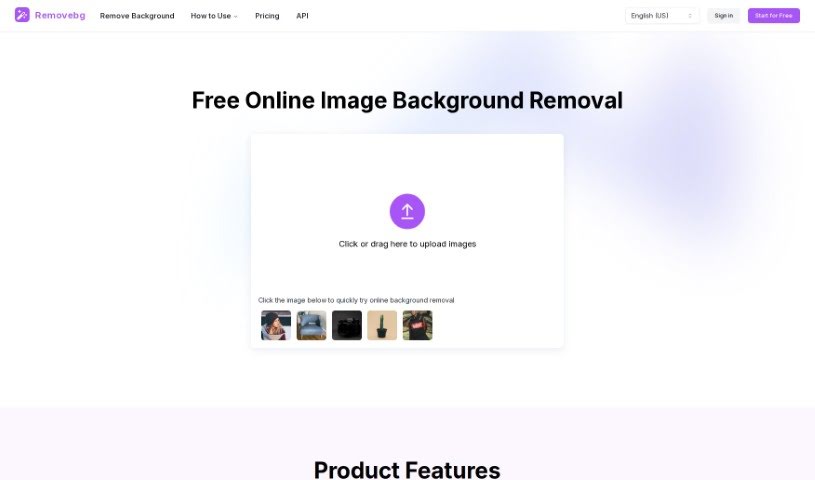
Screenshot of Remove Bg Ai

Remove Bg Ai

Discover what Remove BG AI is and how to use it effectively in 2025. We'll explore its features and see how it stacks up against other background removers.

Screenshot

What is Remove BG AI?

Remove BG AI is a free tool that’s great for removing backgrounds from all sorts of images. Whether you’ve got pictures of people, products, animals, cars, or logos, this tool can handle it. It’s designed to be super easy to use – you just upload your image, and it takes care of removing the background. Plus, you don’t need to sign up or pay anything. You can even download multiple images at once if you’re processing several photos.

Who created Remove BG AI?

Remove BG AI comes from Ethan Sunray LLC, a company based in Sheridan, Wyoming. They offer this free background removal tool, which is really handy for all sorts of image types. It’s a great option for both professionals and people who just enjoy editing photos as a hobby because it’s so straightforward and accessible. Since you don’t need to register or subscribe, it’s a really appealing choice for a wide range of users.

What is Remove BG AI used for?

  • Make Product Photos Shine: Remove the background from product images to make them look more appealing. This can really help boost sales!
  • Quick Photo Transformations: Instantly change your photos with Removebg’s advanced technology. It’s perfect for product shots for your online store, graphics for social media, or even just personal photos you want to enhance. You get perfectly clean images without backgrounds in just one click!
  • Clean Up Logos: Get rid of unwanted backgrounds from logos to create professional marketing materials or make your branding visuals pop. You can easily create a sleek design that really focuses on your logo.
  • Showcase Cars Beautifully: Really bring out the best in car photos with Removebg. It’s ideal if you’re selling cars, running ads, or just want to show them off. You’ll get clean, vibrant pictures that highlight the car itself, without any distracting backgrounds.
  • Stunning Animal Photos: Easily remove backgrounds from animal pictures to create eye-catching visuals. These are great for all sorts of creative projects and marketing materials.
  • Boost Your Car Listings: Make your car photos stand out for selling, advertising, or showcasing. Removebg helps you achieve clean, vibrant images that really focus on the vehicle.
  • Transform Photos Fast: Quickly update your photos using advanced technology. It’s perfect for eCommerce, social media, or personal memories.
  • Professional Branding: Clear logo backgrounds to create polished marketing materials and enhance your brand’s visual identity.
  • Highlight Your Cars: Make your car images shine for sales, advertising, or display purposes.
  • Creative Animal Visuals: Remove backgrounds from animal photos for striking images suitable for creative projects and marketing.
  • Effortless Photo Editing: Remove backgrounds from photos easily, whether for eCommerce, social media, or personal use.
  • Showcase Animals: Create beautiful visuals from animal photos for creative projects and marketing materials.
  • Vibrant Car Images: Get clean, attractive car photos by removing distracting backgrounds.

Who is Remove BG AI for?

  • Photographers
  • E-commerce sellers
  • Designers
  • Marketers
  • People in the automotive industry
  • E-commerce professionals
  • Graphic designers
  • Brand managers
  • Automobile sellers
  • Animal photographers

How to use Remove BG AI?

Using Remove BG AI to remove backgrounds is really straightforward. Just follow these simple steps:

  1. Head to the Tool: First, go to the Remove BG AI website.
  2. Upload Your Image: Pick the image you want to edit and upload it to the site.
  3. Choose the Right Model: Depending on what’s in your picture – people, products, animals, cars, or logos – select the model that best fits your image type for the most accurate background removal.
  4. Let It Process: The tool will automatically work its magic to remove the background.
  5. Download Your Image: Once the background is gone, just download your edited image.
  6. Extra Edits?: If you want to do more, you can always use your favorite editing software afterward.
  7. Working with Multiple Images: If you have several photos to process, you can repeat these steps for each one, or use the tool’s feature to download multiple images at once.

Remove BG AI makes the whole process really easy, and you don’t even need to sign up. It’s super versatile, handling all sorts of images, and it lets you remove backgrounds quickly and without any fuss. You’ll love getting professional-looking images by easily separating your subjects from their backgrounds with Remove BG AI.

Related AI Tools

Discover more tools in similar categories that might interest you

123RF AI Image Generator

Creative Image Generation
Learn More

Stay Updated with AI Tools

Get weekly updates on the latest AI tools, trends, and insights delivered to your inbox

Join 25,000+ AI enthusiasts. No spam, unsubscribe anytime.