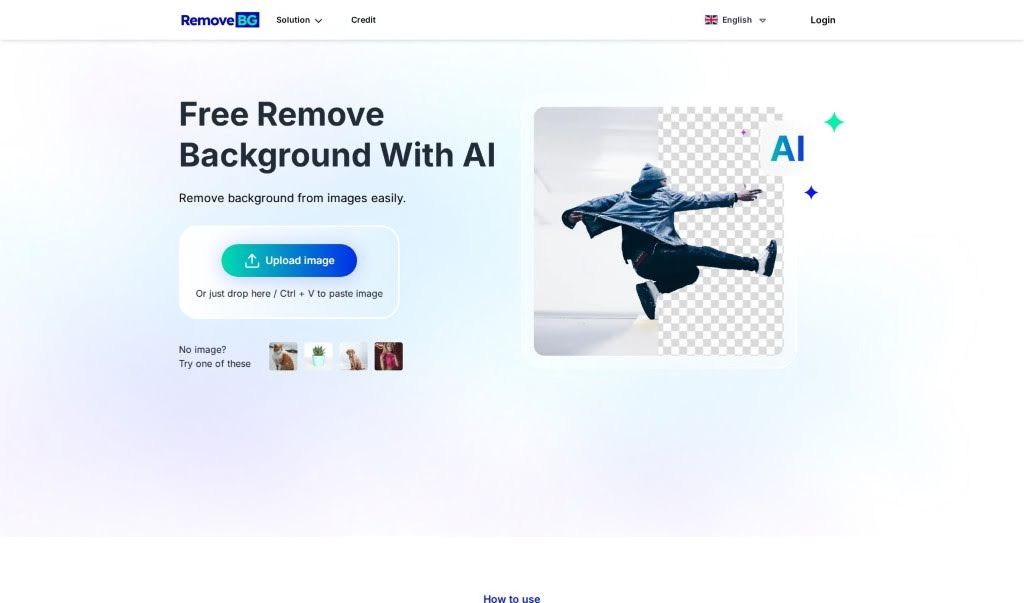
Screenshot of Remove-Bg.ai

Remove-Bg.ai

Discover what Remove-Bg.ai is and how to use it effectively in 2025. We'll explore its features and see how it stacks up against other background removers.

Screenshot

What is Remove-Bg.ai?

Remove-Bg.ai is an online tool that uses AI to remove backgrounds from images. You just upload your picture, and its smart AI figures out and removes the background for you. It’s built to be super easy to use and quick, but if you need to tweak the cutout, you can do that manually too. Plus, you can make the background transparent, change it to a solid color, or pick from over 100 different background templates. You can use Remove-Bg.ai on pretty much any device without installing anything, and it works with common image files like PNG and JPG. What’s great is that it keeps your image looking sharp and high-quality even after removing the background. The platform also offers handy features like resizing images for social media, adding text with different fonts, and it works smoothly across all your devices. There’s even a mobile app to make things even easier when you’re on the go.

Who created Remove-Bg.ai?

Remove-BG.AI was actually developed by a team of AI experts and professional designers. They’ve spent about 3 years really digging into the research and fine-tuning the tool. Adam, who’s a designer and a whiz at search engine optimization, is the founder. The company has its roots in tech-friendly cities like Ho Chi Minh City, Vietnam, and Singapore. They officially launched the tool on June 2, 2023, and it’s now helping over 3,000 users every single day, all around the world. You’ll find people using it in places like the US, India, Indonesia, and Russia. The big goal for Remove-BG.AI is to be the top AI-powered background remover out there.

What is Remove-Bg.ai used for?

  • Instantly create images with transparent backgrounds.
  • Transform your photos into unique art pieces.
  • Design eye-catching banners that stand out.
  • Make your visual presentations more professional.
  • Produce polished product catalogs.
  • Create custom graphics for any purpose.
  • Edit photos with flexible, customizable options.
  • Swap backgrounds easily using over 100 templates.
  • Work with all standard image file types.
  • Keep your images in HD quality after background removal.

Who is Remove-Bg.ai for?

  • Image Editors
  • Graphic Designers
  • Marketers
  • Creators of all skill levels

How to use Remove-Bg.ai?

Using Remove-BG.AI for background removal and editing is pretty straightforward. Just follow these simple steps:

  1. Upload Your Image: Head over to the Remove-BG.AI website and either click the “Upload” button or just drag and drop the image you want to edit right into the upload area.
  2. Automatic Background Removal: Remove-BG.AI’s advanced AI will automatically detect and remove the background in just a few seconds.
  3. Refine the Cutout: If you need to make any adjustments, you can use the “Edit Cutout” feature. This lets you brush over any areas you want to remove or restore to get the perfect edge.
  4. Customize Your Background: You can choose to keep the background transparent, or you can pick a new solid color for it.
  5. Download Your Creation: Once you’re happy with how it looks, just download your edited image in high definition.
  6. Explore More Options:
    • You’ve got over 100 templates to choose from if you want to replace the background entirely.
    • You can easily add text to your image and customize the fonts and sizes to fit your design.
    • Need an image for social media? You can resize it perfectly for different platforms.
  7. Use it Anywhere: Enjoy the convenience of using Remove-BG.AI on your smartphone, tablet, or computer without needing to install any software.
  8. Quality Guaranteed: The tool makes sure your image stays in HD quality after the background is removed, so no details are lost or distorted.
  9. No Sign-Up Needed: Remove-BG.AI is free for everyone to use worldwide, and you don’t even need to create an account.
  10. Share Your Thoughts: We’d love to hear about your experience! Feel free to share testimonials or reach out if you have questions or are interested in partnership opportunities.

With these easy steps, Remove-BG.AI provides a really user-friendly and efficient way to handle all your background removal and image editing needs.

Related AI Tools

Discover more tools in similar categories that might interest you

123RF AI Image Generator

Creative Image Generation
Learn More

Stay Updated with AI Tools

Get weekly updates on the latest AI tools, trends, and insights delivered to your inbox

Join 25,000+ AI enthusiasts. No spam, unsubscribe anytime.