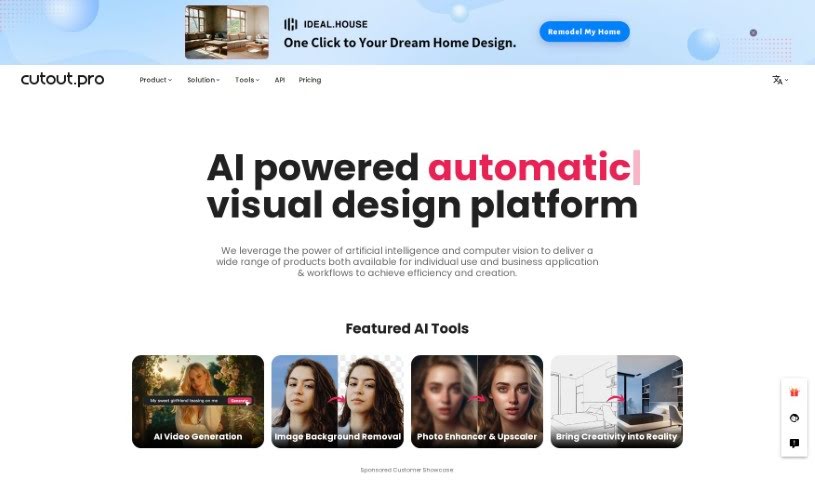
What is Cutout.pro?
Cutout.pro is a really neat AI-powered platform for visual design. It uses artificial intelligence and computer vision to offer a bunch of different tools and products that are super helpful for both individuals and businesses. You can do things like remove image backgrounds, enhance and upscale photos, create cool backgrounds with text, edit videos with AI, and even animate photos. Basically, it helps with everything from designing images and making e-commerce listings shine to integrating with developer tools, creating ID photos, restoring old pictures, and getting custom prints ready. It’s pretty impressive – over 25,000 businesses already trust it to make their visual content look great and get tasks done efficiently.
Who created Cutout.pro?
Cutout.pro was actually developed by the LibAI team, a group of tech enthusiasts who are really into using artificial intelligence and computer vision to create innovative solutions. Mark Condon, who’s also the CEO of Shotkit.com, leads the team. They’ve built a variety of AI tools specifically for things like removing backgrounds from images, making photos look better, and editing videos. Their main goal is to boost creativity and productivity, making visual design tasks much simpler for everyone, whether you’re an individual or running a business.
What is Cutout.pro used for?
Cutout.pro is incredibly versatile! Here’s a rundown of what you can do with it:
- Image classification: Helps sort and understand images.
- Content Generation: Create new visual content.
- Video editing: Work with videos using AI.
- Image Background Removal: This is a big one! You can magically get rid of unwanted people, objects, scratches, blemishes, and other imperfections from your photos.
- Photo Enhancer & Upscaler: Automatically boost the resolution, quality, and detail in your photos.
- Background Diffusion: Use AI to create amazing, custom backgrounds just by typing in text descriptions.
- Video Editing: Automatically remove backgrounds from videos – no green screens or tedious manual work needed!
- Photo Animation: Bring your photos to life by turning them into short, moving videos, especially great for portraits.
- Portrait Cut-out: Easily isolate portraits.
- Style Transfer: Apply the artistic style of one image to another.
- Inpainting: Smartly fill in missing parts of an image.
- Image Enhancing: General improvements for your images.
- Inverse Image Search: Find similar images online.
- Image Restoration: Bring old or damaged photos back to life.
- Graphic Design: Tools to help with your overall design projects.
Who is Cutout.pro for?
Cutout.pro is a fantastic tool for a variety of people and professions:
- Photographers: Perfect for cleaning up shots or creating unique effects.
- E-commerce professionals: Make product photos pop and stand out.
- Journalists: Quickly edit images for articles.
- Print-on-demand businesses: Prepare designs for merchandise easily.
- Print-on-Demand Business Owners: Streamline your design workflow.
- Church Staff: Useful for creating bulletins, social media graphics, and more.
How to use Cutout.pro?
Using Cutout.Pro is pretty straightforward. Just follow these simple steps:
- Get Started: Head over to the Cutout.Pro website. That’s your first step to accessing their AI-powered visual design tools.
- Pick Your Tool: You’ll find a wide array of options. Choose what you need, whether it’s for removing backgrounds, enhancing photos, creating new backgrounds with text, editing videos, or animating pictures.
- Edit Your Images: If you need to clean up a photo, use the background removal tool. It’s super easy to get rid of anything you don’t want in the shot.
- Boost Your Photos: Want better quality? The photo enhancer and upscaler tool automatically improves the resolution and detail in your images.
- Design New Backgrounds: Use the background diffusion feature. You can create really cool, unique backgrounds just by describing them with text, thanks to AI photo editing.
- Edit Videos Easily: Need to remove a video background? The tool does it automatically, so you don’t need any special equipment like green screens or complicated manual editing.
- Animate Your Photos: Give your photos a new dimension by turning them into moving videos. The photo animation tool is great for making portraits look alive.
- For Developers: If you’re a developer, you can easily integrate Cutout.Pro’s APIs into your own applications. This lets you process images and videos efficiently within your software.
- See What Others Say: Many users have shared their experiences. They often praise how easy the platform is to use, how quickly it processes images and videos, and how versatile it is for improving their overall workflow.
- A Platform You Can Trust: With over 25,000 businesses already using Cutout.Pro, you can be confident that it offers secure, reliable, and efficient solutions for all sorts of visual content needs.
By following these steps, you’ll be able to make the most of Cutout.Pro’s features to really improve your visual design projects and make your work process much smoother.