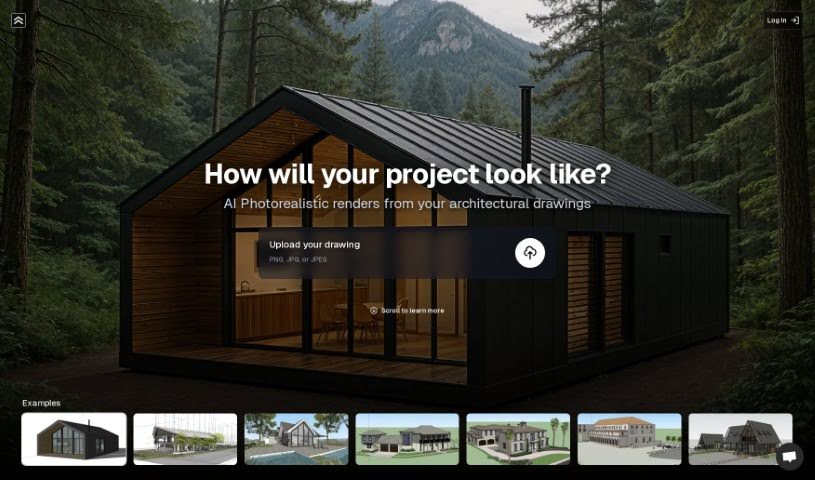
Screenshot of Render A House

Render A House

Discover what Render A House is and how to use it effectively in 2025. We'll explore its features, compare it to other image generators, and show you how it can help architects, designers, and homeowners visualize their projects.

Screenshot

What is Render A House?

Render A House is a really neat tool that lets you take your architectural drawings or even just simple hand-drawn sketches and turn them into realistic images. It does this quickly and with a lot of precision, which is super helpful. Some of its key features include turning sketches into images, super-fast rendering, letting you preview materials, and it’s designed to be really easy to use, even if you’re not a tech whiz. This makes it great for architects, designers, homeowners, and property developers who want to play around with designs, get ideas down fast, or quickly set up a visual for a project.

Who created Render A House?

Sebastin Papanicolau is the person behind Render A House. He launched it on March 30, 2024. The platform was designed with a user-friendly interface, making it accessible for architects, designers, homeowners, and property developers alike. It’s all about making it quick and precise to visualize architectural drawings and hand-drawn sketches. You can easily preview materials, experiment with different designs, and get your ideas conceptualized without a fuss. People really like it because it produces high-quality images, generates photos almost instantly, and offers a lot of flexibility, which is why it’s become popular in the architecture and design world.

How to use Render A House?

Here’s a simple guide to getting the most out of Render A House:

  1. Getting Started: The setup is really quick and easy. You’ll be up and running with minimal fuss.
  2. Turning Drawings into Images: Use Render A House to efficiently and accurately convert your architectural drawings or hand-drawn sketches into realistic images.
  3. Checking Out Materials: You can use the material preview feature to see how different materials look before you commit to a final design.
  4. Easy to Use: The interface is designed to be user-friendly, so you don’t need to be a tech expert to navigate it.
  5. For Everyone: Remember, this tool isn’t just for architects and designers; homeowners and property developers will find it incredibly useful too.
  6. Instant Photos: You’ll love how quickly it generates high-quality photos – often in just seconds!
  7. Experiment with Designs: Render A House is a fantastic platform for trying out different design ideas. You can quickly set up environments and explore various design options.
  8. Help with Interior Design: It’s also great for interior design visualization, helping you see how your architectural projects might look inside.
  9. Great Quality Images: Expect precise, high-quality images that are perfect for visualizing and refining your architectural concepts.
  10. Try It Out: Take advantage of the trial period or playground area to explore all the features and see what Render A House can do for you before you decide.

By following these steps, you can really make Render A House work for you, turning your architectural visions into stunning, realistic visualizations.

Related AI Tools

Discover more tools in similar categories that might interest you

123RF AI Image Generator

Creative Image Generation
Learn More

Stay Updated with AI Tools

Get weekly updates on the latest AI tools, trends, and insights delivered to your inbox

Join 25,000+ AI enthusiasts. No spam, unsubscribe anytime.