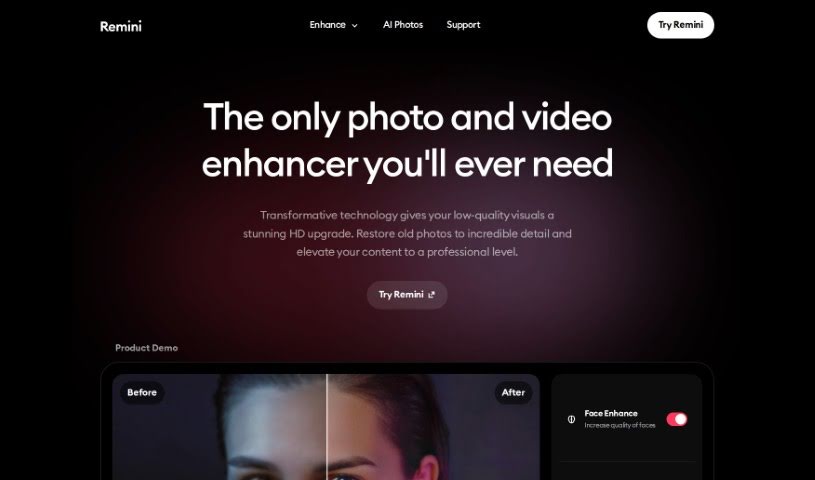
What is Remini AI?
Remini AI is a really neat tool that uses advanced artificial intelligence to make old photos look brand new. It is a digital restorer for your precious memories. It takes those faded, grainy, or low-quality pictures and turns them into sharp, vibrant HD images. How does it do this? Well, it carefully looks at every single pixel, fixing any flaws, cutting down on noise, and bringing out the finer details. It uses smart machine learning and deep neural networks to bring back colors, sharpen edges, and improve textures. The result? High-resolution photos that look like they were just taken. Beyond just fixing things up, Remini also gives you other editing tools to personalize your images, making it a great choice whether you’re a pro photographer or just want to make your personal photos look better. Their main goal is to help you keep your memories alive, and they do this by constantly improving their AI so you always get the best possible results.
Who created Remini AI?
Remini was started by a group of creative folks who wanted to build a top-notch AI tool specifically for enhancing and restoring old photos with incredible accuracy. This company is all about using the latest AI technology to transform those faded, low-quality pictures into stunning HD masterpieces. Their mission is simple: to help people hold onto and share their memories in the best quality possible. The Remini team is always working on updating their AI algorithms, aiming to deliver even better results over time, truly preserving memories and turning them into timeless pieces of art.
What is Remini AI used for?
Remini AI is incredibly versatile and can be used for a wide range of purposes:
- Social Media Content: You can transform your social media posts into professional-looking images that really grab attention.
- Family History: Bring your family’s past to life by restoring old photos, making them crystal clear and full of detail.
- High-Quality Prints: Enhance low-quality images so they look great when printed, even in large formats.
- E-commerce: Boost your online sales by improving the quality of your product images.
- Education: Create engaging educational materials that capture students’ interest and help them learn.
- Magazines: Produce sharp, high-resolution photos perfect for articles in magazines.
- Video Enhancement: Improve and enlarge videos using AI-powered technology.
- Photo Restoration: Bring old photos back to life with incredible detail.
- Blur & Focus Correction: Fix issues like motion blur, camera shake, or poor focus to make your images and videos look sharp and clear.
- Noise Reduction: Clean up every pixel in your photos, getting rid of grain and noise for a clear, sharp image that captures every detail.
- Heritage Preservation: Bring family history back to life with crystal-clear images that capture every detail.
- Printing Services: Upscale and enhance low-quality images for high-quality prints in large formats.
- E-commerce Sales: Enhance the quality of product images to boost e-commerce sales.
- Education Materials: Create educational materials that captivate students and facilitate learning.
- Magazine Articles: Create sharp, high-resolution photos to enhance articles and engage readers.
- Video Quality: Enhance and enlarge videos with AI-powered technology.
- General Enhancement: Enhance photos and videos, remove blur, and sharpen details.
- Old Photo Revival: Restore old, blurred, and damaged photos to clearer and more vibrant images.
- Detail Capture: Clean up photos by eliminating grain and noise to capture every detail.
- Social Engagement: Transform social media content into professional-grade images to engage your audience.
- Industry Visuals: Cutting-edge AI revolutionizes enhancing visuals for various industries.
- Business Content: Create professional content for business needs with state-of-the-art AI technology.
- HD Masterpieces: Enhance old, faded, and low-quality photos into stunning HD masterpieces.
Who is Remini AI for?
Remini AI is a fantastic tool for a variety of people and professions:
- Social media managers
- Historians
- Printers
- E-commerce professionals
- Educators
- Magazine Editors
- E-commerce sellers
- Video editors
- Anyone working with social platforms
- Those focused on heritage preservation
- Businesses offering printing services
- E-commerce companies
- Educational institutions
- Magazine publishers
How to use Remini AI?
Using Remini effectively is pretty straightforward. Just follow these simple steps:
- Upload Your Photo: First things first, upload your old, faded, or low-quality photo into the Remini app. It’s the starting point for bringing your memories back to life.
- Let AI Enhance Your Photo: Once uploaded, Remini’s advanced AI algorithms get to work. They meticulously analyze every pixel in your image. The AI identifies any imperfections, reduces distracting noise, and enhances the finer details, transforming your photo into a high-resolution masterpiece.
- Personalize Your Image: Remini doesn’t just stop at basic enhancements. You also get handy editing tools to customize your photos further. Feel free to crop, adjust brightness and contrast, apply filters, or add creative effects to make the image uniquely yours.
- Explore Additional Features: Remini offers a whole suite of tools beyond basic enhancement. You can use the Image Enlarger to upscale your photos, try out AI Photos for generating realistic images, and find specific solutions tailored for different needs like social platforms, heritage restoration, printing services, e-commerce, education, and magazines.
- Stay Updated: The great thing about Remini is that it’s always improving. They continuously update their AI algorithms to deliver even better results. As technology advances, so do the possibilities for enhancing and restoring your precious memories with Remini.
By following these steps, you can easily restore and enhance your old photos using Remini’s powerful AI technology. It’s a simple process that yields impressive results.