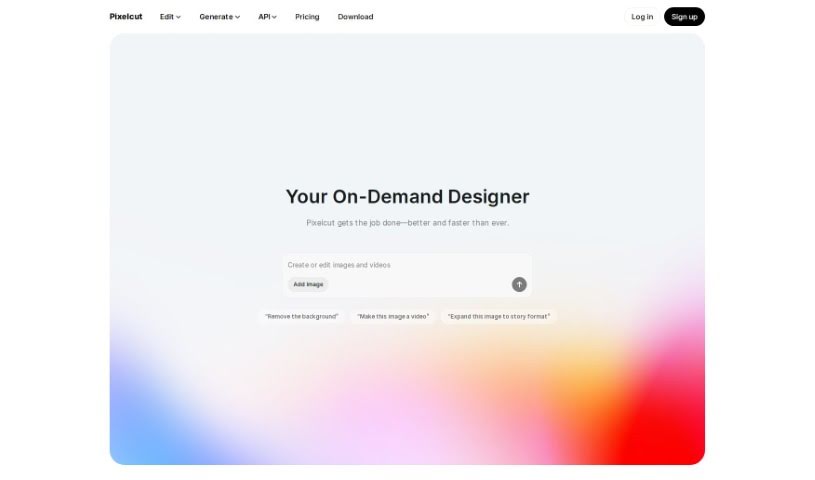
Screenshot of Pixelcut

Pixelcut

Discover what Pixelcut is and how to use its AI tools effectively in 2025. We'll cover its features, compare it to other image enhancers, and show you how to create stunning visuals for your online store.

Screenshot

What is Pixelcut?

Pixelcut is a super user-friendly online design tool that uses AI to help you create amazing product photos, ads, and all sorts of visuals for your online store. It is your go-to for making your products look fantastic online. It’s packed with features like background removal, erasing unwanted objects, making images sharper with upscaling, and tweaking colors. Basically, it lets you whip up everything from product shots and ads to profile pictures, all perfectly suited for e-commerce.

Need to isolate a subject in a photo? The ‘Background Remover’ tool makes it a breeze, no fancy editing skills or complicated software needed. Got a photo with something distracting in it? The ‘Magic Eraser’ can zap it right out. And if your image isn’t quite sharp enough, the ‘Image Upscaler’ boosts its resolution to make it look great. For the tech-savvy folks, Pixelcut even offers an API, letting developers weave its AI image editing magic into their own products and services. Plus, it’s great for teams working together on content, offers tons of curated templates, and makes creating product ads incredibly simple. It’s really built for ease of use, so you don’t need professional gear or a photography background to get pro results.

Who created Pixelcut?

Pixelcut was developed by a company called circular pixels and first launched on June 25, 2024. It’s an AI-powered online design tool designed to help people create product photos, ads, and other visual content for their online stores. You can use it for things like removing backgrounds, erasing objects, upscaling images, and adjusting colors. The company also provides helpful templates and a virtual studio, making it easy for anyone to create professional-looking visuals without a lot of fuss.

What is Pixelcut used for?

Pixelcut is incredibly versatile! Here’s a rundown of what you can do with it:

  • Boost Image Quality: Make your photos look sharper and clearer.
  • Developer Integration: Use its API to add AI image editing to your own apps or services.
  • Background Removal: Easily take out backgrounds from your images.
  • Image Upscaling: Increase the resolution of your pictures.
  • Create Product Photos: Design eye-catching product shots for your online store.
  • Design Ads: Craft effective advertisements for your products.
  • Edit Profile Pictures: Make your social media or store profile photos stand out.
  • Object Erasing: Remove any unwanted items from your photos.
  • Color Adjustment: Fine-tune the colors in your images.
  • Product Ad Creation: Make visually impactful ads specifically for your products.
  • Batch Editing: Save time by editing multiple images all at once.
  • Team Collaboration: Work together with your team on design projects.
  • Template Library: Choose from thousands of curated templates to speed up your design process.
  • AI Photo Editing: Transform your photos using smart AI tools.

Who is Pixelcut for?

Pixelcut is a fantastic tool for anyone involved in online sales or digital content creation. This includes:

  • E-commerce professionals and online store owners
  • Digital marketers and marketing professionals
  • Content creators and social media managers
  • Photographers looking to streamline their workflow
  • Graphic designers
  • Anyone running an e-commerce business!

How to use Pixelcut?

Getting started with Pixelcut is straightforward. Just follow these simple steps:

  1. Get Started: Head over to the Pixelcut website or grab the app from the App Store or Google Play Store.
  2. Sign Up: Create a Pixelcut account to unlock all the features.
  3. Pick Your Image: Upload the photo you want to edit, or choose one from Pixelcut’s own library.
  4. Edit Away: Use the handy tools like Background Remover, Magic Eraser, Image Upscaler, and Recolor Image to make your photos look just right.
  5. Team Up: If you’re working with others, use the team collaboration feature to share and work on projects together.
  6. Batch Editing: Need to edit lots of photos? Use the Batch Edit feature to save yourself a ton of time.
  7. Save Your Work: Once you’re happy with your edits, just download or save your image.
  8. For Developers: If you’re a developer, you can integrate Pixelcut’s powerful AI image editing tech into your own products using our API.
  9. Create Ads & Visuals: Design eye-catching product ads and other visual content specifically for e-commerce using Pixelcut’s templates.
  10. Virtual Studio Magic: Use the Virtual Studio to create professional-looking product photos without needing any special equipment.
  11. Sharpen Up: Make your images look crisper and clearer with the Image Upscaler tool, without losing any detail.
  12. Edit on the Go: You can even use Pixelcut’s AI editing tools right on your phone for ultimate convenience.

Overall, Pixelcut offers a really easy-to-use platform with powerful AI tools. It helps you create professional visuals, ads, and product photos for your online store quickly and effectively.

Related AI Tools

Discover more tools in similar categories that might interest you

123RF AI Image Generator

Creative Image Generation
Learn More

Stay Updated with AI Tools

Get weekly updates on the latest AI tools, trends, and insights delivered to your inbox

Join 25,000+ AI enthusiasts. No spam, unsubscribe anytime.