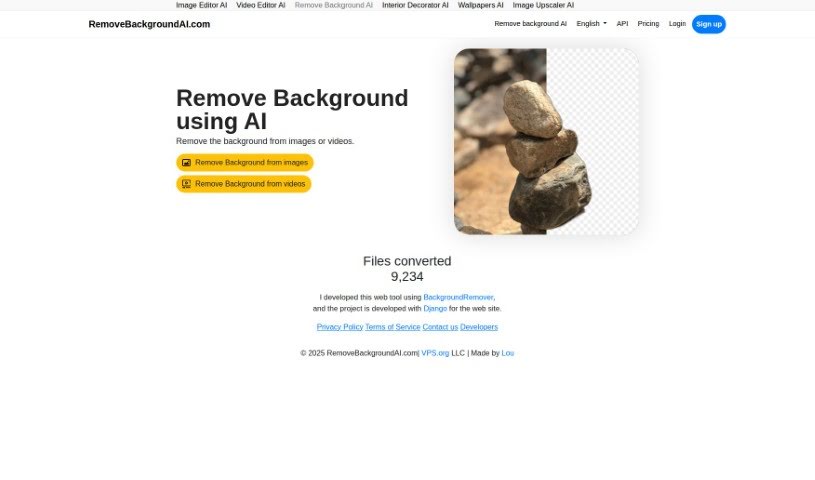
Screenshot of Removebackgroundai

Removebackgroundai

Discover what Removebackgroundai is and how to use it effectively in 2025. We'll explore its features, compare it to other photo editors, and show you how to get started.

Screenshot

What is Removebackgroundai?

Remove Background AI is a handy tool that uses artificial intelligence and machine learning to automatically take the background out of your images and videos. It’s built for everyone, whether you’re using it for fun or for your business. You get free credits to start with for smaller files, and there’s a paid option if you need to process larger files or more of them. The tool works in many languages, has a super simple interface, and even lets you upload files in batches. If you’re a paid user, you’ll also get priority in the processing queue. You can grab more credits by checking out the pricing page on their website.

Who created Removebackgroundai?

Lou is the person behind Removebackgroundai. He launched it on May 11, 2023. This web tool, which uses BackgroundRemover and Django in its development, is all about removing backgrounds from images and videos using AI. The service is provided by RemoveBackgroundAI.com, a part of VPS.org LLC.

What is Removebackgroundai used for?

This tool is incredibly versatile! Here’s a rundown of what it’s great for:

  • Language Support: It works in multiple languages, making it accessible globally.
  • For Creatives: Graphic designers and photographers can easily remove backgrounds from images to make their work pop.
  • For Video: Videographers can use it to remove backgrounds from videos, adding a professional touch.
  • Visual Enhancement: It helps focus on the main subject of your images and videos by removing distractions.
  • Easy Editing: Individuals can edit their images and videos with ease.
  • Efficiency: Batch uploading means you can process multiple files at once, saving you time.
  • Large Files: It can handle and convert larger files, even up to 100GB.
  • Developer Friendly: There’s an API available for developers who want to integrate its capabilities into their own tools.
  • Usage: It’s suitable for both personal projects and commercial use.

Essentially, it’s designed to automatically remove backgrounds from images and videos, supporting large file uploads (up to 100GB) and batch processing. Paid users also get an ad-free experience and access to a priority queue. It’s a tool that graphic designers, photographers, and videographers rely on, and it’s also perfect for anyone who wants to enhance their visual content or simply edit images and videos more easily. Plus, it’s part of a larger suite of AI tools, including an Image Editor AI, Video Editor AI, and Interior Decorator AI.

Who is Removebackgroundai for?

This tool is a great fit for:

  • Graphic Designers: To create clean, professional graphics.
  • Photographers: To isolate subjects and create stunning compositions.
  • Videographers: To add special effects or create green-screen-like results.
  • Individuals: Anyone who wants to easily edit personal photos or videos.

How to use Removebackgroundai?

Using Remove Background AI is pretty straightforward. Here’s how you can get started:

  1. First, head over to the RemoveBackgroundAI website and sign up for an account. It’s quick and easy.
  2. Next, upload your image or video. You can simply drag and drop your file right onto the page, or if you have several files, you can use the batch upload feature.
  3. Once your file is uploaded, select it and start the conversion process. It’s that simple!
  4. You’ll use credits to convert files. The more credits you have, the more files you can convert.
  5. If you’re working with larger files or want extra perks like batch uploading and priority processing, you might want to check out their paid service.
  6. Now, just wait a moment. The tool automatically removes the background from your image or video.
  7. Once it’s done, you can download your edited file with the background beautifully removed.
  8. If you run into any issues or have questions, don’t hesitate to reach out to RemoveBackgroundAI through their website. They’re there to help!

By following these steps, you’ll be able to efficiently remove backgrounds from your images and videos using Remove Background AI.

Related AI Tools

Discover more tools in similar categories that might interest you

123RF AI Image Generator

Creative Image Generation
Learn More

Stay Updated with AI Tools

Get weekly updates on the latest AI tools, trends, and insights delivered to your inbox

Join 25,000+ AI enthusiasts. No spam, unsubscribe anytime.