AI Tools for Creative

Discover the best Creative AI tools to enhance your productivity and creativity.

Page 70 of 114 • 1360 total tools

Creativity today is changing fast, and AI is becoming a super helpful partner. Whether it’s creating amazing visuals or writing music, AI creative tools are making the art process more accessible and exciting. But with so many options out there, finding the right one for your creative needs can feel a bit overwhelming.

Things have really changed in just a few years. AI tools aren’t just for special uses anymore; they’re smoothly fitting into our everyday creative work. These new technologies can make your projects better, save you time, and even lead you to explore artistic ideas you hadn’t considered before.

I’ve spent a good amount of time exploring the world of AI creative tools, looking into everything from graphic design apps to music software. Since I love seeing how technology and creativity come together, I wanted to share what I found about the best tools available right now.

So, whether you want to make eye-catching visuals or come up with fresh concepts, there’s a tool out there just for you. Let’s dive into the best AI creative tools that can take your artistic projects to the next level and change how you create.

The best AI Creative Tools

  1. Canva for designing social media posts
  2. Character AI for brainstorming story ideas and concepts.
  3. Janitor AI for quickly crafting unique story ideas.
  4. Remove.bg for instantly removing backgrounds from design projects
  5. Leonardo AI for generating dynamic artwork for designers
  6. Photopea for designing stunning graphics and illustrations.
  7. Photoroom for improving photos for creative projects
  8. Pixelcut for designing eye-catching product ads
  9. Pixlr for designing great graphics with ease
  10. Midjourney for visual storytelling through art prompts.
  11. AI Face Swap for creating unique memes for social media.
  12. Cutout.pro for creating dynamic backgrounds for art
  13. Remaker for AI-powered image creation for unique designs.
  14. Ideogram for logo design and customization.
  15. Openart for experimenting with unique artistic styles
How do AI creative tools work?

AI creative tools work by using advanced algorithms that learn from all sorts of data. They look at patterns in creative works—like art, music, or writing—which helps them copy styles and create new, original pieces. It’s a bit like how human artists get inspired by different things they see or hear.

At their core, these tools often use neural networks. These are specially built to understand and interpret human creativity. The networks are trained on huge amounts of data, including works from many different styles and formats, so they can learn and adapt to various approaches.

When you give a prompt—like a topic for a story, a theme for a painting, or a music genre—these AI tools use the patterns they’ve learned to generate fitting responses. They essentially guess which elements should go together to make content that feels cohesive and engaging.

What’s really interesting is that AI creative tools don’t just repeat what they’ve learned; they can actually be innovative. By blending styles or drawing from less common influences, they can produce work that surprises and inspires, offering a fresh take even on familiar subjects.

As technology keeps advancing, these creative tools are getting more capable. This means we can have richer interactions, with users and AI working together more smoothly. Often, this leads to amazing artistic creations that combine human ideas with computer power.

If you’re curious about the technical side of these tools, looking into neural networks and creative AI applications can offer more insight into how they bring artistic ideas to life.

Our best AI creative tools at a glance

RankNameBest forPlans and PricingRating
1CanvaSocial media post designN/A4.73 (11 reviews)
2Character AIGBrainstorming story ideas and concepts.N/A4.64 (11 reviews)
3JanitorAICrafting unique story ideas quickly.N/A0.00 (11 reviews)
4Remove.bgInstant background removal for design projectsPaid plans start at $0.2/image.4.82 (11 reviews)
5Leonardo AIDynamic artwork generation for designersPaid plans start at $9/month.4.73 (11 reviews)
6PhotopeaDesign stunning graphics and illustrations.N/A4.67 (12 reviews)
7PhotoroomEnhancing creative project photosPaid plans start at $7.50/month.4.74 (38 reviews)
8PixelcutDesigning eye-catching product adsN/A4.64 (11 reviews)
9PixlrDesigning stunning graphics effortlesslyPaid plans start at $0.99/month.4.73 (11 reviews)
10MidjourneyVisual storytelling through art prompts.N/A4.73 (11 reviews)
11AI Face SwapCrafting unique memes for social media.N/A4.70 (10 reviews)
12Cutout.proDynamic background creation for artistryN/A4.46 (13 reviews)
13RemakerAI-powered image creation for unique designs.N/A4.69 (13 reviews)
14IdeogramLogo design and customization.N/A4.85 (26 reviews)
15OpenartExperiment with unique artistic stylesPaid plans start at $84/year.4.25 (8 reviews)
Screenshot of OddVibe

OddVibe

Freemium

OddVibe is a really interesting platform that showcases a collection of AI-generated images. These aren't your typical pretty pictures; they're designed to be unsettling and downright eerie, offering a unique thrill for anyone who enjoys a good scare. You can even submit your own creations to see if they have what it takes to match the horror level OddVibe is known for. Plus, the platform features the Rosebud AI Gamemaker tool. This handy tool lets you channel your own eerie inspiration into creating spooky games. So, whether you're looking to be scared or want to contribute to the chilling adventure yourself, OddVibe promises an unforgettable experience in the world of digital nightmares.

Screenshot of Odyssey

Odyssey

Freemium

Odyssey is a really neat AI-powered app for Mac. What's cool about it is that it lets you connect different AI models without needing to write a single line of code. It uses intuitive drag-and-drop nodes and comes with pre-built workflows, making it super easy to integrate and run models like Stable Diffusion, ControlNet, and LLMs right on your computer. You can also link up with various APIs to do things like generate images, work with text, or run large language models. Essentially, Odyssey's goal is to make creating art, boosting your productivity, and playing around with AI much simpler and more enjoyable, all thanks to its user-friendly interface.

Screenshot of Off/Script

Off/Script

Freemium

It seems there's a bit of a gap in the provided documents regarding a specific definition for "Off/Script." Without more context or details about what "Off/Script" refers to, I can't give you a direct explanation from the files. If you can share more information, I'd be happy to help in a different way!

Screenshot of Omnia

Omnia

Freemium

Omnia is a pretty neat AI tool that's really good at creating 3D models. You can either give it a text prompt, like a description, or upload an image, and it'll whip up a 3D model for you. Right now, it's mainly focused on the furniture industry, but they're working on making it compatible with other sectors too. Basically, Omnia uses AI technology to build these 3D models based on what you tell it. You can currently upload files in .PNG or .JPG formats, and there's a 50 MB file size limit. They're planning to add support for things like the food industry in the future, which sounds interesting! Plus, Omnia can create AR assets, which is super handy for visualizing things in augmented reality.

Screenshot of ON1

ON1

Freemium

ON1 is a software company dedicated to helping photographers, whether they're just starting out or are seasoned pros, really bring their creative visions to life. They do this by offering innovative software that makes editing and managing your photos much simpler and more efficient. They are providing a whole suite of tools for everything from working with raw files, creating detailed masks and layers, making general photo enhancements, to keeping your photo library organized. Plus, ON1 really believes in building a community. They offer online forums, helpful tutorials, and lots of educational content to help photographers learn and improve their skills. Their Portrait AI Picture Retouching Plugin, for instance, uses machine learning to make retouching portraits a breeze. The company itself got its start back in 2005, and they've always been focused on making sure their customers are happy and that their products keep getting better to meet photographers' evolving needs.

Screenshot of Once Upon a Bot

Once Upon a Bot

Freemium

"Once Upon a Bot" is a really neat platform, created by Charlie Holtz. It uses artificial intelligence, specifically GPT-3 and Stable Diffusion, to help you craft engaging and imaginative stories for children. It is a creative partner! You give it some basic story ideas, and the AI instantly generates a personalized story. It’s designed to be a smooth and magical storytelling experience, letting you and the AI work together to create unique tales that are both fun and educational. Plus, it’s a great way to boost creativity, imagination, and those all-important language and literacy skills in kids.

Screenshot of One Panel

One Panel

Freemium

One Panel is a really cool web-based Manga Reader that offers a super immersive way to read manga. It lets you go through manga one panel at a time, which means you get a totally spoiler-free adventure that really pulls you in with every single click. It's built with features like spoiler-free reading and panel-by-panel navigation, and it's made specifically for manga fans who love to soak in every little detail of the story. Plus, One Panel is designed to help build tension during live streams, making things way more engaging for viewers.

Screenshot of Oneimg

Oneimg

Freemium

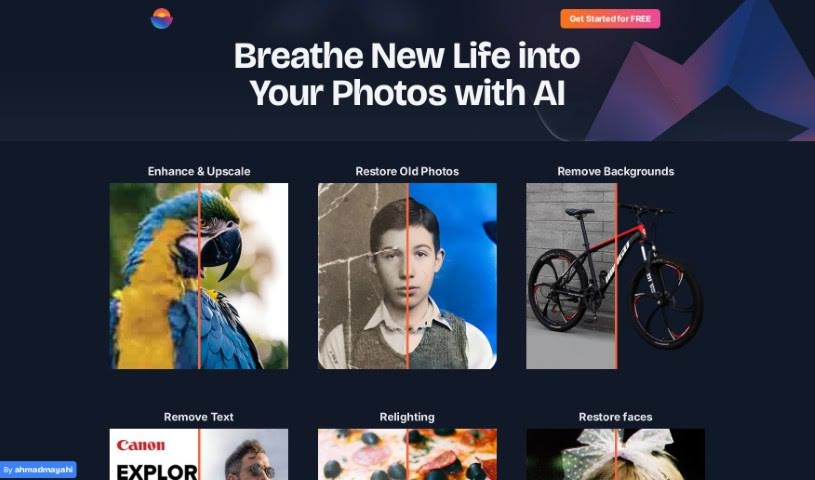
Oneimg is a free online platform that uses AI to help you enhance and edit photos. You can do all sorts of things with it, like blurring backgrounds, fixing old photos, turning yourself into a cartoon, removing backgrounds, cutting out faces, correcting colors, and retouching pictures. It also offers tools to shrink images, make them bigger, create memes, resize, crop, rotate, and convert them to different formats. The goal here is to make photo editing simple and quick, so you can get your photos looking great without a lot of fuss or manual work. Many people, especially designers and social media folks, really like Oneimg, particularly its background blur and cartoon selfie features. The old photo restoration is also a big hit for bringing damaged or old pictures back to life. Basically, Oneimg is a well-rounded, easy-to-use AI photo editor that helps users improve their images and get more done, thanks to its focus on being simple, versatile, and producing good quality results.

Screenshot of Onison Corporation

Onison Corporation

Freemium

Onison offers a really smart Whitespace Tool that uses Artificial Intelligence to automatically swap out the background of your product photos. You can choose to replace it with pure white space, specific colors you like, or even a transparent background. What's great is that it keeps the original CMYK layers intact. This tool is built specifically for professional product photography, making your presentations look much better by adding drop shadows. It also supports common image formats like RGB JPG and PNG. Plus, it fits right into your brand management workflow with its Digital Asset Management (DAM) features, helping you keep your brand consistent and making it easier to manage web-to-print projects.

Screenshot of Online Image Vectorizer

Online Image Vectorizer

Freemium

A vectorizer is a tool that takes the color information from a regular picture (like a JPEG or PNG) and turns it into simple shapes – think lines, circles, and curves. It does this by looking for edges where colors or brightness change, and then it describes those areas using mathematical formulas. Unlike pixel-based images, which are made of tiny squares, vector graphics are built on math. This is super handy because you can stretch, shrink, or rotate vector images as much as you want without them ever looking blurry or losing quality. That's why they're perfect for things like clip art, logos, and custom decals.

Screenshot of Opalai Scanto3D

Opalai Scanto3D

Freemium

Opalai Scanto3D is a mobile app from OpalAI that lets you create incredibly detailed 3D models of real estate properties. It's designed for precision, making it easy to capture spaces. You can use your phone's LiDAR or a 360 camera to record scans or video. The app then uses its AI technology to turn this data into full Building Information Models (BIMs). It's a pretty straightforward process – you just do a quick walkthrough, and the AI handles the heavy lifting. With OpalAI ScanTo3D, you can instantly generate both 2D and 3D Computer-Aided Design (CAD) models, offering a super convenient and efficient way to create digital versions of physical spaces.

Screenshot of Openart

Openart

Freemium

OpenArt Photo Booth is a really cool AI tool that creates unique, imaginary images. It works by letting you upload your own photos to train a personalized AI model. You can upload up to 20 pictures, and this custom AI can then generate images in all sorts of styles, improve faces and anime features in your photos, and even boost the image quality. They offer different plans, including a Free option, plus Starter, Hobbyist, and Pro packages, each giving you a different set of features and credits for generating AI art. Beyond just creating images, OpenArt also wants to be a place where you can learn and grow your skills. It lets you play around with different artistic styles and techniques without needing formal art training, and you can even get feedback and collaborate with others in their community.

Stay Updated with AI Tools

Get weekly updates on the latest AI tools, trends, and insights delivered to your inbox

Join 25,000+ AI enthusiasts. No spam, unsubscribe anytime.