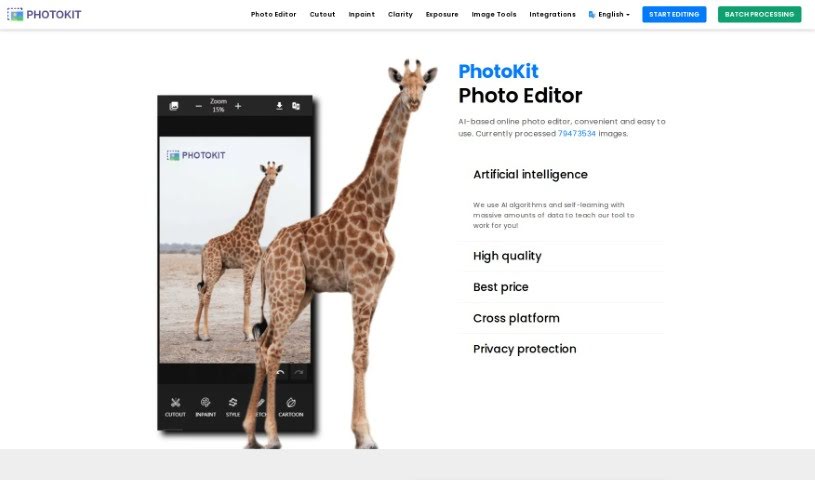
Screenshot of PhotoKit

PhotoKit

Discover PhotoKit, an AI-powered online photo editor. Learn its features, how to use it for tasks like background removal and batch processing, and who it's best suited for in 2025. See how it stacks up against other image generators.

Screenshot

What is PhotoKit?

PhotoKit is an online photo editor that uses AI to make editing your pictures super simple. It is your go-to tool for all sorts of photo tasks. You can use it to enhance your photos, touch up portraits, easily remove backgrounds, add cool effects, and even create collages. It’s designed to be really user-friendly, and the best part? You can access it on pretty much any device – Mac, Windows, Linux, or your phone. Plus, PhotoKit has handy batch processing tools. This means you can resize, crop, compress, convert, or apply filters to a whole bunch of images all at once. It really speeds things up! The AI behind PhotoKit is also great at improving image quality and making the whole editing process smoother.

People seem to really like PhotoKit because it’s easy to figure out, has a ton of filters, and gets the job done efficiently.

Who created PhotoKit?

PhotoKit, this AI-powered photo editor, first came out on March 29, 2021. The idea was to create a tool that makes it simple for anyone to turn their photos into something special, almost like magic, with just one click. The company behind it is all about making original, creative content. They focus on crafting titles that are really well-written and tailored to what people in different places expect. As we mentioned, the platform offers a bunch of features like removing backgrounds, retouching images, adding effects, making collages, and it handles both single photos and batches of images across different devices.

What is PhotoKit used for?

PhotoKit is incredibly versatile! Here’s a rundown of what you can do with it:

  • Background removal from images: Easily cut out subjects from their backgrounds.
  • Batch image processing: This is a big one! You can resize, crop, compress, convert, cutout, add watermarks, apply filters, and even rename multiple images all at once. Then, download them easily.
  • Online photo editing: It’s a full suite for editing online, offering effects, retouching, background removal, collage creation, and all the basic edits you’d expect.
  • Automatic design tool: Let the AI help you create designs automatically.
  • Mockup templates: Quickly create professional-looking mockups.
  • Image 3D effects: Add a 3D touch to your images.
  • Clip art tool: Access and use clip art easily.
  • Raster to SVG conversion: Convert your raster images into scalable vector graphics.
  • Black and white image colorizer: Bring old black and white photos to life with color.
  • Object removal from images: Clean up photos by removing unwanted objects.

Who is PhotoKit for?

PhotoKit is a great tool for a few key groups:

  • Digital Marketers: Need to create eye-catching visuals quickly? PhotoKit can help.
  • Journalists: Need to edit photos for articles efficiently? PhotoKit has you covered.
  • Graphic Designers: Whether you’re doing quick edits or batch processing, PhotoKit offers powerful tools.

How to use PhotoKit?

Using PhotoKit is pretty straightforward. Here’s how you can get started:

  1. Head to the website: Just go to PhotoKit’s website to access the online photo editor. Remember, it works on Mac, Windows, Linux, and even your mobile or tablet devices.
  2. Pick your processor: Decide what you need to do with multiple images. PhotoKit offers tools like a bulk resizer, cropper, compressor, converter, cutout tool, watermark adder, filter applicator, and a batch renamer.
  3. Edit your photos: Use the main online photo editor for all sorts of creative tasks. You can apply photo effects, remove backgrounds, retouch images, enhance photos, automatically correct perspective, use collage templates, make basic edits, and even access a huge library of photos and graphics.
  4. Explore specific tools: For more targeted editing, check out tools like Cutout, Inpaint (for removing objects), Smooth, Clarity, Exposure, and Balance to fine-tune your images.
  5. Discover more features: Dive into the extensive options available, including Correction, Effects, Palette, Style, Filter, Sketch, Cartoon, Vectorization, Draw, Dodge, Burn, Desaturate, Blur, Mosaic, Eraser, Magic Eraser, Colorize, Background tools, Text, Shapes, Stickers, Resize, Crop, Clipping, Transform, Focus, Warp, Corners, Frame, Collage, Stitching, Merge, and Blending. It’s a really comprehensive set of tools!

PhotoKit really does offer a user-friendly experience with powerful editing capabilities, making it suitable for both beginners just starting out and seasoned professionals. If you want to learn even more or see what others are saying, definitely check out their website and blog for more details and reviews.

Related AI Tools

Discover more tools in similar categories that might interest you

123RF AI Image Generator

Creative Image Generation
Learn More

Stay Updated with AI Tools

Get weekly updates on the latest AI tools, trends, and insights delivered to your inbox

Join 25,000+ AI enthusiasts. No spam, unsubscribe anytime.