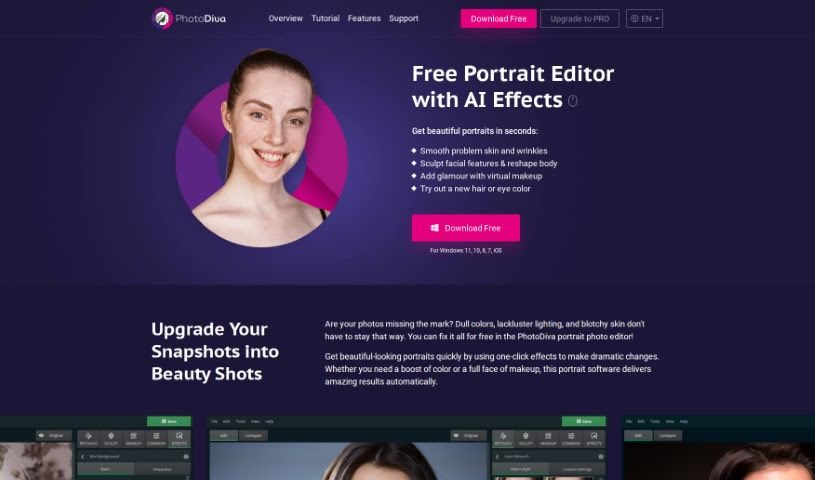
What is PhotoDiva?
PhotoDiva is a free portrait editing software that uses AI-powered tools to make your photos look even better. It is your personal digital retouching studio! It’s packed with features like automatic retouching to smooth out skin, digital plastic surgery for subtle reshaping, blemish removal tools, a whole range of effects and filters, and even background blurring to make your subject pop. Basically, this software lets you effortlessly retouch photos, subtly reshape facial features, add virtual makeup, change backgrounds, and apply cool one-click filters. It’s great for everything from casual family photos to more professional shoots, and if you need even more power, there’s a Pro version available for advanced editing.
Who created PhotoDiva?
PhotoDiva was actually developed by a team of really experienced engineers. They poured their expertise into creating advanced algorithms specifically for this portrait editor. It first launched on May 1, 2020, with a clear goal: to give users professional-level results that go way beyond what you can do with basic smartphone editing apps. You’ll find a bunch of handy features here, like automatic virtual makeup, one-click filters that are super easy to use, tools to control light and shadow, and the ability to effortlessly remove distracting objects from your shots. PhotoDiva is designed to enhance portraits of absolutely everyone, no matter their age, gender, shape, or size, making it a really versatile tool for all sorts of editing needs.
What is PhotoDiva used for?
PhotoDiva is fantastic for a whole range of portrait enhancements:
- Skin Smoothing: Effortlessly smooth out skin and reduce the appearance of wrinkles.
- Facial and Body Reshaping: Gently reshape facial features or even the body for a more balanced look.
- Virtual Makeup: Add a touch of glamour with realistic virtual makeup.
- Color Customization: Change hair or eye color to experiment with different looks.
- Feature Enhancement: Make facial and body features stand out more naturally.
- Object Removal: Easily remove unwanted people or objects that clutter your photo.
- Glamour Makeup: Apply beautiful, natural-looking beauty makeup.
- Background Swapping: Change backgrounds quickly without spending hours editing.
- Color Accents: Add vibrant color to lips, eyes, and cheeks.
- Distraction Removal: Clean up distracting elements in the background.
- Problem Skin Fixes: Smooth out problem skin and wrinkles with ease.
- Sculpting and Reshaping: Sculpt facial features and reshape the body for desired aesthetics.
- Glamour Effects: Add dimension and a glamorous feel to your portraits.
- One-Click Retouching: Fix imperfections and add a touch of glam with simple one-click tools.
- Automatic Retouching: Retouch portrait photos automatically for quick improvements.
- Face Sculpting: Reshape and sculpt facial features precisely.
- Glamorous Dimension: Add dimension for a truly glamorous look.
- Background Blurring: Blur the image background to really highlight the face.
- Background Management: Change or remove distracting backgrounds easily.
- Filter Variety: Play with over 100 one-click photo filters for dramatic changes.
- Easy Object Removal: Remove unwanted people or objects without a fuss.
- Eye/Cheek/Lip Brightening: Brighten eyes, cheeks, and lips for a more vibrant look.
- Wrinkle and Age Spot Reduction: Reduce the appearance of wrinkles and age spots.
- Professional Results: Achieve professional-level results thanks to advanced algorithms.
- Automatic Blemish Removal: Automatically remove blemishes for clear skin.
- One-Click Effects: Apply one-click effects for dramatic, instant changes.
- Color and Feature Enhancement: Change colors and enhance facial features.
- Seamless Background Swaps: Swap backgrounds without needing extensive editing time.
- Automatic Blemish Erasing: Automatically remove blemishes for a flawless finish.
Who is PhotoDiva for?
PhotoDiva is a fantastic tool for a wide range of creative individuals and professionals:
- Photographers: Perfect for enhancing portrait sessions.
- Makeup Artists: Great for visualizing makeup looks or retouching client photos.
- Graphic Designers: Useful for quick portrait touch-ups in design projects.
- Content Creators: Ideal for making social media content look polished.
- Social Media Influencers: Helps maintain a consistent, attractive online presence.
- Professional Portrait Editors: Offers efficient tools for demanding workflows.
- Image Editors: A valuable addition to any editing toolkit.
- Portrait Photographers: Streamlines the process of retouching portraits.
- Professional Retouchers: Provides advanced AI features for high-quality results.
- Models: Can be used for personal portfolio enhancements.
- Digital Artists: Offers tools for creative manipulation and enhancement.
- Portrait Editors: A user-friendly option for all levels of portrait editing.
How to use PhotoDiva?
Using PhotoDiva is pretty straightforward, especially with its AI assistance. Just follow these simple steps:
- Open PhotoDiva: First things first, launch the PhotoDiva software on your computer.
- Upload Your Photo: Once it’s open, select the photo you want to work on from your files and upload it into the PhotoDiva interface.
- Apply One-Click Effects: This is where the magic happens! You can use the one-click effects to make big changes really fast. Think smoothing skin, whitening teeth, reshaping facial features, or adding virtual makeup. These effects are designed to quickly and easily boost your photo’s overall look.
- Make Additional Adjustments: If you want to fine-tune things, PhotoDiva has intuitive sliders for all sorts of adjustments. You can tweak facial and body enhancements, adjust colors, and even replace backgrounds. Plus, you can automatically remove blemishes and apply natural-looking makeup.
- Facial Feature Detection: PhotoDiva is smart – it automatically detects key facial features like lips, eyes, and cheeks. This means you can sculpt, beautify, and add color to these areas without needing to do any tedious manual selections.
- Background Editing: Changing or removing the background is a breeze. Just select the outline of your subject, and PhotoDiva will handle the rest, making background swaps super simple.
- Save and Share: Once you’re happy with all your edits and your portrait looks just right, save your enhanced photo. Then, you can easily share it on your favorite social media platforms like Facebook or Instagram.
- Explore Advanced Features (PRO Version): If you find yourself wanting even more control and advanced options, consider upgrading to the PhotoDiva Pro version. It unlocks features like professional light and color balancing, more advanced AI retouching, sophisticated digital makeup tools, and a host of other powerful editing capabilities.
By following these steps, you’ll be able to efficiently enhance and beautify your photos using PhotoDiva’s user-friendly interface and powerful editing tools.