AI Tools for Creative
Discover the best Creative AI tools to enhance your productivity and creativity.
Creativity today is changing fast, and AI is becoming a super helpful partner. Whether it’s creating amazing visuals or writing music, AI creative tools are making the art process more accessible and exciting. But with so many options out there, finding the right one for your creative needs can feel a bit overwhelming.
Things have really changed in just a few years. AI tools aren’t just for special uses anymore; they’re smoothly fitting into our everyday creative work. These new technologies can make your projects better, save you time, and even lead you to explore artistic ideas you hadn’t considered before.
I’ve spent a good amount of time exploring the world of AI creative tools, looking into everything from graphic design apps to music software. Since I love seeing how technology and creativity come together, I wanted to share what I found about the best tools available right now.
So, whether you want to make eye-catching visuals or come up with fresh concepts, there’s a tool out there just for you. Let’s dive into the best AI creative tools that can take your artistic projects to the next level and change how you create.
The best AI Creative Tools
- Canva for designing social media posts
- Character AI for brainstorming story ideas and concepts.
- Janitor AI for quickly crafting unique story ideas.
- Remove.bg for instantly removing backgrounds from design projects
- Leonardo AI for generating dynamic artwork for designers
- Photopea for designing stunning graphics and illustrations.
- Photoroom for improving photos for creative projects
- Pixelcut for designing eye-catching product ads
- Pixlr for designing great graphics with ease
- Midjourney for visual storytelling through art prompts.
- AI Face Swap for creating unique memes for social media.
- Cutout.pro for creating dynamic backgrounds for art
- Remaker for AI-powered image creation for unique designs.
- Ideogram for logo design and customization.
- Openart for experimenting with unique artistic styles
How do AI creative tools work?
AI creative tools work by using advanced algorithms that learn from all sorts of data. They look at patterns in creative works—like art, music, or writing—which helps them copy styles and create new, original pieces. It’s a bit like how human artists get inspired by different things they see or hear.
At their core, these tools often use neural networks. These are specially built to understand and interpret human creativity. The networks are trained on huge amounts of data, including works from many different styles and formats, so they can learn and adapt to various approaches.
When you give a prompt—like a topic for a story, a theme for a painting, or a music genre—these AI tools use the patterns they’ve learned to generate fitting responses. They essentially guess which elements should go together to make content that feels cohesive and engaging.
What’s really interesting is that AI creative tools don’t just repeat what they’ve learned; they can actually be innovative. By blending styles or drawing from less common influences, they can produce work that surprises and inspires, offering a fresh take even on familiar subjects.
As technology keeps advancing, these creative tools are getting more capable. This means we can have richer interactions, with users and AI working together more smoothly. Often, this leads to amazing artistic creations that combine human ideas with computer power.
If you’re curious about the technical side of these tools, looking into neural networks and creative AI applications can offer more insight into how they bring artistic ideas to life.
Our best AI creative tools at a glance
| Rank | Name | Best for | Plans and Pricing | Rating |
|---|---|---|---|---|
| 1 | Canva | Social media post design | N/A | 4.73 (11 reviews) |
| 2 | Character AI | GBrainstorming story ideas and concepts. | N/A | 4.64 (11 reviews) |
| 3 | JanitorAI | Crafting unique story ideas quickly. | N/A | 0.00 (11 reviews) |
| 4 | Remove.bg | Instant background removal for design projects | Paid plans start at $0.2/image. | 4.82 (11 reviews) |
| 5 | Leonardo AI | Dynamic artwork generation for designers | Paid plans start at $9/month. | 4.73 (11 reviews) |
| 6 | Photopea | Design stunning graphics and illustrations. | N/A | 4.67 (12 reviews) |
| 7 | Photoroom | Enhancing creative project photos | Paid plans start at $7.50/month. | 4.74 (38 reviews) |
| 8 | Pixelcut | Designing eye-catching product ads | N/A | 4.64 (11 reviews) |
| 9 | Pixlr | Designing stunning graphics effortlessly | Paid plans start at $0.99/month. | 4.73 (11 reviews) |
| 10 | Midjourney | Visual storytelling through art prompts. | N/A | 4.73 (11 reviews) |
| 11 | AI Face Swap | Crafting unique memes for social media. | N/A | 4.70 (10 reviews) |
| 12 | Cutout.pro | Dynamic background creation for artistry | N/A | 4.46 (13 reviews) |
| 13 | Remaker | AI-powered image creation for unique designs. | N/A | 4.69 (13 reviews) |
| 14 | Ideogram | Logo design and customization. | N/A | 4.85 (26 reviews) |
| 15 | Openart | Experiment with unique artistic styles | Paid plans start at $84/year. | 4.25 (8 reviews) |
IconifyAI
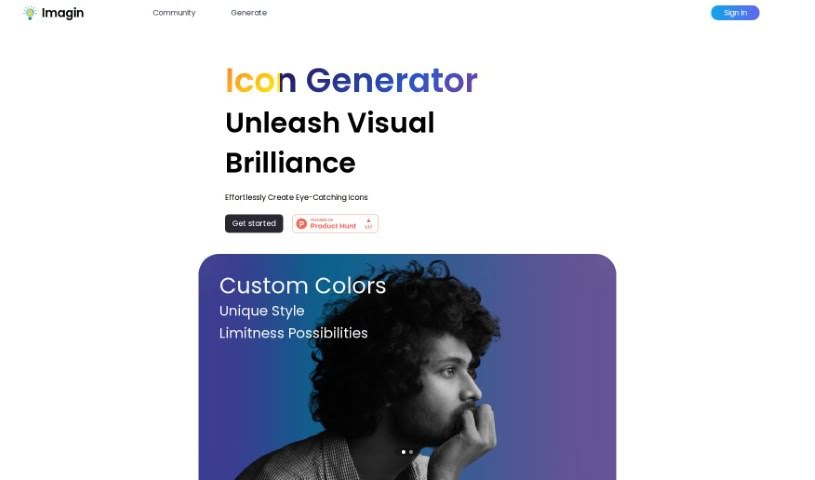
FreemiumIconifyAI is a really neat AI tool that helps you create app icons super fast and without any hassle. It uses smart AI to automatically whip up high-quality icons in all sorts of cool styles – think metallic, textured, pixelated, clay, gradient, solid colors, mascot characters, flat designs, vintage looks, and even sketch styles. You can even tell it exactly what objects you want in your icon, and you get full ownership for any commercial use. People love how easy it is to use and how quickly it delivers icons, usually in under a minute.
Iconik AI
FreemiumIconik AI is a really neat tool that helps you design and create custom icons for your Android, iOS, and web applications. The best part? You don't need any fancy design skills to use it! It offers a whole bunch of different icon styles, so you can get exactly the look you're going for. Think minimalist, clay-like textures, shiny metallic finishes, cool retro vibes, fun cartoon styles, soft watercolor looks, or even designs inspired by 2D games. You can create as many icons as you want with their 'Free Forever' plan – you only pay for the icons you actually download. Plus, they take security seriously, so your user data is protected, and all the icons you create will fit right in with Apple and Google's design standards.
Iconkit
FreemiumIconKit is an AI tool that makes creating icons for all sorts of projects super easy. Whether you need them for business applications or your Discord server, IconKit can whip up unique, customizable icons in just a few clicks. You can go for a sleek, modern look or something more playful and whimsical – it handles a wide range of styles.
Iconlab
FreemiumIconlab is a handy tool that uses AI to help you create icons for your applications. It really simplifies the whole process of making visual assets. You just tell it what you want in an icon and what you'd rather not see, and the AI whips up something for you in under 20 seconds. You don't need to be a graphic design whiz to use it, and guess what? The first 100 icons are totally free! It's super user-friendly, even supports 3D designs, and it's a great, budget-friendly option, especially for smaller teams and startups.
IconLab AI
FreemiumIconLab AI is a smart tool that uses Artificial Intelligence to help you create eye-catching app icons and logos really easily. It lets you quickly whip up amazing, one-of-a-kind icons that perfectly capture your brand's vibe in just seconds. The AI behind IconLab AI has learned from a huge collection of graphics, icons, and assets, so you get a wide range of distinct styles to pick from. You can preview your icons in high-definition quality, downloading them as a standard 1024x1024 HD PNG. Plus, you own everything you create, including the commercial rights and the ability to resell them. It makes designing simple, fast, user-friendly, and impressive – just ask our over 1600 happy customers!
IconMage
FreemiumIconMage is a really neat AI platform that helps you create custom icons. It is your go-to tool for designing icons for websites, apps, or any project you're working on. It's super easy to use: you just type in what you want, pick a style and size, and let the AI do the rest. You've got 22 different styles to choose from, and you can get icons in sizes like 256x256, 512x512, and 1024x1024 pixels. The best part? You can use these icons for both personal projects and for your business, which is fantastic. Getting started is affordable too, with prices beginning at just $3 for 30 credits. They even offer discounts if you buy credits in larger amounts. If you have any thoughts or feedback, you can easily reach out via email or use their support bot.
Iconmaker
FreemiumIconmaker is a platform that specializes in creating custom app icons, all powered by AI. It uses cutting-edge artificial intelligence to generate unique, high-quality designs that are specifically tailored to what you're looking for. You can pick from different styles and colors to make sure your app's icon perfectly matches its identity. People often choose Iconmaker because it's affordable, delivers designs quickly, and helps make app interfaces look much better, ultimately improving the user experience.
Icons8
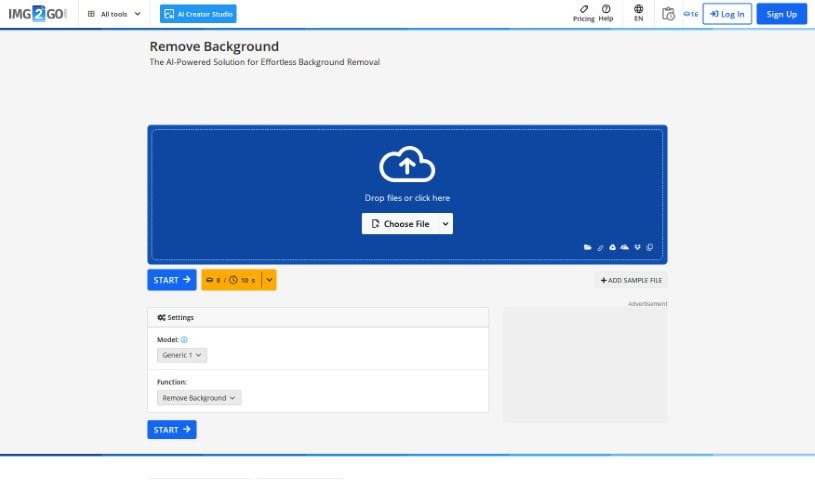
FreemiumIcons8 is a really handy tool that uses artificial intelligence to automatically remove backgrounds from all sorts of graphics. Think logos, illustrations, lettering, you name it – it handles them all. You can upload your images as JPG, PNG, or WebP files, and if you have a bunch, you can even upload them all at once, which is super efficient. What makes Icons8 stand out is how well it handles different kinds of graphics, unlike some other tools that are mostly for photos. It offers a web-based version and a Mac app for background removal, plus an API so you can plug it into other products you use. This means you won't have to send your images out to someone else just to get the background taken care of. While it's great with most images, it might have a little trouble with really fine details, like wisps of hair. Just so you know, it won't change your image size or make it look better quality, but it does offer a free version for up to three images. If you need more, there are subscription plans that give you priority processing, email support, and store your uploaded images for 60 days.
Ideator Ai
FreemiumIdeator AI is a smart design and innovation tool that uses artificial intelligence to help you come up with lots of different design ideas. You start by giving it your initial concept or a feature you have in mind, and then you pick how creative you want the AI to be. After that, Ideator AI will create several versions of your design, making sure the core function stays the same. It's built using GPT4 technology, which really helps make the design variations better and more varied. The team behind it is aiverse.design, and it's a fantastic tool for designers and innovators who want to explore a wide range of design possibilities with a little help from AI.
Ideogram
FreemiumIdeogram is your creative partner, an AI tool built to spark your imagination. It’s designed to help you come up with new ideas, see your concepts visually, and work better with others. It’s packed with features like instant creative prompts, ways to customize how your ideas look, and suggestions tailored just for you based on how you use it. Ideogram really helps you think outside the box, explore different viewpoints, and generate creative ideas you might not have thought of on your own. Plus, it makes communicating and collaborating a breeze with tools for real-time editing, leaving comments, and keeping track of different versions. This means sharing and building on ideas together becomes super smooth.
Idesigns AI Witty
FreemiumIDesigns AI Witty is a really neat AI tool that helps you create personalized designs. It uses some pretty advanced technology to make it super easy and efficient to come up with and tweak your own designs. Whether you're a seasoned pro or just starting out, you'll find its interface straightforward and its features quite comprehensive, making the whole design process feel smooth. What really sets this platform apart are its smart algorithms, all the ways you can customize things, how well it works with other design tools, and how it helps speed up your workflow. If you want to learn more, you can check out their website: [IDesigns AI Witty](https://www.idesigns.shop/?ref=aitools.fyi&utm_source=aitools.fyi).