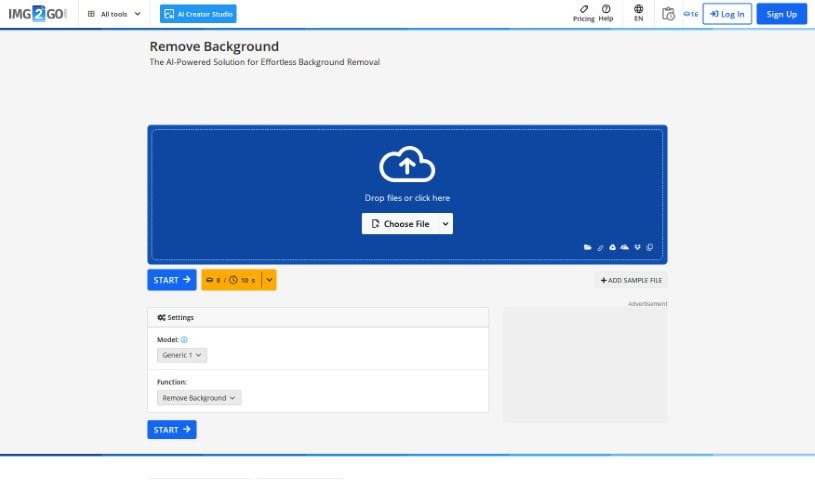
Screenshot of Img2Go.com

Img2Go.com

Discover what Img2Go.com is all about and learn how to use its features effectively in 2025. We'll walk you through its capabilities and how it stacks up against other photo editors.

Screenshot

What is Img2Go.com?

Img2Go.com is a handy website that lets you edit and convert your images right in your browser. It is your go-to online toolkit for all sorts of image tasks. You can easily resize, crop, and rotate your pictures, or switch them between different file formats like JPG, PNG, and GIF. It also offers fun tools to add filters, special effects, text, or even shapes to your photos. Plus, if you need to make your images load faster on a website, Img2Go.com can help you compress and optimize them. The whole idea behind Img2Go.com is to make image editing simple and efficient for everyone, whether you’re an individual user or a business, so you can make your visuals look great without needing complicated software or being a tech whiz.

Who created Img2Go.com?

Img2Go.com was actually started by a small team of developers who are really into technology and design. While the specific founder isn’t mentioned in the details we have, the company is definitely known for creating online image editing tools that are super easy to use. They’ve built a reputation for offering practical solutions for everyday image editing needs, which is why so many people and businesses choose Img2Go.com when they need to make quick, efficient edits.

How to use Img2Go.com?

Using Img2Go.com is pretty straightforward. Here’s a step-by-step guide to get you started:

  1. Upload Your Image: First things first, head over to Img2Go.com using your web browser. You’ll see a button that says “Choose File.” Click that to upload the image you want to edit. Alternatively, you can just drag and drop your image file right onto the website – it’s that easy!
  2. Select Editing Options: Once your image is uploaded and ready, you’ll see a range of editing options. You can pick from tools to resize, crop, rotate, or even apply some cool filters. Just choose the specific tools that fit what you want to do with your picture.
  3. Make Your Edits: Now for the fun part! Use the editing tools Img2Go.com provides to make all the changes you need. Want to trim out a distracting background? Crop it. Want to give your photo a different mood? Apply a filter. You can do it all right here.
  4. Preview and Save: After you’ve made your edits, it’s a good idea to preview your image. This lets you check if everything looks exactly how you imagined. If you’re happy with the results, you can then move on to saving your masterpiece.
  5. Choose Output Format: Img2Go.com gives you the flexibility to choose how you want to save your edited image. Just pick the format that works best for you, whether that’s a common JPG, a PNG with transparency, a GIF, or another format you might need.
  6. Download Your Image: Once you’ve selected your preferred output format, simply click the “Download” button. Your edited image will then be saved directly to your device in the format you chose.
  7. Share or Further Edit: Depending on what you need to do next, you can either share your newly edited image directly from Img2Go.com, or if you feel inspired, you can keep working on it with the other tools available on the site.
  8. Clear or Start Over: Made a mistake or just want to try a different approach? No problem! Img2Go.com lets you clear all your edits and start fresh with the original image. It’s a great way to experiment with different editing styles without any worry.

By following these simple steps, you’ll be able to use Img2Go.com like a pro to edit and enhance all your images with total ease.

Related AI Tools

Discover more tools in similar categories that might interest you

123RF AI Image Generator

Creative Image Generation
Learn More

Stay Updated with AI Tools

Get weekly updates on the latest AI tools, trends, and insights delivered to your inbox

Join 25,000+ AI enthusiasts. No spam, unsubscribe anytime.